

Amplify by PlugPV is made and published by PlugPV. AppBrain is an independent app data site and isn't affiliated with PlugPV. The app name, icon, screenshots and description belong to PlugPV and are shown as published on the App Store.
AppBrain's verdict
- Rating on App Store
- 4.20
- 5 ratings
- Last updated
- December 4, 2025
- Size
- 56.9 MB
It doesn't have enough ratings yet to judge what users think.
User feedback
Ratings and reviews on the App StoreComments on Amplify by PlugPV for iOS
We don't have enough comments to show example comments. Please check back later.
Store listing
By PlugPV, from the App Store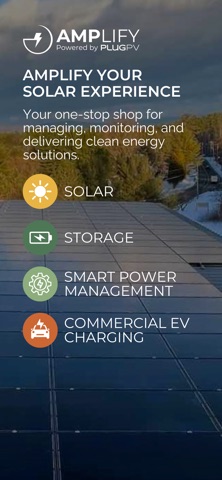



Description by PlugPV Written by the developer, not by AppBrain. Click to read.
For sales consultants, Amplify provides simple, practical tools to create proposals, track leads, manage projects, and access key resources on the go. These features help support customers more efficiently while contributing to a more sustainable future through PlugPV’s innovative solar and energy storage solutions.
To use Amplify, you must be a consumer or partner with PlugPV. Access can be requested in the app using the "Request Access" button on the sign-in screen.
Safety and technology
Found in the app by AppBrain- Price
- Free
- App size
- 56.9 MB
- Content rating
- Everyone
Technologies used by Amplify by PlugPV
Releases
Updates seen on the App Store- Version
- 1.0.3.1
- Launched
- January 2025
No changelog data
Alternatives
Similar apps and more from PlugPVAlso available on Google Play

Rankings
App Store top chartsApp Store Rankings for Amplify by PlugPV
About the app and developer
About Amplify by PlugPV
Amplify by PlugPV is a business app developed by PlugPV.
User Ratings
Amplify by PlugPV is rated 4.20 out of 5 stars. The rating is based on 5 ratings.
App Information
Amplify by PlugPV is freely available from the App Store. The app size is 56.94 MB. The latest version available is 1.0.3.1. The last update was on December 4, 2025.
Technical Requirements
The app has a content rating of Everyone. The app has been available on the App Store since January 2025.
Developer information for PlugPV
Address: