AngleEyeLite is made and published by
株式会社S-CADE.
AppBrain is an independent app data site and isn't affiliated with 株式会社S-CADE.
The app name, icon, screenshots and description belong to 株式会社S-CADE and are shown as
published on the App Store.
About AngleEyeLite
AngleEyeLite is a sports app developed by 株式会社S-CADE.
What is the rating of AngleEyeLite?
AngleEyeLite has no ratings yet.
Is AngleEyeLite free?
AngleEyeLite is free. The app size is 8.89 MB. The latest version available is 2.1. The last update was on October 14, 2025.
What are the requirements for AngleEyeLite?
The app has a content rating of Everyone. The app has been available on the App Store since June 2021.
****For stable operation, it is recommended to use the device with A11 Bionic chip or higher. ****
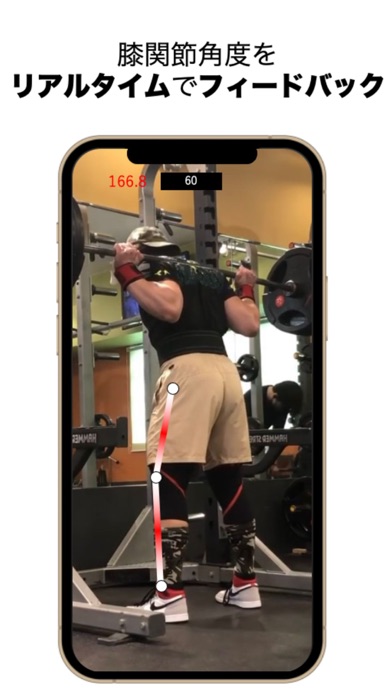
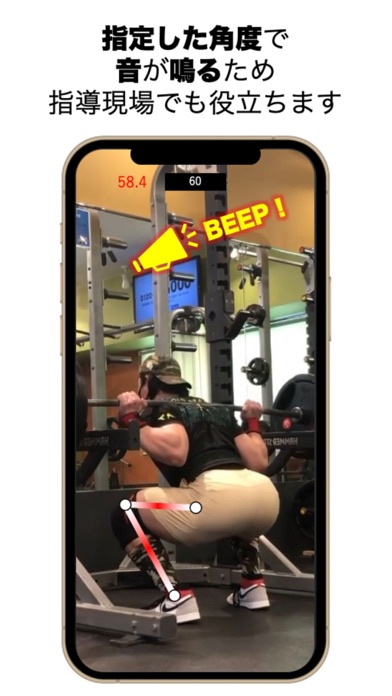
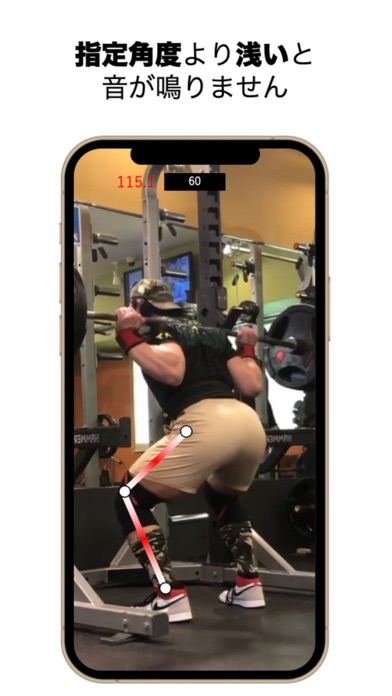
■Overview■ AngleEye automatically detects the landmarks of each joint by AI. It calculates the joint angle from the detected landmarks, and the obtained angle can be known in real time. Furthermore, it can play a sound at a specified angle, so you can objectively know the depth of a squat or deadlift, for example.
Although factors related to joint angle such as "deep/shallow" have a great impact on the effectiveness of strength training, it is difficult to know your own joint angle accurately during training. However, by using our app, such problems are completely solved.
It also makes it possible to measure the gap between the specified angle and the patient's desired angle for the evaluation of neuromuscular control, so I think this app can be used not only by all trainees and training coaches, but also by medical professionals such as physical therapists and occupational therapists who are involved in functional training.
The design is simple and intuitive, so there is no need to feel unnecessary stress.
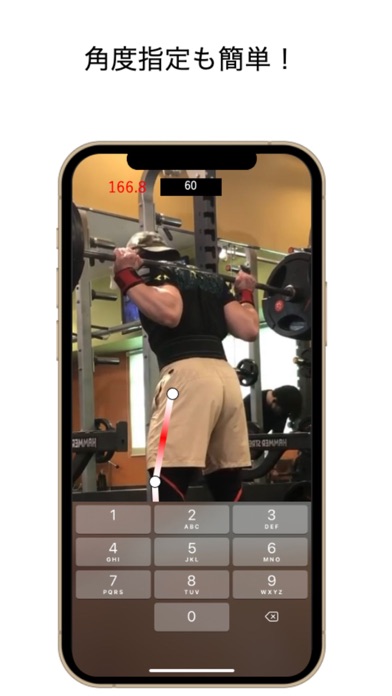
■How to use■ 1. Open the app and position the device so that the subject's entire body is within the camera. 2. Select the leg on the left or right that is closest to the camera with the Left/Right switch. 3. Enter the angle at which you want the sound to be played in the frame at the top center of the screen. (Default is 90 degrees) 4. The detected angle will be displayed in red letters in the upper left corner of the screen.
■Main functions■ ・It automatically detects the joint angle of the leg selected by the Left/Right switch. ・The sound is played at the angle specified by the text box in the upper middle of the screen. ・It detects the parallelism between the femur and the floor in parallel mode and sounds a sound. ・Tap the camera icon to switch to the front camera.
■Caution■ ・Please take pictures so that no one other than the target person is visible. ・When taking pictures, make sure that the subject's entire body is visible. ・Loose fitting clothing reduces detection accuracy. ・Use the Left/Right switch to specify the leg that is closer to the camera.
Each subscription will automatically renew 3 days before the expiration date for
the same time period. Subscriptions can be cancelled at any time before the renewal.