

aniControl is made and published by Ken Xu. AppBrain is an independent app data site and isn't affiliated with Ken Xu. The app name, icon, screenshots and description belong to Ken Xu and are shown as published on the App Store.
AppBrain's verdict
- Last updated
- June 16, 2024
Rankings
App Store top chartsApp Store Rankings for aniControl
Competitors
Similar apps and more from Ken XuMore from Ken Xu

Releases
Updates seen on the App Store- Version
- 1.0.1
- Launched
- June 2024
No changelog data
User feedback
Ratings and reviews on the App StoreComments on aniControl for iOS
We don't have enough comments to show example comments. Please check back later.
Technology
Found in the app by AppBrain- Price
- Free
- App size
- 2.18 MB
- Content rating
- Everyone
Technologies used by aniControl
About the app and developer
About aniControl
aniControl is an utilities app developed by Ken Xu.
User Ratings
The app has no ratings yet.
App Information
aniControl is freely available from the App Store. The app size is 2.18 MB. The latest version available is 1.0.1. The last update was on June 16, 2024.
Technical Requirements
The app has a content rating of Everyone. The app has been available on the App Store since June 2024.
Developer information for Ken Xu
Address:
Frequently asked questions about aniControl
Is aniControl free?
Yes. aniControl is free on the App Store.
Is aniControl still available?
Yes. aniControl is on the App Store, and the last update we saw was on June 16, 2024.
How large is aniControl?
aniControl is 2.18 MB.
Is aniControl suitable for children?
App Store rates the content of aniControl as suitable for everyone.
Who made aniControl?
aniControl was developed by Ken Xu. It is listed in the utilities category on the App Store.
Store listing
By Ken Xu, from the App Store

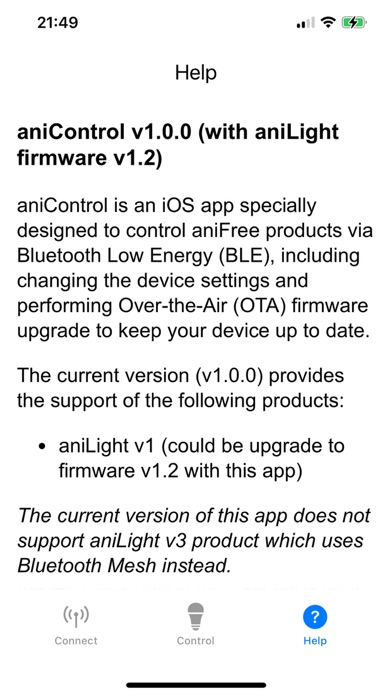
Description by Ken Xu Written by the developer, not by AppBrain. Click to read.
First, you need to operate aniLight to enter BLE mode:
① Power aniLight off: Press and hold the left PWR button for 3 seconds until red light runs counterclockwise once.
② Enter BLE mode: Press and hold the right SET button, while SET button is held, press and hold PWR button for 3 seconds until BLUE (not green) light runs clockwise once, then release both buttons.
Go to [Connect] tab to scan and find aniLight device with the name of "aniLight_1", and connect to it.
Go to [Control] tab to change settings of the connected aniLight or perform firmware upgrade.
* You need to press the Save button to save your changes to the device.
* After firmware update, aniLight will restart to the normal operation mode (without BLE). If you want to use BLE feature, re-enter BLE mode.
Go to [Help] tab for more detailed information.
BLE mode needs more power to run. So after finishing firmware update and settings change, re-enter the normal mode:
① Power the unit off.
② Power the unit on normally: Press and hold PWR button for 3 seconds until green light runs clockwise once.
* This app (v1.0.1) only works with aniLight v1 device. It provides the firmware v1.2.
* This app (v1.0.1) does not work for aniLight v3 device which supports BLE Mesh instead.