

Annotium - Photo Markup
Annotium - Photo Markup is made and published by Hoang Le. AppBrain is an independent app data site and isn't affiliated with Hoang Le. The app name, icon, screenshots and description belong to Hoang Le and are shown as published on the App Store.
AppBrain's verdict
Established- Rating on App Store
- 4.00
- 4 ratings
- Last updated
- October 3, 2026
It doesn't have enough ratings yet to judge what users think.
Rankings
App Store top chartsApp Store Rankings for Annotium - Photo Markup
Competitors
Similar apps and more from Hoang Le







Releases
Updates seen on the App Store- Version
- 4.11.5
- Launched
- November 2020
No changelog data
User feedback
Ratings and reviews on the App StoreComments on Annotium - Photo Markup for iOS
We don't have enough comments to show example comments. Please check back later.
Technology
Found in the app by AppBrain- Price
- Free
- App size
- 40.0 MB
- Content rating
- Everyone
Technologies used by Annotium - Photo Markup
About the app and developer
About Annotium - Photo Markup
Annotium - Photo Markup is a photo & video app developed by Hoang Le.
User Ratings
Annotium - Photo Markup is rated 4.00 out of 5 stars. The rating is based on 4 ratings.
App Information
Annotium - Photo Markup is freely available from the App Store. The app size is 40.01 MB. The latest version available is 4.11.5. The last update was on October 3, 2026.
Technical Requirements
The app has a content rating of Everyone. The app has been available on the App Store since November 2020.
Developer information for Hoang Le
Address:
Frequently asked questions about Annotium - Photo Markup
Is Annotium - Photo Markup free?
Yes. Annotium - Photo Markup is free on the App Store.
Is Annotium - Photo Markup still available?
Yes. Annotium - Photo Markup is on the App Store, and the last update we saw was on October 3, 2026.
How large is Annotium - Photo Markup?
Annotium - Photo Markup is 40.01 MB.
Is Annotium - Photo Markup suitable for children?
App Store rates the content of Annotium - Photo Markup as suitable for everyone.
How do people rate Annotium - Photo Markup?
Annotium - Photo Markup scores 4.00 out of 5 stars, from 4 ratings on the App Store.
Who made Annotium - Photo Markup?
Annotium - Photo Markup was developed by Hoang Le. It is listed in the photo & video category on the App Store.
What are the best alternatives to Annotium - Photo Markup?
People looking at Annotium - Photo Markup also look at these photo & video apps: Annotation & Markup App, Tinipiny Camera (text bubbles), Balloon Stickies Plus, Annotable: Annotation & Markup, Doodle sketch app.
Store listing
By Hoang Le, from the App Store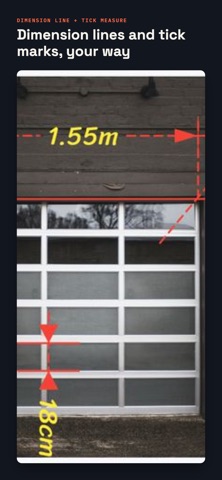
Description by Hoang Le Written by the developer, not by AppBrain. Click to read.
Mark up a photo or a screenshot in seconds. Annotate images for site inspections, repairs, lessons, product feedback, instructions, or everyday communication. Point out what matters, add context, and share an image that's easy to understand.
ANNOTATE WITH PRECISION
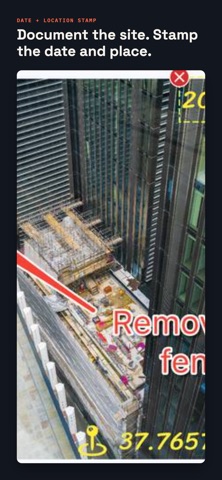
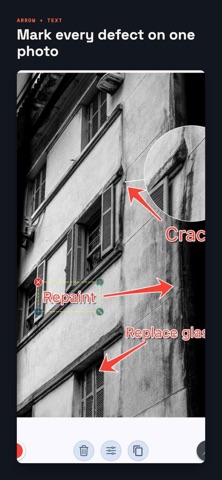
• Add arrows, lines, shapes, and text
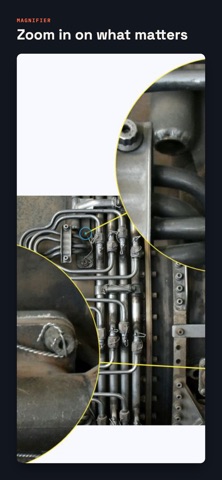
• Highlight details with Spotlight and Loupe
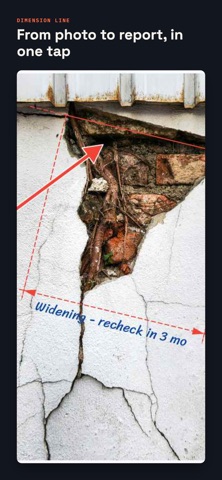
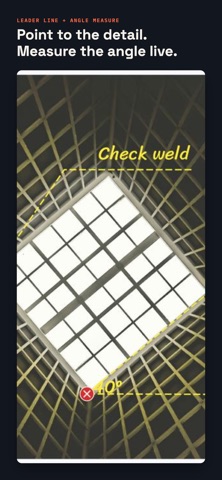
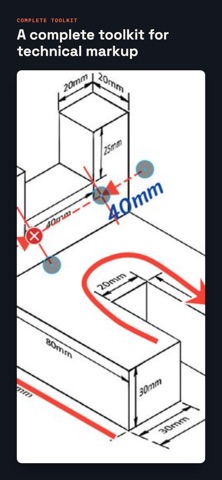
• Show dimensions and angles with measurement tools
• Draw directly when a quick sketch works best
• Snap to 0°, 45°, 90°, or 180° so every line stays straight
• Align shapes on an adjustable grid, or start from a blank A4 page
PROTECT AND PRESENT
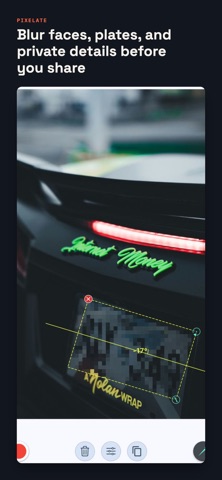
• Blur or pixelate private information
• Censor a face, a name, a plate, or an address before you send the photo
• Use Mosaic for free, and unlock Crystallize, Mezzotint, Pointillize, and Color Halftone with PRO
• Erase or crop a freeform area with Lasso Select (PRO)
• Crop and combine images to add more context
• Organize annotations into editable projects
• Export and share the result as an image or PDF
TOOLS FOR EVERY DETAIL
• Create lines, curves, arrows, rectangles, ovals, rounded rectangles, triangles, parallelograms, polygons, arcs, coordinate shapes, rings, and freehand drawings
• Use unlimited vertices in polygons, lines, and curves
• Select Multiple shapes to move, copy, or delete them together, and Group them (PRO) to keep them as one
• Customize arrowheads, line styles, width, size, color, font, dash pattern, fill, and opacity
• Add plain text, comic speech bubbles, pointer text, zigzag bubbles, and thought bubbles
• Use hundreds of icons, insert images, and import your own fonts
• Zoom and pan with precision and use a finger-following loupe
• Work in portrait or landscape with automatic rotation and dark mode
• Make collages or stitch multiple photos into a panorama
• Add Markdown notes to every project and reopen it anytime
• Generate high-resolution images, PDFs with custom templates, or editable project files
MADE FOR SCREENSHOTS TOO
A screenshot explains a bug, a setting, or a step far better than a paragraph does. Drop an arrow on the button, circle the error, blur the account details, and send it. Annotium keeps the screenshot markup sharp at full resolution, so nothing you point at gets lost when the image is opened on another screen.
FROM QUICK MARKUP TO A FINISHED REPORT
Start with one arrow. Add measurements, callouts, and notes as the job grows. When the photo set is complete, export every annotated image into a single PDF with your own template, or share the editable project file so a colleague can pick up where you stopped.
BUILT FOR REAL WORK
Annotium helps contractors, inspectors, technicians, teachers, students, designers, support teams, and anyone who needs to explain something visually.
PRO SUBSCRIPTION
You can start free with Annotium. An annual PRO subscription unlocks advanced tools and workflows and renews automatically until you cancel. PRO adds advanced shapes and callouts, technical lines, pixel effects, Lasso Select, shape grouping, voice typing with your device's available speech-recognition service, image insertion, the font catalog, notes, collage and stitching, project re-editing, plus PDF and project file export.
Take the photo. Mark the detail. Communicate clearly.
Terms of Use (EULA): https://www.apple.com/legal/internet-services/itunes/dev/stdeula/
Privacy Policy: https://annotium.github.io/legal/privacy