
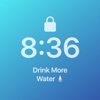
Any Text Widget is made and published by Two4Tea. AppBrain is an independent app data site and isn't affiliated with Two4Tea. The app name, icon, screenshots and description belong to Two4Tea and are shown as published on the App Store.
AppBrain's verdict
- Best rank
- #61
- Top Paid, Australia
- Rating on App Store
- 1.00
- 1 ratings
- Last updated
- July 14, 2025
It doesn't have enough ratings yet to judge what users think. Its best ranking is #61 in Top Paid, Utilities in Australia.
Rankings
App Store top charts- Highest rank
- #61
- Chart
- Top Paid
- Utilities
- Country
- Australia
App Store Rankings for Any Text Widget
Top rankings
| Rank | Country | Category | List |
|---|---|---|---|
| 61 | Australia | Utilities | Top Paid |
Ranking history in Australia
Competitors
Similar apps and more from Two4TeaMore from Two4Tea


Releases
Updates seen on the App Store- Version
- 1.3.0
- Launched
- July 2025
No changelog data
User feedback
Ratings and reviews on the App StoreComments on Any Text Widget for iOS
We don't have enough comments to show example comments. Please check back later.
Technology
Found in the app by AppBrain- Price
- $1.99
- App size
- 4.32 MB
- Content rating
- Everyone
Technologies used by Any Text Widget
About the app and developer
About Any Text Widget
Any Text Widget is an utilities app developed by Two4Tea.
What is the rating of Any Text Widget?
Any Text Widget is rated 1.00 out of 5 stars, based on one rating ratings.
Is Any Text Widget free?
Any Text Widget costs $1.99. The app size is 4.32 MB. The latest version available is 1.3.0. The last update was on July 14, 2025.
What are the requirements for Any Text Widget?
The app has a content rating of Everyone. The app has been available on the App Store since July 2025.
Developer information for Two4Tea
Address:
Store listing
By Two4Tea, from the App Store


Description by Two4Tea Written by the developer, not by AppBrain. Click to read.
With Any Text Widget, you’ll never forget what matters most. Instantly put any text on your Lock Screen, Home Screen, or in StandBy — whether it’s a quick note, your daily goal, a to-do list, or a reminder that keeps you focused.
• Ridiculously Simple
Just open the app, type your text, and it appears in your widget. That’s it — no clutter, no fuss.
• Flexible & Personal
Type whatever you want, and add emojis if you wish.
• Tap to Edit
Need to update your text? Just tap the widget — your note is always one tap away.
Add Widgets in Seconds
Not sure how to add a widget? Learn how here: https://support.apple.com/en-us/118610
Always Here to Help
Got feedback? Reach out anytime through the app.