

Any2PDF: PDF Converter, Viewer
Any2PDF: PDF Converter, Viewer is made and published by 镇源 余. AppBrain is an independent app data site and isn't affiliated with 镇源 余. The app name, icon, screenshots and description belong to 镇源 余 and are shown as published on the App Store.
AppBrain's verdict
- Rating on App Store
- 5.00
- 2 ratings
- Last updated
- February 9, 2026
It doesn't have enough ratings yet to judge what users think.
Rankings
App Store top chartsApp Store Rankings for Any2PDF: PDF Converter, Viewer
Competitors
Similar apps and more from 镇源 余Alternatives to Any2PDF: PDF Converter, Viewer


More from 镇源 余


Releases
Updates seen on the App Store- Version
- 1.2.0
- Launched
- February 2026
No changelog data
User feedback
Ratings and reviews on the App StoreComments on Any2PDF: PDF Converter, Viewer for iOS
We don't have enough comments to show example comments. Please check back later.
Technology
Found in the app by AppBrain- Price
- Free
- App size
- 4.32 MB
- Content rating
- Everyone
Technologies used by Any2PDF: PDF Converter, Viewer
About the app and developer
About Any2PDF: PDF Converter, Viewer
Any2PDF: PDF Converter, Viewer is a productivity app developed by 镇源 余.
What is the rating of Any2PDF: PDF Converter, Viewer?
Any2PDF: PDF Converter, Viewer is rated 5.00 out of 5 stars, based on 2 ratings.
Is Any2PDF: PDF Converter, Viewer free?
Any2PDF: PDF Converter, Viewer is free. The app size is 4.32 MB. The latest version available is 1.2.0. The last update was on February 9, 2026.
What are the requirements for Any2PDF: PDF Converter, Viewer?
The app has a content rating of Everyone. The app has been available on the App Store since February 2026.
Developer information for 镇源 余
Address:
Store listing
By 镇源 余, from the App Store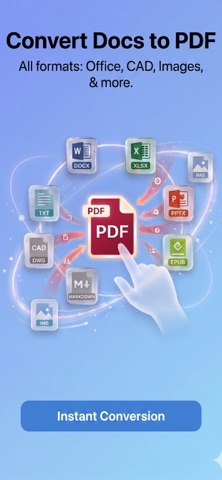




Description by 镇源 余 Written by the developer, not by AppBrain. Click to read.
Need to open Word, Excel, or PowerPoint files on your iPhone or iPad—without installing heavy office apps? Any2PDF lets you convert documents to clean, share-ready PDFs in seconds.
Beyond office files, Any2PDF also converts photos, web pages, receipts, and plain text into PDFs. Whether you’re archiving content, sharing files, or staying organized on the go, it’s fast, simple, and reliable.
KEY FEATURES:
• Documents to PDF
Convert Word, Excel, PowerPoint, WPS, and iWork files into PDFs that keep their original layout—perfect for viewing and sharing on mobile.
Supported formats include:
• Office: DOC, DOCX, XLS, XLSX, PPT, PPTX, CSV, POT, PPS
• WPS: WPS, WPT, DPS, DPT, ET, ETT
• iWork: PAGES, KEY, NUMBERS
• E-Books: EPUB, CHM, MOBI, AZW, FB2, DJVU, CBR, CBZ
• Images: JPG, PNG, GIF, BMP, TIFF, WEBP, SVG, AI, SKETCH
• CAD: DWG, DXF, DWT, DWS
• Web & Text: HTML, MHT, EML, MD, TXT, RTF, OFD, CAJ
• Code: JAVA, JS, C, CPP, CSS, XML, LOG & more
• Photos to PDF
Merge photos, receipts, ID cards, or notes into a single organized PDF—ideal for expense reports, studying, or decluttering your gallery.
• Merge PDFs
Combine multiple PDFs into one clean document. Perfect for contracts, travel files, or study materials.
• Web to PDF
Save articles, recipes, and research pages as PDFs for offline reading—anytime, anywhere.
• Text to PDF
Paste notes, memos, or clipboard text and instantly create a shareable PDF—no editor required.
• File Management & History
View, manage, and share all your converted files in one place via Email, AirDrop, or other apps.
Download Any2PDF today and boost your productivity!