


AppBrain's verdict
Established- Rating on App Store
- 2.22
- 9 ratings
- Last updated
- January 30, 2026
- Size
- 70.5 MB
It doesn't have enough ratings yet to judge what users think.
User feedback
Ratings and reviews on the App StoreComments on AnyMirror: Mirror Screen to PC for iOS
We don't have enough comments to show example comments. Please check back later.
Store listing
By iMobie Inc., from the App StoreDescription by iMobie Inc. Written by the developer, not by AppBrain. Click to read.
Main Features
1. Use your iPhone as a webcam and mic
- AnyMirror enables you to mirror in high-definition and lossless quality, which presents your image more professional. Meanwhile, you can walk freely with a movable camera and microphone via Wi-Fi.
2. Manage and edit in any way you like
- Add, rotate, resize, show a separate window, and display smart layouts with AnyMirror in a few clicks. No longer limited by inflexible vertical screens anymore.
3. Augment mirrored content to engage with your audience
- Annotations are a practical way to emphasize details and clarify opinions. Used in conjunction with a screen capture or recording, to create an engaging video, you can be assured that your presentation will be more intuitive and vivid.
4. Stream to multiple destinations without delay
- Real-time stream the mirrored screen to applications like OBS Studio or Zoom for live streaming or meeting.
Use cases
√ Meeting
- AnyMirror bridges the communication gap in an online meeting, which enables the meeting attendees to communicate in high-definition and lossless quality. In addition, you can stand out from your colleagues by recording creative videos with AnyMirror before the meeting.
√ Teaching
- As a teacher, you can display courseware, files, and exercises with AnyMirror. It also enables you to annotate courseware or type down key points onto your iPhone/iPad, and share the screen with the computer in real-time.
√ Live Streaming
- You can easily stream mirrored screens along with your image to live streaming apps with AnyMirror. In this way, you can show your excellent skills and performance when you are creating works or playing mobile games to your fans.
√ Demonstration
- With AnyMirror, you can produce videos of apps tutorials, save and share with your audience instantly. Annotate to emphasize important details when you are demonstrating, and let your audience quickly understand how your app works.
√ Entertainment
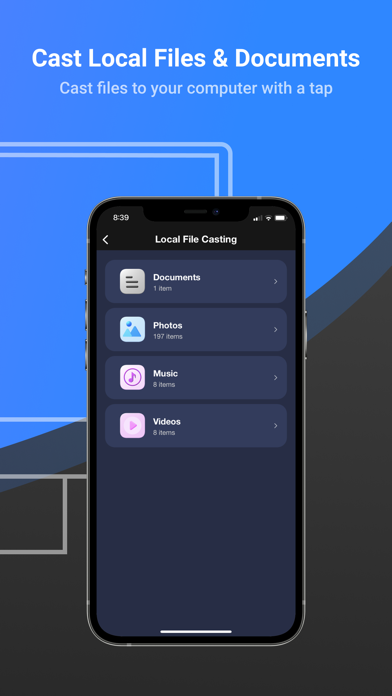
- Cast apps and files with ease. Play music, films, games, and share photos with your families on a larger screen. Make your spare time more exciting.
How to Connect
Mirror your iPhone/iPad Screen to the computer via Wi-Fi
1. Launch AnyMirror on your computer.
2. Please keep your device and computer connected to the same Wi-Fi network.
3. Open Control Center on iPhone/iPad → Tap Screen Mirroring → Select AnyMirror_computer name once it appears.
Mirror your iOS screen to the computer in real time via USB connection:
1. Launch AnyMirror on your computer.
2. Please confirm operations if any alerts pop up on your device or computer.
3. Tap the Start button below to Start Broadcast.
Then you are good to go
Safety and technology
Found in the app by AppBrain- Price
- Free
- App size
- 70.5 MB
- Content rating
- Everyone
Technologies used by AnyMirror: Mirror Screen to PC
Releases
Updates seen on the App Store- Version
- 1.1.2
- Launched
- September 2021
No changelog data
Alternatives
Similar apps and more from iMobie Inc.Alternatives to AnyMirror: Mirror Screen to PC




More from iMobie Inc.


Rankings
App Store top chartsApp Store Rankings for AnyMirror: Mirror Screen to PC
About the app and developer
About AnyMirror: Mirror Screen to PC
AnyMirror: Mirror Screen to PC is an utilities app developed by iMobie Inc.
User Ratings
AnyMirror: Mirror Screen to PC is rated 2.22 out of 5 stars. The rating is based on 9 ratings.
App Information
AnyMirror: Mirror Screen to PC is freely available from the App Store. The app size is 70.47 MB. The latest version available is 1.1.2. The last update was on January 30, 2026.
Technical Requirements
The app has a content rating of Everyone. The app has been available on the App Store since September 2021.
AnyMirror: Mirror Screen to PC is made and published by iMobie Inc. AppBrain is an independent app data site and isn't affiliated with iMobie Inc. The app name, icon, screenshots and description belong to iMobie Inc. and are shown as published on the App Store.
Developer information for iMobie Inc.
Address: