

Aphex is made and published by Aphex. AppBrain is an independent app data site and isn't affiliated with Aphex. The app name, icon, screenshots and description belong to Aphex and are shown as published on the App Store.
AppBrain's verdict
- Last updated
- October 7, 2026
Rankings
App Store top chartsApp Store Rankings for Aphex
This app is not ranked
Competitors
Similar apps and more from AphexAlso available on Google Play

Releases
Updates seen on the App Store- Version
- 1.19.7
- Launched
- December 2023
No changelog data
User feedback
Ratings and reviews on the App StoreComments on Aphex for iOS
We don't have enough comments to show example comments. Please check back later.
Technology
Found in the app by AppBrain- Price
- Free
- App size
- 150.2 MB
- Content rating
- Everyone
Technologies used by Aphex
About the app and developer
About Aphex
Aphex is a productivity app developed by Aphex.
User Ratings
The app has no ratings yet.
App Information
Aphex is freely available from the App Store. The app size is 150.18 MB. The latest version available is 1.19.7. The last update was on October 7, 2026.
Technical Requirements
The app has a content rating of Everyone. The app has been available on the App Store since December 2023.
Developer information for Aphex
Address:
Store listing
By Aphex, from the App Store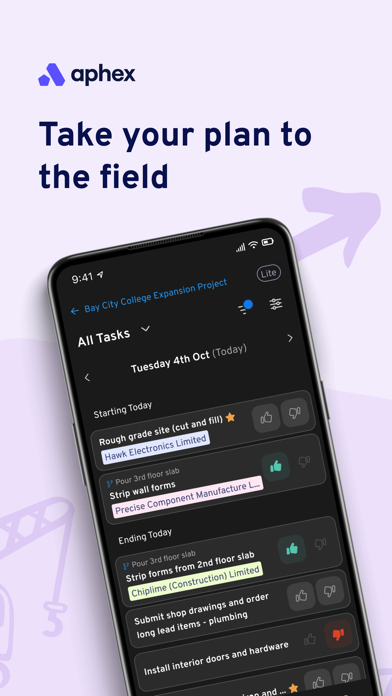

Screenshots by Aphex, from the the App Store listing
Description by Aphex Written by the developer, not by AppBrain. Click to read.
Aphex gives construction delivery teams on-the-go access to live, daily work plans right from their phone or tablet. Stay in the loop with real-time updates between the office and the site. Easily view your tasks, log delays, improvements, and explore the plan on the interactive map.
Automatic daily task lists
• See your plan, your team’s plan, or everything happening across the whole project
• Filter & Organise tasks your way; by Subcontractor, Shift, Location, Schedule, Resource Demand or User.
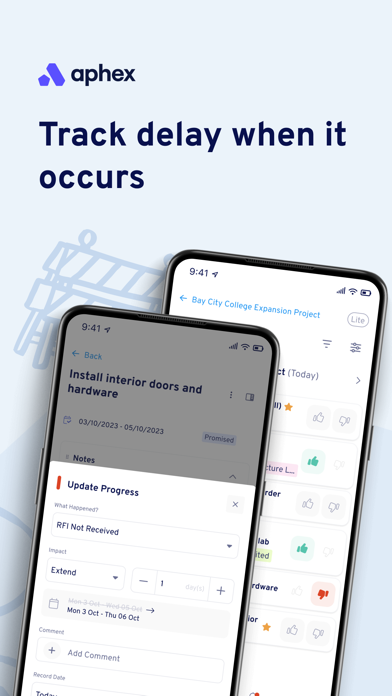
Capture task performance
• Thumbs Up or Thumbs Down to log delays
• Keep it simple by selecting a delay reason, or layer in extra context by adding Notes, Documents & Images
• Progress updates are shown to everyone, in real time, across the whole project
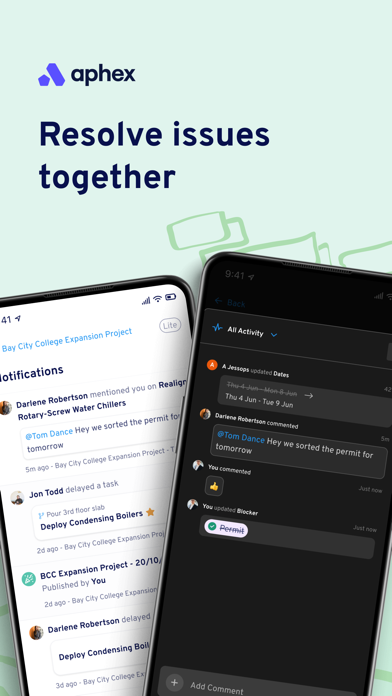
Real time changes
• Keep up to speed with updates as they happen
• Use @mention to communicate with your colleagues on tasks
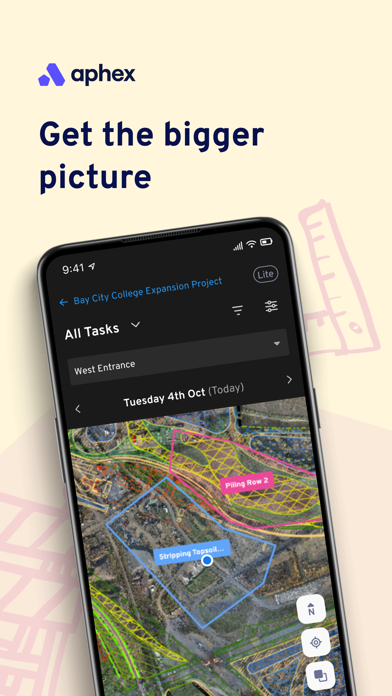
Maps
• See task work areas
• Identity clashing activities
• See everything happening around you
• Pull in ArcGIS data & decide which layers you want to see on the map
Stay connected with notifications
• Receive Push Notifications for delays or updates to tasks that impact you
Automatic daily task lists
• See your plan, your team’s plan, or everything happening across the whole project
• Filter & Organise tasks your way; by Subcontractor, Shift, Location, Schedule, Resource Demand or User.
Capture task performance
• Thumbs Up or Thumbs Down to log delays
• Keep it simple by selecting a delay reason, or layer in extra context by adding Notes, Documents & Images
• Progress updates are shown to everyone, in real time, across the whole project
Real time changes
• Keep up to speed with updates as they happen
• Use @mention to communicate with your colleagues on tasks
Maps
• See task work areas
• Identity clashing activities
• See everything happening around you
• Pull in ArcGIS data & decide which layers you want to see on the map
Stay connected with notifications
• Receive Push Notifications for delays or updates to tasks that impact you