APMP Converter is made and published by
典 熊.
AppBrain is an independent app data site and isn't affiliated with 典 熊.
The app name, icon, screenshots and description belong to 典 熊 and are shown as
published on the App Store.
About APMP Converter
APMP Converter is a photo & video app developed by 典 熊.
What is the rating of APMP Converter?
APMP Converter has no ratings yet.
Is APMP Converter free?
APMP Converter is free. The app size is 3.47 MB. The latest version available is 1.0. The last update was on June 12, 2026.
What are the requirements for APMP Converter?
The app has a content rating of Everyone. The app has been available on the App Store since June 2026.
Description by 典 熊(from the App Store)
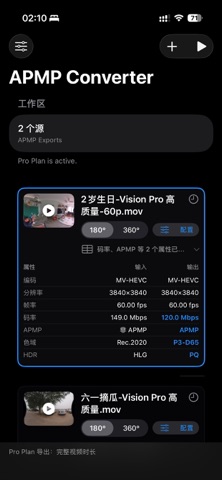
Saved a bunch of SBS / traditional MV-HEVC immersive videos and want to play them natively on Apple Vision Pro? Recorded videos in various color gamuts and HDR formats and want the best possible experience on Apple Vision Pro? This app can help!
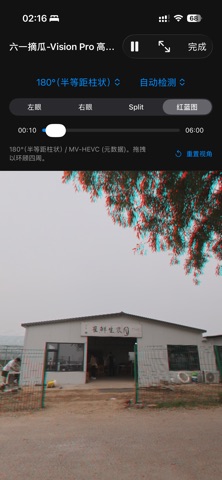
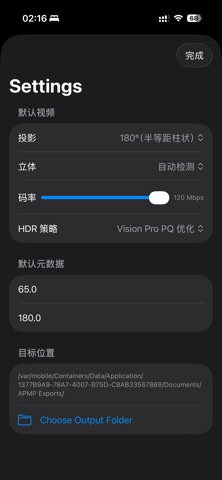
Features: - Import videos from Photos or Files - Inspect projection, stereo mode, frame rate, color, HDR, and audio details - Batch convert immersive videos into `.mov` videos with APMP (Apple Projected Media Profile) metadata for native playback on Apple Vision Pro and the best viewing experience - Supports three input 3D formats: Side by Side, Top Bottom, and MV-HEVC - Supports two input projection modes: 180° and 360° (equirectangular projection) - Supports PQ / HLG HDR formats - Provides two HDR processing methods: preserve the original HDR, or convert it to the Apple Vision Pro-compatible P3-D65, PQ2048 - 108 nits HDR format - Supports previewing videos in projection space before conversion, with drag-to-move viewing angle controls and Left / Right / Split / Anaglyph modes
Privacy Policy: https://www.xiongdianpku.com/privacy Terms of Use (EULA): https://www.apple.com/legal/internet-services/itunes/dev/stdeula/
Each subscription will automatically renew 3 days before the expiration date for
the same time period. Subscriptions can be cancelled at any time before the renewal.