

App Screenshots Maker is made and published by Hanva,LLC. AppBrain is an independent app data site and isn't affiliated with Hanva,LLC. The app name, icon, screenshots and description belong to Hanva,LLC and are shown as published on the App Store.
AppBrain's verdict
- Last updated
- July 3, 2024
Rankings
App Store top chartsApp Store Rankings for App Screenshots Maker
Competitors
Similar apps and more from Hanva,LLCMore from Hanva,LLC





Releases
Updates seen on the App Store- Version
- 1.0
- Launched
- July 2024
No changelog data
User feedback
Ratings and reviews on the App StoreComments on App Screenshots Maker for iOS
We don't have enough comments to show example comments. Please check back later.
Technology
Found in the app by AppBrain- Price
- Free
- App size
- 82.4 MB
- Content rating
- Everyone
Technologies used by App Screenshots Maker
About the app and developer
About App Screenshots Maker
App Screenshots Maker is an overall app developed by Hanva,LLC.
What is the rating of App Screenshots Maker?
App Screenshots Maker has no ratings yet.
Is App Screenshots Maker free?
App Screenshots Maker is free. The app size is 82.38 MB. The latest version available is 1.0. The last update was on July 3, 2024.
What are the requirements for App Screenshots Maker?
The app has a content rating of Everyone. The app has been available on the App Store since July 2024.
Developer information for Hanva,LLC
Address:
Store listing
By Hanva,LLC, from the App Store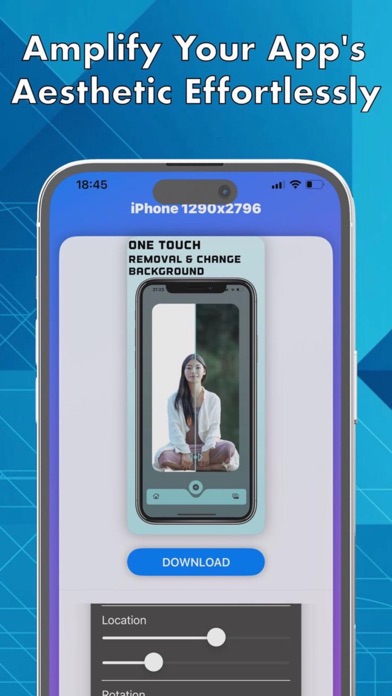



Description by Hanva,LLC Written by the developer, not by AppBrain. Click to read.
Are you a developer looking to make a memorable first impression on the App Store? Say goodbye to bland, uninspiring screenshots and hello to App Screenshots Maker – your ultimate tool for creating eye-catching, professional-quality visuals that captivate and convert.
Key Features:
1. Easy-to-Use Interface:
Create stunning screenshots in minutes with our intuitive, drag-and-drop interface. No design skills required!
2. Customizable Templates:
Choose from a wide variety of professionally designed templates tailored for different app categories, ensuring your screenshots stand out.
3. Background Customizer:
Select from 500+ backgrounds or upload your own to perfectly frame your app and highlight its features.
4. Device Mockups:
Showcase your app on the latest iPhone, iPad, and Apple Watch mockups to provide a real-world view of your app’s functionality.
5. Text and Graphics:
Add compelling text overlays, arrows, and other graphics to guide users and highlight key features of your app.
6. Batch Processing:
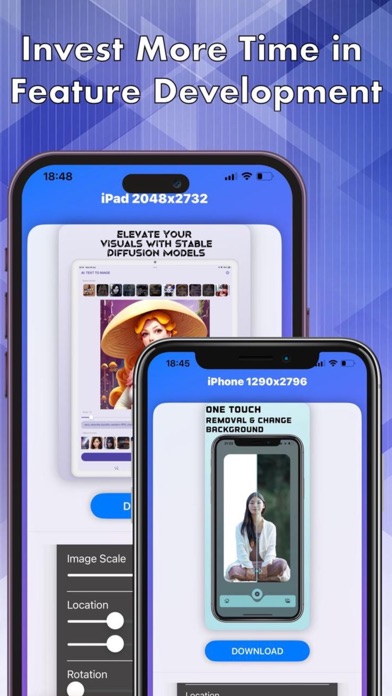
Save time with our batch processing feature. Create consistent, beautiful screenshots for all device sizes in one go.
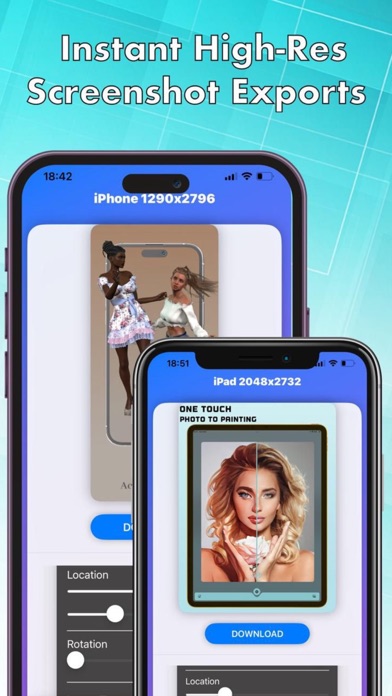
7. High-Resolution Export:
Export your screenshots in high resolution, ready to be uploaded directly to the App Store without any manual resizing or formatting.
Why App Screenshots Maker?
- Boost Downloads: Apps with high-quality screenshots are proven to attract more downloads. Let your app be the one that stands out in a crowded marketplace.
- Save Time & Effort: Automate the screenshot creation process and focus more on developing great features for your app.
- Professional Appeal: Ensure your app looks polished and professional with our expertly crafted designs.
How It Works:
- Select a Template: Start with a template that suits your app’s style.
- Customize Your Design: Add your app screenshots, adjust the layout, and personalize text and graphics.
- Preview & Export: Review your stunning screenshots and export them in the required format and resolution.
To use App Screenshots Maker, you need purchase an auto-renewing subscription by making an in-app purchase.
- Auto-renewable subscription
- 1 week, 1 month and one year durations
- Payment will be charged to your App Store Account at confirmation of purchase.
- Your subscription will automatically renew unless auto- renew is turned off at least 24 hours before the end of the current subscription period.
- Your account will be charged for renewal within 24 hours prior to the end of the current subscription period. Automatic renewals will cost the same price you were originally charged for the subscription.
- Manage or cancel your subscription from your user settings in the App Store at any time after purchasing.
- Any unused portion of a free trial will be forfeited if you purchase a subscription.
Privacy Policy: https://sunteame.com/privacy-policy/
Terms And Conditions: https://sunteame.com/app-screenshots-maker-terms-of-service/
If you have any questions or you need any help with App Screenshots Maker app please contact us with by email: support@sunteame.com