

AR Draw : Sketch & Art Maker
AR Draw : Sketch & Art Maker is made and published by Brijesh Bodariya. AppBrain is an independent app data site and isn't affiliated with Brijesh Bodariya. The app name, icon, screenshots and description belong to Brijesh Bodariya and are shown as published on the App Store.
AppBrain's verdict
- Last updated
- December 19, 2025
Rankings
App Store top chartsApp Store Rankings for AR Draw : Sketch & Art Maker
Competitors
Similar apps and more from Brijesh BodariyaAlternatives to AR Draw : Sketch & Art Maker



More from Brijesh Bodariya


Also available on Google Play

Releases
Updates seen on the App Store- Version
- 1.0.3
- Launched
- July 2025
No changelog data
User feedback
Ratings and reviews on the App StoreComments on AR Draw : Sketch & Art Maker for iOS
We don't have enough comments to show example comments. Please check back later.
Technology
Found in the app by AppBrain- Price
- Free
- App size
- 66.4 MB
- Content rating
- Everyone
Technologies used by AR Draw : Sketch & Art Maker
About the app and developer
About AR Draw : Sketch & Art Maker
AR Draw : Sketch & Art Maker is a graphics & design app developed by Brijesh Bodariya.
User Ratings
The app has no ratings yet.
App Information
AR Draw : Sketch & Art Maker is freely available from the App Store. The app size is 66.37 MB. The latest version available is 1.0.3. The last update was on December 19, 2025.
Technical Requirements
The app has a content rating of Everyone. The app has been available on the App Store since July 2025.
Developer information for Brijesh Bodariya
Address:
Frequently asked questions about AR Draw : Sketch & Art Maker
Is AR Draw : Sketch & Art Maker free?
Yes. AR Draw : Sketch & Art Maker is free on the App Store.
Is AR Draw : Sketch & Art Maker still available?
Yes. AR Draw : Sketch & Art Maker is on the App Store, and the last update we saw was on December 19, 2025.
How large is AR Draw : Sketch & Art Maker?
AR Draw : Sketch & Art Maker is 66.37 MB.
Is AR Draw : Sketch & Art Maker suitable for children?
App Store rates the content of AR Draw : Sketch & Art Maker as suitable for everyone.
Who made AR Draw : Sketch & Art Maker?
AR Draw : Sketch & Art Maker was developed by Brijesh Bodariya. It is listed in the graphics & design category on the App Store.
What are the best alternatives to AR Draw : Sketch & Art Maker?
People looking at AR Draw : Sketch & Art Maker also look at these graphics & design apps: AI Imagine Your Tattoo, AR Drawing : Paint-Draw-Sketch, AI Interior Design - Decor, PXLBIT: Pixel art maker, Drawing Projector: Outlino.
Store listing
By Brijesh Bodariya, from the App Store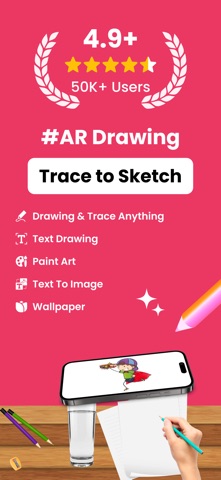

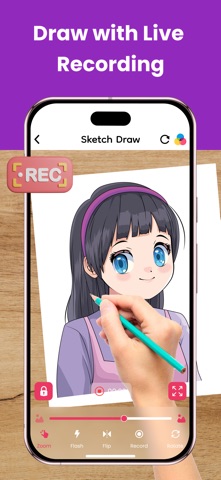
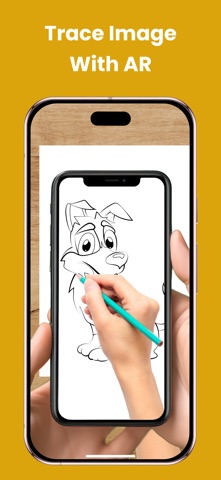

Description by Brijesh Bodariya Written by the developer, not by AppBrain. Click to read.
Turn your iPhone or iPad into a powerful augmented reality sketchbook. Whether you're a beginner learning to draw or a professional artist looking to experiment, this app makes drawing and tracing easy and fun through your camera.
Key Features:
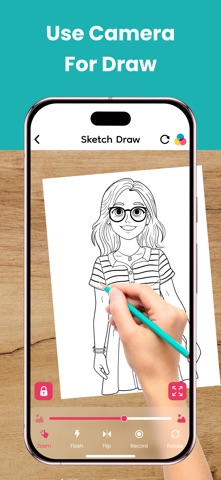
1. Camera Drawing – Use your phone's camera to trace images with AR.
2. Upload Your Image – Import any picture and transform it into art.
3. Draw Stickers – Create fun and unique stickers for your designs.
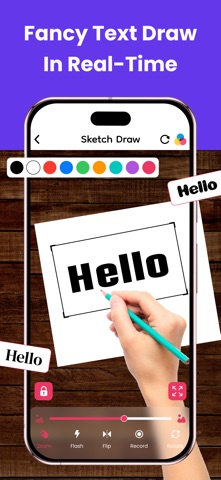
4. Font Art – Add stylish text and customize your artwork.
5. Wallpaper Creator – Design and set custom wallpapers for your phone.
6. Text to Image – Convert text into artistic visuals effortlessly.
7. Paint Art – Use a variety of brushes, colors, and tools to paint.
8. Creative Mode – Explore endless possibilities and let your imagination flow.
9. Favorite Collection – Save and organize your best artworks in one place.
Why Choose AR Draw & Sketch?
Easy to Use: Simple interface designed for all skill levels.
Powerful AR Features: Make tracing and sketching easier than ever.
Versatile Tools: Everything you need for drawing, painting, and designing.
Fun & Engaging: Enjoy endless creativity with a variety of features.
Who Can Use This App?
Artists & Designers – Improve drawing skills and create masterpieces.
Students & Teachers – Great for learning art and practicing techniques.
Tattoo Artists – Sketch and trace tattoo designs effortlessly.
DIY Creators – Make unique decorations, prints, and digital artwork.
Social Media Creators – Design cool posts, stickers, and wallpapers.
How to Use AR Draw & Sketch?
1. Choose an Image – Select or upload an image you want to draw.
2. Enable AR Mode – Place the image on your screen using the camera.
3. Start Sketching – Trace the image on paper or draw directly in the app.
4. Customize Your Art – Add stickers, fonts, colors, and more.
5. Save & Share – Keep your artwork or share it with friends and social media!
Start Drawing Like a Pro Today!
Download AR Draw & Sketch: Art Maker App now and explore a world of creativity with AR-powered sketching, painting, and design tools. Whether you're drawing for fun, learning new techniques, or creating professional artwork, this app has everything you need.
SUBSCRIPTION PRICING AND TERMS:
In-App Purchase:
USD $ 1.99 Weekly Subscription
USD $ 4.99 Monthly Subscription
USD $ $12.99 Yearly Subscription
The subscription will automatically renew unless turned off in your iTunes Account Settings at least 24 hours before the current period ends. You can go to your iTunes Account settings to manage your subscription and turn off auto-renew. Your iTunes Account will be charged when the purchase is confirmed.
Legal & Support Information:
Privacy Policy: https://ardrawsketchartmaker.blogspot.com/2025/07/privacy-policy.html
Terms & Conditions: https://ardrawsketchartmaker.blogspot.com/2025/07/terms-conditions.html
EULA: https://ardrawsketchartmaker.blogspot.com/2025/07/end-user-license-agreement-eula.html
With AR Draw & Sketch, you don’t just draw—you bring your vision to life in the real world.