
AR Draw Sketch: Trace & Paint
AR Draw Sketch: Trace & Paint is made and published by Chirag Senjaliya. AppBrain is an independent app data site and isn't affiliated with Chirag Senjaliya. The app name, icon, screenshots and description belong to Chirag Senjaliya and are shown as published on the App Store.
AppBrain's verdict
Removed- Rating on App Store
- 4.48
- 46 ratings
- Last updated
- December 5, 2024
AR Draw Sketch: Trace & Paint is no longer on the App Store. It had too few ratings to say what users thought.
Competitors
Similar apps and more from Chirag SenjaliyaMore from Chirag Senjaliya




Releases
Updates seen on the App Store- Version
- 1.5
- Launched
- July 2024
No changelog data
User feedback
Ratings and reviews on the App StoreComments on AR Draw Sketch: Trace & Paint for iOS
We don't have enough comments to show example comments. Please check back later.
Technology
Found in the app by AppBrain- Price
- Free
- App size
- 43.9 MB
- Content rating
- Everyone
Technologies used by AR Draw Sketch: Trace & Paint
About the app and developer
About AR Draw Sketch: Trace & Paint
AR Draw Sketch: Trace & Paint was a graphics & design app developed by Chirag Senjaliya. It was removed from the App Store Dec 8, 2025.
User Ratings
AR Draw Sketch: Trace & Paint was rated 4.48 out of 5 stars, based on 46 ratings.
App Information
AR Draw Sketch: Trace & Paint was free. The app size was 43.90 MB. The last available version was 1.5. The last update was on December 5, 2024.
Technical Requirements
The app had a content rating of Everyone. The app had been available on the App Store since July 2024.
Developer information for Chirag Senjaliya
Address:
Store listing
By Chirag Senjaliya, from the App StoreSimilar apps


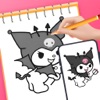


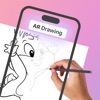

Description by Chirag Senjaliya Written by the developer, not by AppBrain. Click to read.
Unleash Your Creativity with AR Drawing Sketch Paint – The sketching and drawing app
AR Draw Sketch: Trace & Paint Art brings your draws to life in stunning masterpieces
AR Draw Sketch: Trace & Paint Art uses the power of augmented reality (AR) to make creating art fun and interactive. This app changes how you make and see digital art, giving you a unique and immersive drawing experience. Whether you are a professional artist, an aspiring illustrator, or just someone who loves to doodle, AR Drawing has many tools and features to bring your ideas to life.
How to use AR Draw Sketch: Trace & Paint app?
1. Tap the icon to launch AR Draw Sketch: Trace & Paint.
2. AR draws any image on your phone screen with the help of a camera.
3. Convert your picture into a border AR drawing sketch paint.
4. Trace the drawing image and sketch on white paper.
5. Adjust the AR draw version and create an amazing masterpiece!
• Easy Drawing Tools:
• Many brushes, colors, and effects for different styles.
• Simple interface for all skill levels.
• AR Technology:
• Turn any place into your drawing space with AR.
• Draw and paint in 3D, mixing digital art with the real world.
• Interactive Elements:
• Add animated stickers and 3D models to your drawings.
• Touch and move to make your art come alive.
• Collaboration and Sharing:
• Work on projects with friends in real time.
• Share your art on social media or save it to your device.
• Creative Community:
• Join a community of artists and AR fans.
• Discover, like, and comment on other people’s art.
• Learning and Inspiration:
• Find tutorials and tips to improve your skills.
• Get inspired by featured artists and trending art.
Try AR Draw Sketch: Trace & Paint Art today and start creating!
Privacy Policy:-
https://www.termsfeed.com/live/8c2853f3-2fc9-40ec-9582-cab5072a058d
Terms & Conditions: -
https://www.termsfeed.com/live/2baec879-95cc-43e5-b106-6a4cdf4593dd
Any Feedback or Tips?
Our team highly values your privacy and aims to provide a safe and reliable space for your privacy. We are willing to accept all user feedback. If you have any questions about the product, please Email us at the given Email Address:
mailto:senjaliyachirag134@gmail.com
Always Happy To Help :)