

AR Drawing: 3D Simply Sketch
AR Drawing: 3D Simply Sketch is made and published by SolveIt Inc. AppBrain is an independent app data site and isn't affiliated with SolveIt Inc. The app name, icon, screenshots and description belong to SolveIt Inc. and are shown as published on the App Store.
AppBrain's verdict
Loved by users- Rating on App Store
- 4.58
- 205 ratings
- Last updated
- March 4, 2025
Users love it: 4.6 stars from 205 ratings.
Rankings
App Store top chartsApp Store Rankings for AR Drawing: 3D Simply Sketch
Competitors
Similar apps and more from SolveIt Inc.More from SolveIt Inc.



Releases
Updates seen on the App Store- Version
- 1.0.2
- Launched
- March 2025
No changelog data
User feedback
Ratings and reviews on the App StoreComments on AR Drawing: 3D Simply Sketch for iOS
We don't have enough comments to show example comments. Please check back later.
Technology
Found in the app by AppBrain- Price
- Free
- App size
- 127.6 MB
- Content rating
- Everyone
Technologies used by AR Drawing: 3D Simply Sketch
About the app and developer
About AR Drawing: 3D Simply Sketch
AR Drawing: 3D Simply Sketch is an utilities app developed by SolveIt Inc.
User Ratings
AR Drawing: 3D Simply Sketch is rated 4.58 out of 5 stars. The rating is based on 210 ratings.
App Information
AR Drawing: 3D Simply Sketch is freely available from the App Store. The app size is 127.64 MB. The latest version available is 1.0.2. The last update was on March 4, 2025.
Technical Requirements
The app has a content rating of Everyone. The app has been available on the App Store since March 2025.
Developer information for SolveIt Inc.
Address:
Frequently asked questions about AR Drawing: 3D Simply Sketch
Is AR Drawing: 3D Simply Sketch free?
Yes. AR Drawing: 3D Simply Sketch is free on the App Store.
Is AR Drawing: 3D Simply Sketch still available?
Yes. AR Drawing: 3D Simply Sketch is on the App Store, and the last update we saw was on March 4, 2025.
How large is AR Drawing: 3D Simply Sketch?
AR Drawing: 3D Simply Sketch is 127.64 MB.
Is AR Drawing: 3D Simply Sketch suitable for children?
App Store rates the content of AR Drawing: 3D Simply Sketch as suitable for everyone.
How do people rate AR Drawing: 3D Simply Sketch?
AR Drawing: 3D Simply Sketch scores 4.58 out of 5 stars, from 205 ratings on the App Store.
Who made AR Drawing: 3D Simply Sketch?
AR Drawing: 3D Simply Sketch was developed by SolveIt Inc. It is listed in the utilities category on the App Store.
Store listing
By SolveIt Inc., from the App Store
Description by SolveIt Inc. Written by the developer, not by AppBrain. Click to read.
Draw Anywhere, Anytime
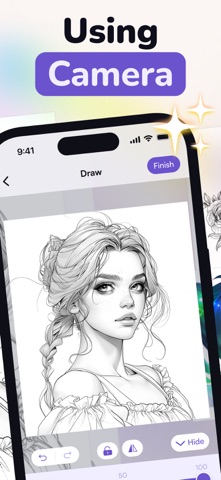
Aim your camera at a surface, select a template (or use your own ideas), then project it through your phone. Outline the displayed image in real life and watch your creativity unfold. From cute animals and cars to mouthwatering food and scenic vistas, there’s plenty to inspire your next masterpiece.
Why AR Drawing?
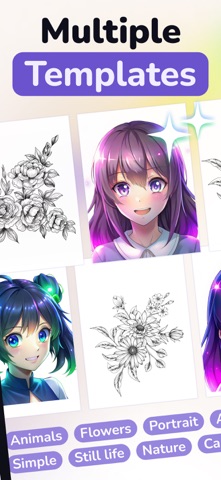
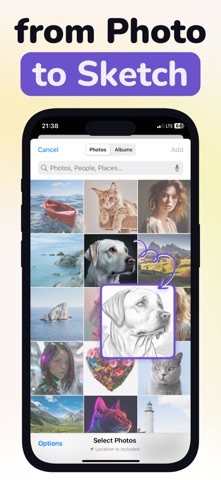
- Endless Templatesю Access a diverse library of designs animals, cars, nature, and more or trace your own references.
- Integrated Flashlight. Keep your subject well-lit so every detail stands out, no matter where you are.
- Multi-Surface Magic. Draw on paper, walls, glass, if you can see it, you can turn it into your personal canvas.
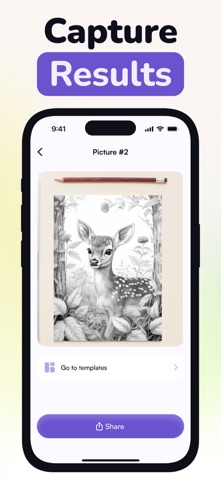
- Share Your Creations. Snap a photo or record a quick video of your AR process to amaze friends and followers.
- Perfect for All Skill Levels. Whether you’re a seasoned illustrator or trying to draw for the very first time, AR Drawing helps you practice perspective, capture outlines, and develop artistic confidence in a fun, user-friendly environment.
Subscription Details:
- Unlimited Access. Unlock premium perks like faster rendering, limitless tracing, specialized editing tools, and more.
- Flexible Plans. Choose from weekly, monthly, or yearly subscriptions that adapt to your artistic needs.
- Auto-Renewal. Your iTunes account is charged at the end of any free trial period. Subscriptions renew automatically unless you cancel auto-renew at least 24 hours before the current term ends.
- Manage Your Subscription. After purchase, visit your Account Settings to modify or turn off auto-renewal anytime.
Privacy Policy: https://telegra.ph/Privacy-Policy-of-AR-Drawing-02-19
Terms of Use: https://telegra.ph/Terms-of-Use-AR-Drawing-02-19
Download AR Drawing now and turn every surface into your personal art studio—trace, color, and create works of art with the power of AR!