

AR Drawing Projector: Draw Art
AR Drawing Projector: Draw Art is made and published by Jignesh Kikani. AppBrain is an independent app data site and isn't affiliated with Jignesh Kikani. The app name, icon, screenshots and description belong to Jignesh Kikani and are shown as published on the App Store.
AppBrain's verdict
- Rating on App Store
- 4.11
- 9 ratings
- Last updated
- September 24, 2026
It doesn't have enough ratings yet to judge what users think.
Rankings
App Store top chartsApp Store Rankings for AR Drawing Projector: Draw Art
Competitors
Similar apps and more from Jignesh KikaniMore from Jignesh Kikani


Releases
Updates seen on the App Store- Version
- 1.4
- Launched
- June 2026
No changelog data
User feedback
Ratings and reviews on the App StoreComments on AR Drawing Projector: Draw Art for iOS
We don't have enough comments to show example comments. Please check back later.
Technology
Found in the app by AppBrain- Price
- Free
- App size
- 69.5 MB
- Content rating
- Everyone
Technologies used by AR Drawing Projector: Draw Art
About the app and developer
About AR Drawing Projector: Draw Art
AR Drawing Projector: Draw Art is a graphics & design app developed by Jignesh Kikani.
User Ratings
AR Drawing Projector: Draw Art is rated 4.11 out of 5 stars. The rating is based on 9 ratings.
App Information
AR Drawing Projector: Draw Art is freely available from the App Store. The app size is 69.47 MB. The latest version available is 1.4. The last update was on September 24, 2026.
Technical Requirements
The app has a content rating of Everyone. The app has been available on the App Store since June 2026.
Developer information for Jignesh Kikani
Address:
Store listing
By Jignesh Kikani, from the App Store



Description by Jignesh Kikani Written by the developer, not by AppBrain. Click to read.
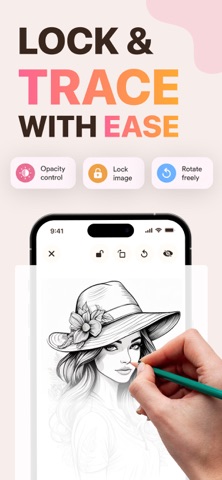
Whether you are a beginner looking to improve your sketching skills or an experienced artist wanting to trace complex outlines, this app uses state-of-the-art Augmented Reality (AR) technology to guide your hands on any surface. Just project a template image onto paper, trace the lines, and bring your art to life!
HOW IT WORKS:
1. Place your phone on a stand or cup parallel to your drawing surface.
2. Open the app and select your favorite template or upload your own photo.
3. Lock the screen and adjust image opacity.
4. Look through your phone screen and start tracing outlines on paper!
KEY FEATURES:
AR Camera Projector: Projects outlines directly onto your paper. Lock, rotate, scale, or adjust opacity with simple touch controls.
Diverse Template Library: Access 100+ easy-to-draw categories including Anime, Animals, Chibi, Nature, Cars, Food, Mandalas, and more!
Draw with Screen (Light Box Mode): Don't have a stand? Turn your screen brightness to max, place paper over your screen, and trace directly.
Built-In Flashlight Support:** Keep drawing comfortably even in low-light environments.
Unleash your creativity and master proportions, shapes, and shading with every trace. Download the app today and start creating your own masterpiece!
Privacy Policy: https://iosarsketch.blogspot.com/2026/05/privacy-policy.html
Terms of Service: https://www.apple.com/legal/internet-services/itunes/dev/stdeula/