
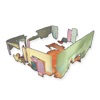
ARPlanar is made and published by Catalin Stan. AppBrain is an independent app data site and isn't affiliated with Catalin Stan. The app name, icon, screenshots and description belong to Catalin Stan and are shown as published on the App Store.
AppBrain's verdict
Removed- Rating on App Store
- 5.00
- 1 ratings
- Last updated
- April 1, 2023
ARPlanar is no longer on the App Store. It had too few ratings to say what users thought.
Competitors
Similar apps and more from Catalin StanMore from Catalin Stan

Releases
Updates seen on the App Store- Version
- 1.9
- Launched
- January 2021
No changelog data
User feedback
Ratings and reviews on the App StoreComments on ARPlanar for iOS
We don't have enough comments to show example comments. Please check back later.
Technology
Found in the app by AppBrain- Price
- Free
- App size
- 46.6 MB
- Content rating
- Everyone
Technologies used by ARPlanar
About the app and developer
About ARPlanar
ARPlanar was a productivity app developed by Catalin Stan. It was removed from the App Store May 23, 2024.
User Ratings
ARPlanar was rated 5.00 out of 5 stars, based on one rating ratings.
App Information
ARPlanar was free. The app size was 46.65 MB. The last available version was 1.9. The last update was on April 1, 2023.
Technical Requirements
The app had a content rating of Everyone. The app had been available on the App Store since January 2021.
Developer information for Catalin Stan
Address:
Frequently asked questions about ARPlanar
Is ARPlanar free?
Yes. ARPlanar was free on the App Store.
Is ARPlanar still available?
No. ARPlanar was removed from the App Store. We last saw it there May 23, 2024.
How large is ARPlanar?
ARPlanar is 46.65 MB.
Is ARPlanar suitable for children?
App Store rates the content of ARPlanar as suitable for everyone.
How do people rate ARPlanar?
ARPlanar had one rating of 5.00 stars on the App Store.
Who made ARPlanar?
ARPlanar was developed by Catalin Stan. It was listed in the productivity category on the App Store.
What are the best alternatives to ARPlanar?
People looking at ARPlanar also look at these productivity apps: ARchi VR - Create & Browse AR, LidarCad, Super Lidar - Lidar for Blind, Patchy Scan 3D - AR, Lidar 3d Scanner.
Store listing
By Catalin Stan, from the App StoreSimilar apps







Description by Catalin Stan Written by the developer, not by AppBrain. Click to read.
A different way to measure the environment!
The app has its own plane detection algorithm, capable of detecting and merging planes at a speed of 200 frames per second, including the vertex colors.
The precision is around 5 centimeters, and it can be configured in the app.
You can compare planes to see what's their distance and their normal orientation in Euler angles.
It is possible to obtain room approximate area by selecting 4 planes.
Every scene can be saved into a binary file using Menu -> Model -> Save.
Then the scene can be loaded anytime for inspection in AR or 3D mode using Menu -> Model -> Load.
It is also possible to export to OBJ files (colors are not included), or ASCII PLY (including colors).
The user can share the scene or the recording through AirDrop or see them to Files app.
The app is based on my previous work on my thesis diploma:
- find all the dominant planes in a point cloud
- merge similar planes into a global map
- measure distances from one plane to the other
- approximate the relative rotation and translation from one pose to the other
Features:
- plane segmentation
- plane merging in auto mode and manual mode
- project the plane points to the plane
- find distances by averaging the distance from the center of one plane to another
- export the map with their projected points or not
- load previously exported scenes and view them in AR or 3D
- record point clouds together with camera poses into binary files and replay them later
Enjoy.