Arrow Count - Archery tracker is made and published by
Matthew Gray.
AppBrain is an independent app data site and isn't affiliated with Matthew Gray.
The app name, icon, screenshots and description belong to Matthew Gray and are shown as
published on the App Store.
About Arrow Count - Archery tracker
Arrow Count - Archery tracker is a sports app developed by Matthew Gray.
User Ratings
The app has no ratings yet.
App Information
Arrow Count - Archery tracker is freely available from the App Store. The app size is 3.98 MB. The latest version available is 1.6. The last update was on September 13, 2026.
Technical Requirements
The app has a content rating of Everyone. The app has been available on the App Store since July 2026.
Description by Matthew Gray(from the App Store)
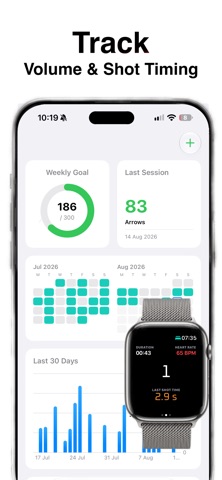
Use your Apple Watch to automatically count the number of arrows shot in a session and view recent history right on your watch. No more manual recording with a tally counter. The iPhone app lets you keep track of your training volume and compare shot timing across sessions.
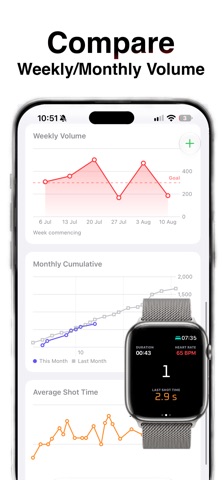
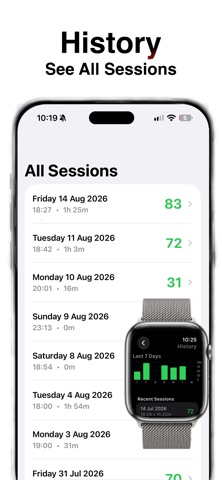
-Uses accelerometer data to detect and record the number of shots and the shot time (time from raise of bow arm to release) -Sessions are saved in Apple Health with heart rate and calories. -A summary of recent sessions is available to view from the watch and a full history can be viewed on the iPhone App. -Charts on the watch show the volume for the last 7 days and the activity view includes a chart of the individual shot times. -Set your weekly volume goal and track progress against it -Compare this month to last month
Try before you buy! Start as many sessions as you like until you have tracked a total of 100 arrows. Upgrade to the full version for unlimited shot recording - cheaper than a tally counter and with much more functionality.
One time purchase only - no subscriptions!
Instructions for use --------------------- -Wear the watch on the arm you hold your bow with and set this in settings (e.g usually left arm for a right handed archer) -Start an activity. Shoot a few shots and check that it is recording arrows. -Should work with default settings but the sensitivity can be adjusted by swiping to the right in the activity. If shots are not being counted try lowering the G value on the sensitivity page. -Recent activities can be seen in the history view accessed from the button on the first page (This may take a few seconds to load on the first run).
Please note: - requires watchOS 10.6 or later. - requires the arm to be raised and steady to start the shot detection. Downhill shots (e.g. on a field course) may not be registered.
Each subscription will automatically renew 3 days before the expiration date for
the same time period. Subscriptions can be cancelled at any time before the renewal.