

Art Projector App: AR Tracing
Art Projector App: AR Tracing is made and published by Fun Learning Games for Kids: Baby, Toddler, Pre-K, Kindergarten & Preschool Educational Apps. AppBrain is an independent app data site and isn't affiliated with Fun Learning Games for Kids: Baby, Toddler, Pre-K, Kindergarten & Preschool Educational Apps. The app name, icon, screenshots and description belong to Fun Learning Games for Kids: Baby, Toddler, Pre-K, Kindergarten & Preschool Educational Apps and are shown as published on the App Store.
AppBrain's verdict
- Rating on App Store
- 3.81
- 16 ratings
- Last updated
- September 25, 2026
- Size
- 29.0 MB
It doesn't have enough ratings yet to judge what users think.
User feedback
Ratings and reviews on the App StoreComments on Art Projector App: AR Tracing for iOS
We don't have enough comments to show example comments. Please check back later.
Store listing
By Fun Learning Games for Kids: Baby, Toddler, Pre-K, Kindergarten & Preschool Educational Apps, from the App Store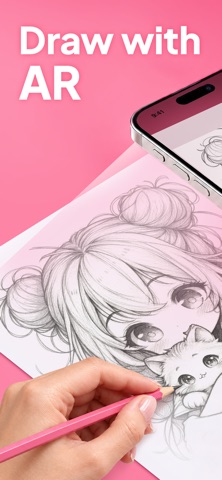


Description by Fun Learning Games for Kids: Baby, Toddler, Pre-K, Kindergarten & Preschool Educational Apps Written by the developer, not by AppBrain. Click to read.
Draw stunning portraits for friends, paint beautiful landscapes from your own photos, or practice drawing with famous artworks. Our easy-to-use AR sketching and drawing app will guide you every step of the way.
WHERE TO START
Choose what you want to draw today. Need some inspiration? Browse the image gallery and find something that fits your mood.
You can draw in many different techniques:
• Pencil drawings
• Ink drawings
• Watercolor
• And other styles
Choose from many various topics:
• People
• Aesthetics
• Architecture
• Academic Drawings
• Animals
• And more!
Once you have your idea, set up your workspace as shown in the tutorial video in the app, and you are ready to create! With our AR sketching and drawing app, your creative process will never turn to failure and disappointment. This smart tool helps you get a result you can be proud of.
DRAW ON ANY SURFACE
Forget bulky lightboxes and tiny phone screens. This app uses your phone's camera and augmented reality to project images, so you can trace any picture on any surface: canvas, sketchbooks, ceramics, fabric, wood, or anything else you need for your creative project.
BRING ANY ART IDEA TO LIFE
With this AR drawing and sketching app, you can:
• Draw a portrait of someone you love and capture a true likeness
• Turn travel memories into real paintings on canvas
• Learn to draw in the style of your favorite artists
• Recreate and pay homage to famous masterpieces
• Trace your drawings onto various items like cups, vases, clothes, and more
• Explore countless creative ideas and bring them to life with your own hands
STRIVING FOR PERFECTION
Use the tools in our AR sketching and drawing app to make your art close to perfection. You can easily turn on the built-in grid when drawing portraits or complex perspective scenes, adjust the image transparency to suit your technique, and zoom in and out. Need more light? Just turn on the flashlight. You can even take a photo or record your drawing process to share your masterpiece later.
Every control is designed to be adjusted on the fly, so you can set up the tool exactly how it feels comfortable for you and your current project. The app is intuitive and easy to navigate — nothing will interrupt or spoil your creative mood.
UNLIMITED INSPIRATION
Upload any photo or image from your phone gallery or the internet. Or explore the app's gallery with ready-made drawing templates to spark new ideas and boost your creativity. Enjoy a peaceful, focused creative process without ads or pop-ups that could distract you. Enjoy relaxed drawing and sketching that guarantees stunning results!
YOUR ART. YOUR STYLE.
This AR sketching and drawing app doesn't draw for you — it helps you draw better. It's a simple, intuitive tool that supports your creativity, improves your skills, and keeps every result truly your own.
Turn your ideas into real art!
Terms of Use: https://bandksoft.com/terms
Safety and technology
Found in the app by AppBrain- Price
- Free
- App size
- 29.0 MB
- Content rating
- Everyone
Technologies used by Art Projector App: AR Tracing
Releases
Updates seen on the App Store- Version
- 1.0.3
- Launched
- January 2026
No changelog data
Alternatives
Similar apps and more from Fun Learning Games for Kids: Baby, Toddler, Pre-K, Kindergarten & Preschool Educational AppsMore from Fun Learning Games for Kids: Baby, Toddler, Pre-K, Kindergarten & Preschool Educational Apps
 Pizza Games: Cooking for Kids
 Doll Dress Up: Games for Girls
Rankings
App Store top chartsApp Store Rankings for Art Projector App: AR Tracing
About the app and developer
About Art Projector App: AR Tracing
Art Projector App: AR Tracing is a graphics & design app developed by Fun Learning Games for Kids: Baby, Toddler, Pre-K, Kindergarten & Preschool Educational Apps.
User Ratings
Art Projector App: AR Tracing is rated 3.81 out of 5 stars. The rating is based on 16 ratings.
App Information
Art Projector App: AR Tracing is freely available from the App Store. The app size is 29.04 MB. The latest version available is 1.0.3. The last update was on September 25, 2026.
Technical Requirements
The app has a content rating of Everyone. The app has been available on the App Store since January 2026.