

Art Serigraphy - Photo Editor
Art Serigraphy - Photo Editor is made and published by TAIKI HIRATA. AppBrain is an independent app data site and isn't affiliated with TAIKI HIRATA. The app name, icon, screenshots and description belong to TAIKI HIRATA and are shown as published on the App Store.
AppBrain's verdict
Established- Rating on App Store
- 4.00
- 1 ratings
- Last updated
- September 4, 2025
- Size
- 8.64 MB
It doesn't have enough ratings yet to judge what users think.
User feedback
Ratings and reviews on the App StoreComments on Art Serigraphy - Photo Editor for iOS
We don't have enough comments to show example comments. Please check back later.
Store listing
By TAIKI HIRATA, from the App Store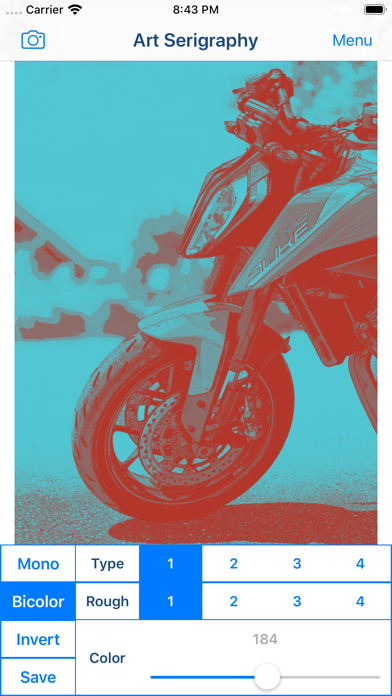
Description by TAIKI HIRATA Written by the developer, not by AppBrain. Click to read.
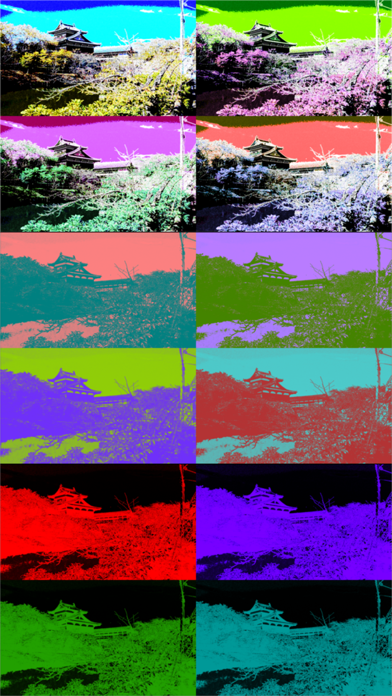
Serigraph / Screen Print is a kind of Art Print. Serigraphy / Screen Printing is technique often used in Modern / Contemporary art, because It is possible to make the Pop ,Modern and Contemporary Image. For example Artwork of Marilyn Monroe by Andy Warhol is famous.
You will be able to create the Serigraph / Screen Print Style Art Image and Art Movie from photo / video stored on your smart phones or tablets by using photo editor app "Art Serigraphy".
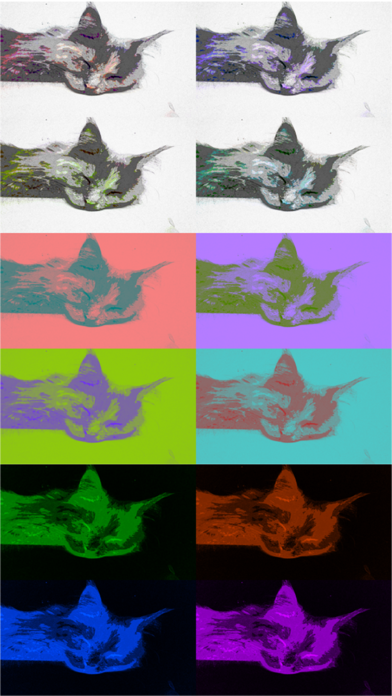
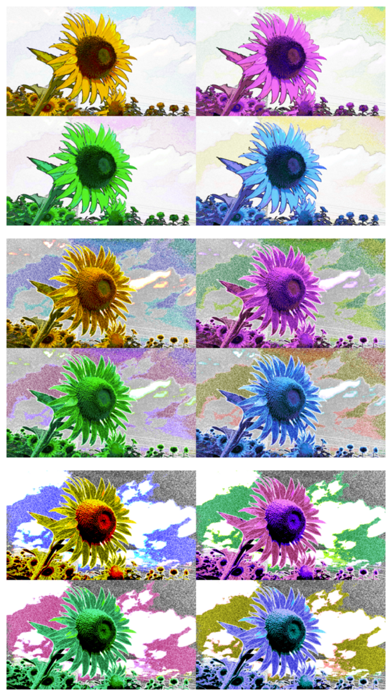
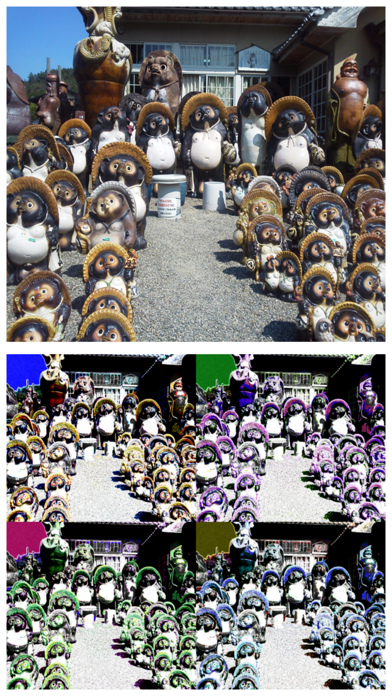
In addition, you can create "Art Image" that is combining images of four sheets with different color.
If you purchase Add-on, you will be able to get closer to the style of painting of your choice by adjusting the density and color pattern. You will be able to create image / movie of various kinds for example Poster Art Style, Pop Art Style, Psychedelic Art Style and more.
Let's create a nice Artwork from your Photo, Video, Illustration and Camera.
■Main function of App
1. Create Serigraph / Screen Print Style Art Image / Art Movie by editing photo and save it.
2. Create "Art Image" that is combining images of four sheets with different color.
3.Create Mono Color Serigraphy Image / Movie by editing photo. *Add-on is required in order to save.
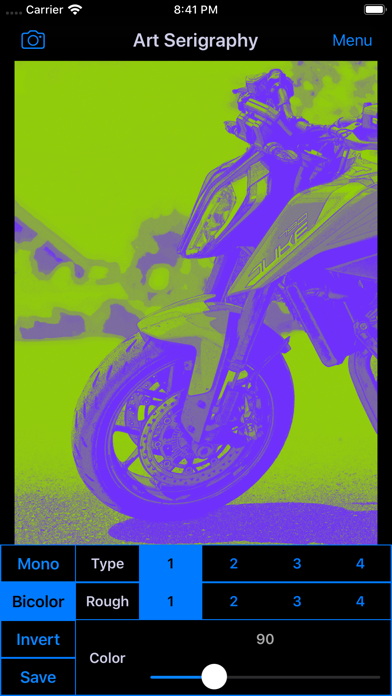
4.Create Bicolor Serigraphy Image / Movie by editing photo. *Add-on is required in order to save.
■How to Edit
1. Select image you want to edit from "Camera" Button. When you select Image or Video, Image or Movie processed will display.
2. You can edit the image / video quality by changing parameters.
*If you want to save Image that parameters is not "1", you need to purchase Add-on.
3. You can create Mono Color / Bicolor Image / Movie by "Mono Color / Bicolor" Button.
*If you want to save Mono Color / Bicolor Image, you need to purchase Add-on.
4. You can create Inverted Image / Movie by "Invert" Button.
*If you want to save Inverted Image, you need to purchase Add-on.
5. When you touch "Save" Button, current image / movie will be saved in "Photos(Camera Roll)".
Safety and technology
Found in the app by AppBrain- Price
- Free
- App size
- 8.64 MB
- Content rating
- Everyone
Technologies used by Art Serigraphy - Photo Editor
Releases
Updates seen on the App Store- Version
- 2.4
- Launched
- July 2014
No changelog data
Alternatives
Similar apps and more from TAIKI HIRATAAlternatives to Art Serigraphy - Photo Editor



More from TAIKI HIRATA




Rankings
App Store top chartsApp Store Rankings for Art Serigraphy - Photo Editor
About the app and developer
About Art Serigraphy - Photo Editor
Art Serigraphy - Photo Editor is a photo & video app developed by TAIKI HIRATA.
User Ratings
Art Serigraphy - Photo Editor is rated 4.00 out of 5 stars. The rating is based on one rating ratings.
App Information
Art Serigraphy - Photo Editor is freely available from the App Store. The app size is 8.64 MB. The latest version available is 2.4. The last update was on September 4, 2025.
Technical Requirements
The app has a content rating of Everyone. The app has been available on the App Store since July 2014.
Developer information for TAIKI HIRATA
Address: