

ArtGrid
ArtGrid is made and published by Martyn Wiggins. AppBrain is an independent app data site and isn't affiliated with Martyn Wiggins. The app name, icon, screenshots and description belong to Martyn Wiggins and are shown as published on the App Store.
AppBrain's verdict
- Last updated
- January 7, 2025
Rankings
App Store top chartsApp Store Rankings for ArtGrid
Competitors
Similar apps and more from Martyn WigginsMore from Martyn Wiggins


Releases
Updates seen on the App Store- Version
- 1.1
- Launched
- December 2024
No changelog data
User feedback
Ratings and reviews on the App StoreComments on ArtGrid for iOS
We don't have enough comments to show example comments. Please check back later.
Technology
Found in the app by AppBrain- Price
- Free
- App size
- 4.73 MB
- Content rating
- Everyone
Technologies used by ArtGrid
About the app and developer
About ArtGrid
ArtGrid is a graphics & design app developed by Martyn Wiggins.
User Ratings
The app has no ratings yet.
App Information
ArtGrid is freely available from the App Store. The app size is 4.73 MB. The latest version available is 1.1. The last update was on January 7, 2025.
Technical Requirements
The app has a content rating of Everyone. The app has been available on the App Store since December 2024.
Developer information for Martyn Wiggins
Address:
Frequently asked questions about ArtGrid
Is ArtGrid free?
Yes. ArtGrid is free on the App Store.
Is ArtGrid still available?
Yes. ArtGrid is on the App Store, and the last update we saw was on January 7, 2025.
How large is ArtGrid?
ArtGrid is 4.73 MB.
Is ArtGrid suitable for children?
App Store rates the content of ArtGrid as suitable for everyone.
Who made ArtGrid?
ArtGrid was developed by Martyn Wiggins. It is listed in the graphics & design category on the App Store.
Store listing
By Martyn Wiggins, from the App Store


Description by Martyn Wiggins Written by the developer, not by AppBrain. Click to read.
Key features:
• Square grid overlay - perfect for maintaining proportions
• Rectangular grid overlay - ideal for scaled drawings
• Perspective grid - for 1, 2, and 3 point perspective
• Edge highlighting - easily identify crucial contours and shapes
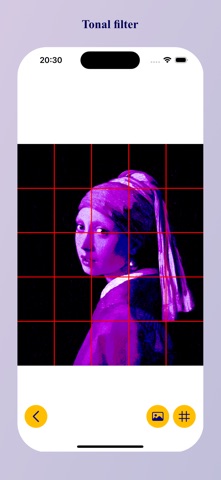
• Tonal filter -
• Clean intuitive interface designed by artists for artists
Whether your learning the basics of proportion or working on precise reproductions, Atelier Art Grid helps you:
• Break complex images into manageable sections
• Maintain accurate proportions in your drawings
• Transfer images to different scales with confidence
• Focus on key details with edge highlighting
• Check colours and values
Download now and make every drawing session more productive and precise