
ArtStudio - Draw and Paint
ArtStudio - Draw and Paint is made and published by Lucky Clan. AppBrain is an independent app data site and isn't affiliated with Lucky Clan. The app name, icon, screenshots and description belong to Lucky Clan and are shown as published on the App Store.
AppBrain's verdict
EstablishedLoved by users- Rating on App Store
- 4.63
- 559 ratings
- Last updated
- January 18, 2019
- Size
- 41.8 MB
Users love it: 4.6 stars from 559 ratings. Its best ranking is #56 in Top Paid, Photo & Video in Finland.
User feedback
Ratings and reviews on the App StoreComments on ArtStudio - Draw and Paint for iOS
We don't have enough comments to show example comments. Please check back later.
Store listing
By Lucky Clan, from the App Store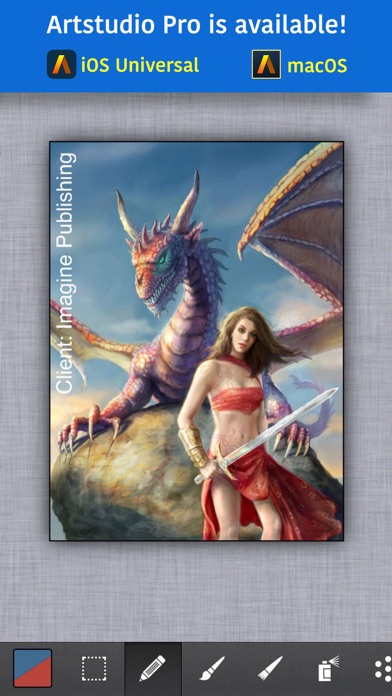


Description by Lucky Clan Written by the developer, not by AppBrain. Click to read.
ArtStudio is the most comprehensive, sketching, painting and photo editing tool in the App Store. Completely re-designed from the ground up the new ArtStudio features a beautiful new user interface and a powerful new graphics engine to make creating works of art faster, easier, and more fun! Using advanced drawing algorithms this is the fastest and most precise version of ArtStudio to date.
See the video:
http://www.youtube.com/watch?v=P__arq3jk3U
Follow us on twitter: http://twitter.com/lucky_clan
Follow us on facebook: https://www.facebook.com/LuckyClanApps
Gallery:
http://flickr.com/groups/artstudioimages/
appmodo.com:
"It doesn’t matter whether you’re a skilled artist or a newbie; ArtStudio is for you."
appsmile.com: 5/5
"This is what PhotoShop Mobile wishes it had been."
FEATURES:
- flexible canvas size, max: 3024x4032(iPhone 6s), 3264x2448(iPhone 5/5s/6), 2592×1936 (iPhone 4s, iPhone 4), 2048×1536 (iPhone 3gs)
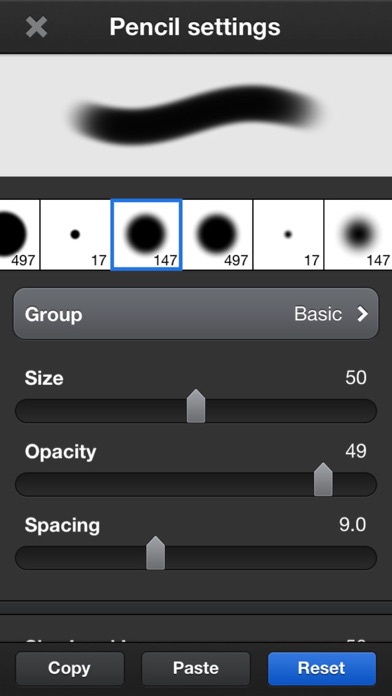
- 16 tools: select, pencil, wet paintbrush, dry paintbrush, spray, dots, eraser, smudge, bucket fill, gradient, text, clone, heal, blur/sharpen, dodge/burn, eyedropper
- 450 HIGH QUALITY BRUSHES (150 free, 300 paid) divided into 30 groups
- custom brushes, max size: 500x500px
- select tool: rect/ellipse/lasso/magic wand/by color, add/sub/intersect, contract/expand/round corners/border/...
- text tool: over 150 system fonts, support of external TTF fonts (just upload .ttf file in iTunes using File Sharing), special text layer to easy edit text
- favorites list to quickly access user's favorite brush settings
- fully customizable stroke settings: blur, flip, size, opacity, spacing, fadeout, squeeze, angle, speed-size, speed-opacity, random flip, scatter, jitter-spacing, jitter-angle, jitter-size, jitter-squeeze, jitter-opacity, jitter-hue, jitter-saturation, jitter-lightness
- symmetric drawing
- guidelines, grid
- shapes: lines, rectangles, ellipses, polygons (open, closed)
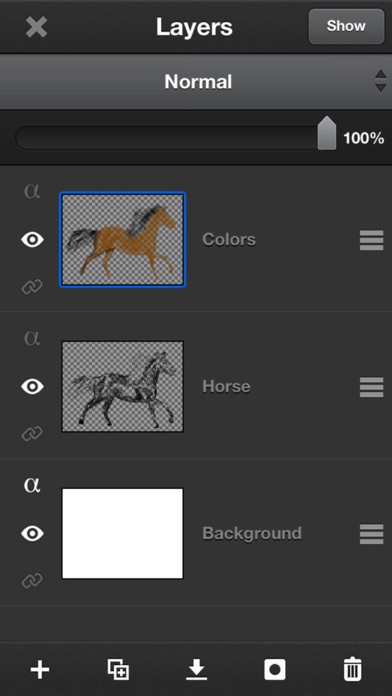
- layer options: add, duplicate, merge down/visible, delete, lock alpha, show/hide, link, name, reorder, opacity, blending modes
- layer masks
- layer/selection transformations: move/scale/rotate with multi-touch, flip, rotate left/right, fill/erase
- distort (skew, perspective etc)
- 21 layer blending modes: normal, multiply, add, difference, screen, overlay, hue, saturation, color, value, ...
- import from 'Camera Roll', camera, iTunes, clipboard
- export as JPG/PNG/PSD to 'Camera Roll', email, clipboard, iTunes
- multi-touch navigation with unlimited zoom
- undo/redo with almost infinite number of steps
- image resize (none, bilinear, bicubic, lanczos interpolations) , change canvas size, crop
- 40 filters: gaussian/motion/radial blur, sharpen, unsharp mask, add noise, render clouds, edge detect, border/vignette and more
- Elastify filter used to make incredible distortions
- adjustments: brightness/contrast/exposure, hue/saturation/lightness, color balance, temperature, shadows/highlights, CURVES, auto contrast/colors/white balance and more
- video tutorials
## IPAD VERSION AVAILABLE IN APP STORE ##
Safety and technology
Found in the app by AppBrain- Price
- $4.99
- App size
- 41.8 MB
- Content rating
- Everyone
Technologies used by ArtStudio - Draw and Paint
Releases
Updates seen on the App Store- Version
- 5.105
- Launched
- February 2010
No changelog data
Alternatives
Similar apps and more from Lucky ClanAlternatives to ArtStudio - Draw and Paint




More from Lucky Clan






Rankings
App Store top charts- Highest rank
- #56
- Chart
- Top Paid
- Photo & Video
- Country
- Finland
App Store Rankings for ArtStudio - Draw and Paint
Top rankings
| Rank | Country | Category | List |
|---|---|---|---|
| 97 | France | Photo & Video | Top Paid |
| 56 | Finland | Photo & Video | Top Paid |
| 56 | Sweden | Photo & Video | Top Paid |
| 60 | Austria | Photo & Video | Top Paid |
| 61 | Poland | Photo & Video | Top Paid |
| 63 | Norway | Photo & Video | Top Paid |
| 65 | Denmark | Photo & Video | Top Paid |
| 65 | Spain | Photo & Video | Top Paid |
| 71 | Slovakia | Photo & Video | Top Paid |
| 72 | Switzerland | Photo & Video | Top Paid |
Ranking history in France
About the app and developer
About ArtStudio - Draw and Paint
ArtStudio - Draw and Paint is a photo & video app developed by Lucky Clan.
User Ratings
ArtStudio - Draw and Paint is rated 4.63 out of 5 stars. The rating is based on 560 ratings.
App Information
ArtStudio - Draw and Paint costs $4.99. The app size is 41.80 MB. The latest version available is 5.105. The last update was on January 18, 2019.
Technical Requirements
The app has a content rating of Everyone. The app has been available on the App Store since February 2010.
Developer information for Lucky Clan
Address: