

Artwork Preview App - Artbox
Artwork Preview App - Artbox is made and published by Ritori. AppBrain is an independent app data site and isn't affiliated with Ritori. The app name, icon, screenshots and description belong to Ritori and are shown as published on the App Store.
AppBrain's verdict
- Rating on App Store
- 4.66
- 50 ratings
- Last updated
- November 25, 2025
It doesn't have enough ratings yet to judge what users think.
Rankings
App Store top chartsApp Store Rankings for Artwork Preview App - Artbox
Competitors
Similar apps and more from RitoriMore from Ritori


Also available on Google Play

Releases
Updates seen on the App Store- Version
- 1.11.6
- Launched
- July 2024
No changelog data
User feedback
Ratings and reviews on the App StoreComments on Artwork Preview App - Artbox for iOS
We don't have enough comments to show example comments. Please check back later.
Technology
Found in the app by AppBrain- Price
- Free
- App size
- 136.9 MB
- Content rating
- Everyone
Technologies used by Artwork Preview App - Artbox
About the app and developer
About Artwork Preview App - Artbox
Artwork Preview App - Artbox is a photo & video app developed by Ritori.
User Ratings
Artwork Preview App - Artbox is rated 4.66 out of 5 stars. The rating is based on 50 ratings.
App Information
Artwork Preview App - Artbox is freely available from the App Store. The app size is 136.92 MB. The latest version available is 1.11.6. The last update was on November 25, 2025.
Technical Requirements
The app has a content rating of Everyone. The app has been available on the App Store since July 2024.
Developer information for Ritori
Address:
Store listing
By Ritori, from the App Store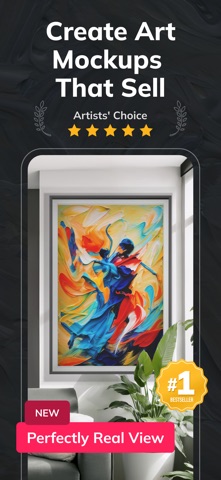

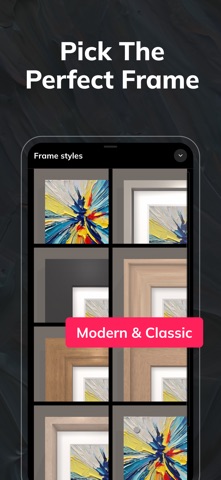


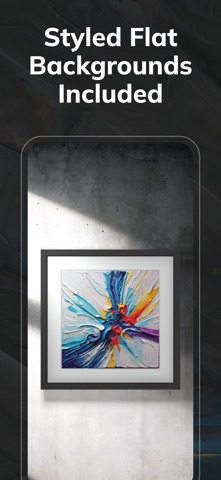


Description by Ritori Written by the developer, not by AppBrain. Click to read.
Present Your Art Like a Pro
Create photorealistic previews of your artwork in beautifully styled interior settings — no design skills or expensive tools needed. Whether you're preparing for a gallery, selling on Etsy, or refreshing your art portfolio, Artbox gives you everything you need to present your work in its best light.
Built for Artists, Designed to Impress
Take full control of how your art is seen. With a growing library of interior layouts and wall styles, customizable frames, and realistic lighting effects, Artbox lets you create powerful mockups that feel real and intentional. Your art deserves more than a plain white background — it deserves a space to shine.
What You Can Do with Artbox:
• Create lifelike mockups with smart cropping and realistic adjustments
• Choose from a curated, regularly updated collection of interiors and wall layouts
• Customize frames and mats to match any artwork size or aesthetic
• Adjust lighting, shadows, wall textures, and colors for a perfect match
• Upload your own interior backgrounds and stage multiple artworks together
• Export in ultra high-resolution for websites, portfolios, or social sharing
Why Artists Love Artbox:
• Make your artwork more desirable by showing it in relatable, styled environments
• Build a stronger, more professional portfolio — without Photoshop or photo shoots
• Save time with intuitive tools tailored specifically for artists
• Catch more eyes on social media with elegant, framed mockups
• Help collectors and buyers visualize your work in real-life spaces
How It Works:
1. Upload your artwork or take a quick photo
2. Choose an interior layout or use your own scene
3. Customize the frame, proportions, and surroundings
4. Export and share your mockup instantly
Perfect for Every Type of Artist
From full-time professionals to passionate hobbyists, Artbox is the perfect tool for anyone looking to showcase their artwork with clarity and confidence. Whether you’re designing a gallery wall, selling prints online, or building your next exhibition portfolio — your art has never looked better.
Start creating mockups that reflect the true quality of your work.
Download Artbox today and elevate your art presentation.
Want to be featured?
Share your Artbox creations and tag @artboxplus — we love spotlighting artists from our community!
Terms of use: https://www.apple.com/legal/internet-services/itunes/dev/stdeula/