

Asset Management Tool
Asset Management Tool is made and published by Arun Palaniwamy. AppBrain is an independent app data site and isn't affiliated with Arun Palaniwamy. The app name, icon, screenshots and description belong to Arun Palaniwamy and are shown as published on the App Store.
AppBrain's verdict
- Last updated
- August 29, 2026
Rankings
App Store top chartsApp Store Rankings for Asset Management Tool
Competitors
Similar apps and more from Arun PalaniwamyMore from Arun Palaniwamy


Also available on Google Play

Releases
Updates seen on the App Store- Version
- 1.0.5
- Launched
- February 2024
No changelog data
User feedback
Ratings and reviews on the App StoreComments on Asset Management Tool for iOS
We don't have enough comments to show example comments. Please check back later.
Technology
Found in the app by AppBrain- Price
- Free
- App size
- 30.0 MB
- Content rating
- Everyone
Technologies used by Asset Management Tool
About the app and developer
About Asset Management Tool
Asset Management Tool is a business app developed by Arun Palaniwamy.
User Ratings
The app has no ratings yet.
App Information
Asset Management Tool is freely available from the App Store. The app size is 30.04 MB. The latest version available is 1.0.5. The last update was on August 29, 2026.
Technical Requirements
The app has a content rating of Everyone. The app has been available on the App Store since February 2024.
Developer information for Arun Palaniwamy
Address:
Frequently asked questions about Asset Management Tool
Is Asset Management Tool free?
Yes. Asset Management Tool is free on the App Store.
Is Asset Management Tool still available?
Yes. Asset Management Tool is on the App Store, and the last update we saw was on August 29, 2026.
How large is Asset Management Tool?
Asset Management Tool is 30.04 MB.
Is Asset Management Tool suitable for children?
App Store rates the content of Asset Management Tool as suitable for everyone.
Who made Asset Management Tool?
Asset Management Tool was developed by Arun Palaniwamy. It is listed in the business category on the App Store.
Store listing
By Arun Palaniwamy, from the App Store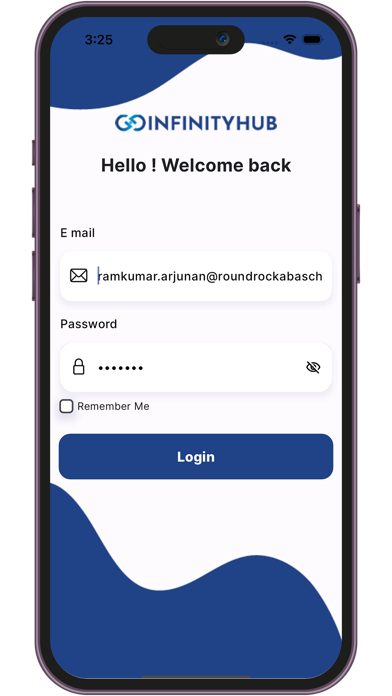


Description by Arun Palaniwamy Written by the developer, not by AppBrain. Click to read.
The key features of the Asset Management App include:
Login: Access the Asset Management system securely by logging in with your unique mail ID and password.
Dashboard: The comprehensive dashboard provides a centralized view, showcasing all details related to asset management. Monitor key metrics, ongoing tickets, and essential information at a glance for a quick overview.
Ticket Creation: Easily create tickets to report asset-related issues such as laptop malfunctions or any other concerns. Track the progress of your submitted tickets to stay informed about the status of issue resolution.
Admin Login: Admin login in Asset Management App offers a suite of powerful features for efficient asset management.
Asset Creation: Admins can add new assets to the system, providing detailed information about each asset for accurate tracking and organization.
Asset Utilization: Monitor the usage and deployment of assets, ensuring optimal utilization across the organization.
User Management: Effectively manage user profiles, ensuring seamless integration of employees with the asset management system.
Asset Management: Oversee the complete lifecycle of assets, including procurement, deployment, and retirement, for a holistic approach to asset management.
Asset Issue Tracking: Track and manage issues reported by users in the Asset Management App, facilitating timely resolution and minimizing downtime.
Reporting & Analysis: Leverage robust reporting tools for in-depth analysis of asset data. Generate insightful reports to aid in decision-making and strategic planning.
How It Works:
Log in with your Employee mail ID and Password.
Raise a ticket about your Asset issues by filling in the details.
Admin will review your ticket and solve the issue.
After the issue is rectified, Admin will close the ticket.
Benefits of Asset Management App:
- Single app for both Admin and employee
- Dedicated support team
- Easily raise tickets and resolve issues.
- Generate detailed reports on asset performance, utilization, and maintenance.
- Streamline workflows, reduce downtime, and boost productivity.
Our Asset Management App offers a user-friendly experience for both admins and users. Seamlessly handle your employees' assets, raise tickets, resolve issues, and enjoy a streamlined workflow. Simplify your employee asset management experience with our intuitive app – download the Asset Management App now and elevate your workplace efficiency to new heights!