

Atwater Cab is made and published by Atwater Cab. AppBrain is an independent app data site and isn't affiliated with Atwater Cab. The app name, icon, screenshots and description belong to Atwater Cab and are shown as published on the App Store.
AppBrain's verdict
- Rating on App Store
- 4.80
- 10 ratings
- Last updated
- September 3, 2025
It doesn't have enough ratings yet to judge what users think.
Rankings
App Store top chartsApp Store Rankings for Atwater Cab
Competitors
Similar apps and more from Atwater CabAlternatives to Atwater Cab


Also available on Google Play

Releases
Updates seen on the App Store- Version
- 1.24.0
- Launched
- January 2023
No changelog data
User feedback
Ratings and reviews on the App StoreComments on Atwater Cab for iOS
We don't have enough comments to show example comments. Please check back later.
Technology
Found in the app by AppBrain- Price
- Free
- App size
- 91.6 MB
- Content rating
- Everyone
Technologies used by Atwater Cab
About the app and developer
About Atwater Cab
Atwater Cab is a travel app developed by Atwater Cab.
What is the rating of Atwater Cab?
Atwater Cab is rated 4.80 out of 5 stars, based on 10 ratings.
Is Atwater Cab free?
Atwater Cab is free. The app size is 91.57 MB. The latest version available is 1.24.0. The last update was on September 3, 2025.
What are the requirements for Atwater Cab?
The app has a content rating of Everyone. The app has been available on the App Store since January 2023.
Developer information for Atwater Cab
Address:
Store listing
By Atwater Cab, from the App Store

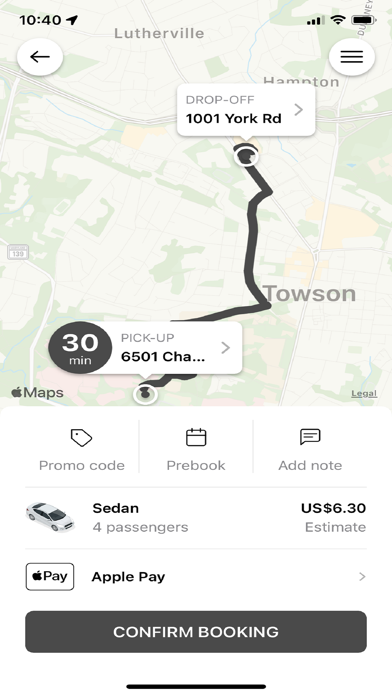
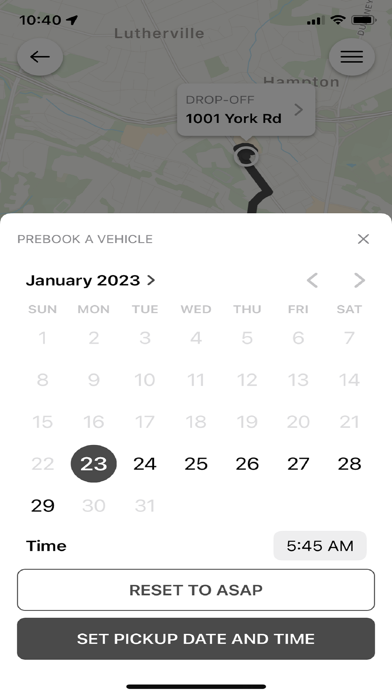
Description by Atwater Cab Written by the developer, not by AppBrain. Click to read.
We are pleased to offer our valued clients the very latest in smartphone booking technology with our free Atwater Cab ride application.
Key Features of the Atwater Cab application include:
• Book a trip in as few as 2 clicks
• Monitor the progress of your vehicle on a map
• Create a list of favourite addresses and assign a custom name for each
• Review all reservations you have made over the past 30 days
• Provide feedback related to the application and/or service you received
• Call Atwater Cab with the push of a button
To begin using the Atwater Cab application today:
• Download the free app
• Enter your phone number
• Validate your account (via the notification code you receive)
• Login to the app (Set your name and Email for receipts)
• Enter your pickup address
• Enter your destination address (this allows us to provide an estimated fare amount)
• Book your trip
On booking a reservation, you will immediately receive a confirmation number, along with an update when your vehicle has been assigned. From here you can monitor the progress of your vehicle as it moves towards your pickup location.
The Atwater Cab application retains a history of your previous reservations for expense management and to quickly rebook the same trip with the push of a button. You may also create a list of favourite locations (Home, Work, etc.) to speed up the booking process.
Let us know how we can serve you better by providing feedback via the Atwater Cab application or calling us at +1 410-391-4040.
We look forward to adding many exciting new features to the Atwater Cab application in the months ahead, and are always interested in what you have to say!