

Audify read aloud web browser
Audify read aloud web browser is made and published by Tangerine Software House. AppBrain is an independent app data site and isn't affiliated with Tangerine Software House. The app name, icon, screenshots and description belong to Tangerine Software House and are shown as published on the App Store.
AppBrain's verdict
EstablishedLoved by users- Rating on App Store
- 4.65
- 110 ratings
- Last updated
- August 15, 2026
- Size
- 12.5 MB
Users love it: 4.7 stars from 110 ratings.
User feedback
Ratings and reviews on the App StoreComments on Audify read aloud web browser for iOS
We don't have enough comments to show example comments. Please check back later.
Store listing
By Tangerine Software House, from the App Store




Description by Tangerine Software House Written by the developer, not by AppBrain. Click to read.
Features:
* Read aloud (text to speech, TTS) eBooks (ePub and PDF)
* Read aloud (text to speech, TTS) web page text (HTML)
* Different voices can be selected
* Translate
* Adjustable speech rate. Learn English and other languages (Spanish, German, French, etc.)
* New webpage tabs are displayed at the top of the screen
* Blue light filter mode
* Night mode
* Adjustable screen brightness
* User-defined bookmark categories
* Font size can be enlarged or reduced
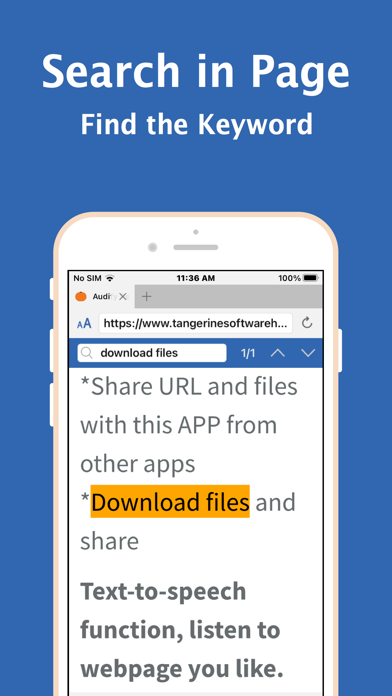
* Search in page
* Share URL and files with this APP from other apps
* Download files
* Import files from iCloud and folders
* Sleep timer (sleep story)
* Choose search engines
* Bold text
* Full screen
* Hide web page pictures
It can read aloud eBooks (ePub and PDF format). It supports PDF format that has pure text. It doesn't support photoed PDF, or image editor exported PDF files.
Conveniently download ePub and PDF files from websites and read them aloud.
Q:How to start reading aloud in the middle of a page?
A:(1)Scroll the web page to the position you want to read, and press the play button. Or (2)Double click the paragraph you want to read (You can enable this feature in the Audify settings page.) Audify can read aloud from there.
Q: It cannot read aloud when I use it for the first time.
A: You can: 1. Swipe to close the app and reopen it, 2. Try a new web page, 3. Choose a different voice for reading aloud, 4. Reboot the phone, 5. Restore the phone to factory settings . Usually after doing the first step it will return to normal.
Q: After the app is updated, an abnormal situation occurs.
A: You can: 1. Swipe to close the app and reopen it, 2. Reboot the phone, 3. Remove the app and download it again. Usually after doing the first step, it can return to normal. If you encounter a strange situation, please write to let us know.
To be able to provide long-term maintenance and updates, Audify needs more users.
If you like Audify, please 1. give a five star rating, 2. write a review 3. share 4. buy developer a cup of coffee 5. remove ads. We need your support. Thank you!
Safety and technology
Found in the app by AppBrain- Price
- Free
- App size
- 12.5 MB
- Content rating
- High
Technologies used by Audify read aloud web browser
Releases
Updates seen on the App Store- Version
- 8.1
- Launched
- February 2021
No changelog data
Alternatives
Similar apps and more from Tangerine Software HouseAlternatives to Audify read aloud web browser








Rankings
App Store top chartsApp Store Rankings for Audify read aloud web browser
About the app and developer
About Audify read aloud web browser
Audify read aloud web browser is a productivity app developed by Tangerine Software House.
User Ratings
Audify read aloud web browser is rated 4.65 out of 5 stars. The rating is based on 110 ratings.
App Information
Audify read aloud web browser is freely available from the App Store. The app size is 12.51 MB. The latest version available is 8.1. The last update was on August 15, 2026.
Technical Requirements
The app has a content rating of High Maturity. The app has been available on the App Store since February 2021.
Developer information for Tangerine Software House
Address: