

Audio Editor : Music Mixer
Audio Editor : Music Mixer is made and published by Nitin Katrodiya. AppBrain is an independent app data site and isn't affiliated with Nitin Katrodiya. The app name, icon, screenshots and description belong to Nitin Katrodiya and are shown as published on the App Store.
AppBrain's verdict
- Rating on App Store
- 3.67
- 3 ratings
- Last updated
- March 31, 2024
- Size
- 5.70 MB
It doesn't have enough ratings yet to judge what users think.
User feedback
Ratings and reviews on the App StoreComments on Audio Editor : Music Mixer for iOS
We don't have enough comments to show example comments. Please check back later.
Store listing
By Nitin Katrodiya, from the App Store

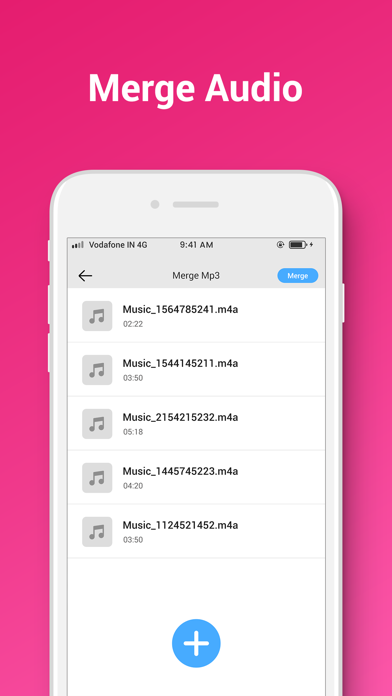
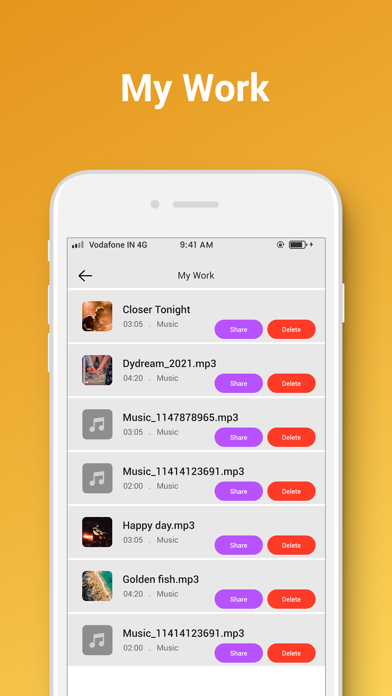


Description by Nitin Katrodiya Written by the developer, not by AppBrain. Click to read.
Three steps to be a master of MP3 Cutter
1. Audio Selection: MP3 Cutter will acquire and list the audio file in your phone.
2. Select Portion: You can select portion you want to cut to make your audio clip.
3. Convert in One Tap: cut audio music file in one tap after setting finished.
Two steps to be a master of MP3 Joiner
1. Audio Selection: MP3 Cutter will acquire and list the audio file in your phone.
2. Convert in One Tap: merge audio music file in one tap after setting finished.
Three steps to be a master of MP3 Converter
1. Video Selection: MP3 Converter will acquire and list the video file in your phone.
2. Select Portion: You can select portion you want to cut to make your audio clip from video file.
3. Convert in One Tap: Extract audio music file in one tap after setting finished.
Features :
• Support Various Video Format : MP3 Converter support the conventional video format such as MP4,FLV,3GP,AVI,MOV etc.
• Quick mp3 Convert : Video Converter starts to extract audio in high speed after click Convert. As for the large music file, MP3 Converter will keep running and converting in background, ensures the normal use.
• Work as Video Cutter/Editor/Converter and video compressor.
• MP3 Cutter for editing audio files.
• select your choice to convert into audio.
• Extract music from movies and save them as ringtone. Useful when you want to set the greatest quotes of your favorite movies as ringtone.
• Play mp3 in Apps Audio player and also share this file.
Convert Your Favorite Videos to MP3 in Just moments With Video to MP3.
Convert Video to mp3 have a built in Ringtone maker functionality to make and set a ringtone. Video mp3 converter is totally free for all users.
Very Faster and reliable to convert your video mp3 files very easily. With MP3 Converter app you can convert video into mp3 with HD Music clarity.
Please leave your comment , request or feedback. so we make application better.
Safety and technology
Found in the app by AppBrain- Price
- Free
- App size
- 5.70 MB
- Content rating
- Everyone
Technologies used by Audio Editor : Music Mixer
Releases
Updates seen on the App Store- Version
- 1.2
- Launched
- December 2021
No changelog data
Alternatives
Similar apps and more from Nitin KatrodiyaAlternatives to Audio Editor : Music Mixer





More from Nitin Katrodiya







Rankings
App Store top chartsApp Store Rankings for Audio Editor : Music Mixer
About the app and developer
About Audio Editor : Music Mixer
Audio Editor : Music Mixer is a music app developed by Nitin Katrodiya.
User Ratings
Audio Editor : Music Mixer is rated 3.67 out of 5 stars. The rating is based on 3 ratings.
App Information
Audio Editor : Music Mixer is freely available from the App Store. The app size is 5.70 MB. The latest version available is 1.2. The last update was on March 31, 2024.
Technical Requirements
The app has a content rating of Everyone. The app has been available on the App Store since December 2021.
Developer information for Nitin Katrodiya
Address: