

Audio Editor - Vocal Remover
Audio Editor - Vocal Remover is made and published by 学欢 王. AppBrain is an independent app data site and isn't affiliated with 学欢 王. The app name, icon, screenshots and description belong to 学欢 王 and are shown as published on the App Store.
AppBrain's verdict
- Rating on App Store
- 5.00
- 6 ratings
- Last updated
- August 26, 2026
It doesn't have enough ratings yet to judge what users think.
Rankings
App Store top chartsApp Store Rankings for Audio Editor - Vocal Remover
Competitors
Similar apps and more from 学欢 王More from 学欢 王







Releases
Updates seen on the App Store- Version
- 1.2.1
- Launched
- March 2026
No changelog data
User feedback
Ratings and reviews on the App StoreComments on Audio Editor - Vocal Remover for iOS
We don't have enough comments to show example comments. Please check back later.
Technology
Found in the app by AppBrain- Price
- Free
- App size
- 36.0 MB
- Content rating
- Everyone
Technologies used by Audio Editor - Vocal Remover
About the app and developer
About Audio Editor - Vocal Remover
Audio Editor - Vocal Remover is a music app developed by 学欢 王.
What is the rating of Audio Editor - Vocal Remover?
Audio Editor - Vocal Remover is rated 5.00 out of 5 stars, based on 6 ratings.
Is Audio Editor - Vocal Remover free?
Audio Editor - Vocal Remover is free. The app size is 36.04 MB. The latest version available is 1.2.1. The last update was on August 26, 2026.
What are the requirements for Audio Editor - Vocal Remover?
The app has a content rating of Everyone. The app has been available on the App Store since March 2026.
Developer information for 学欢 王
Address:
Frequently asked questions about Audio Editor - Vocal Remover
Is Audio Editor - Vocal Remover free?
Yes. Audio Editor - Vocal Remover is free on the App Store.
Is Audio Editor - Vocal Remover still available?
Yes. Audio Editor - Vocal Remover is on the App Store, and the last update we saw was on August 26, 2026.
How large is Audio Editor - Vocal Remover?
Audio Editor - Vocal Remover is 36.04 MB.
Is Audio Editor - Vocal Remover suitable for children?
App Store rates the content of Audio Editor - Vocal Remover as suitable for everyone.
How do people rate Audio Editor - Vocal Remover?
Audio Editor - Vocal Remover scores 5.00 out of 5 stars, from 6 ratings on the App Store.
Who made Audio Editor - Vocal Remover?
Audio Editor - Vocal Remover was developed by 学欢 王. It is listed in the music category on the App Store.
Store listing
By 学欢 王, from the App Store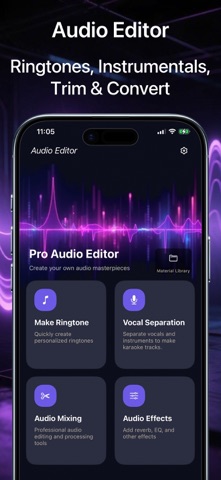


Description by 学欢 王 Written by the developer, not by AppBrain. Click to read.
Whether you want to create the perfect mashup, record a cover, or design custom ringtones, it’s never been easier on your iPhone and iPad!
Powered by advanced AI, our standout Vocal Remover lets you instantly extract instrumentals or isolate vocals from any song.
You can adjust the volume of the vocals and the backing track independently, mix them back together, and export your masterpiece in high quality.
We support a wide range of audio formats including MP3, M4A, WAV, AIFF, and OGG.
Key Features:
Custom Ringtone Maker
• Quickly trim and cut audio with an intuitive drag-and-drop interface.
• Apply smooth Fade In & Fade Out effects.
• Precisely set the start and end times to millimeter perfection.
• Adjust the export volume to make your ringtones pop.
AI Vocal Remover & Splitter
• Instantly extract crisp instrumentals (backing tracks) and vocals (acapellas) from any song.
• Independently control the volume of the vocals and beats, merge them, and export your custom mix.
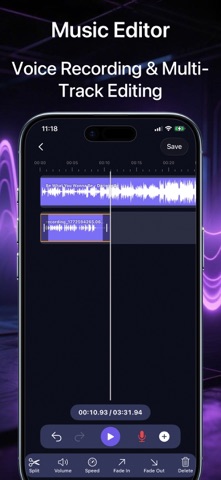
Pro Multi-Track Music Editor
• Import multiple audio files to splice, split, and mix effortlessly.
• Voice Recording: Record your own voice while playing an instrumental track — perfect for karaoke, podcasts, or music covers!
• Adjust individual track volumes, apply fade effects, and change playback speed.
Advanced Audio Effects
• Fine-tune your sound with professional tools including Reverb, Equalizer (EQ), Pitch Shifter, and Speed Adjustment.
Download [Audio Editor] today and turn your device into a professional pocket recording studio!
SUBSCRIPTION TERM
Confirm Subscription: Payment will be charged to your iTunes account upon confirmation.
Manage Subscription: You can manage or cancel your subscription in your iTunes & App Store account settings.
Auto-Renewal: Your subscription will automatically renew within 24 hours before the end of the current period. To cancel renewal, turn it off at least 24 hours before the period ends. Cancellation is not allowed during the active subscription period.
Free Trial: After the trial ends, your subscription will auto-renew to the Premium plan. To avoid being charged, cancel at least 24 hours before the trial ends. If you subscribe during the trial, the remaining trial period will end immediately.
Terms of Use:
https://www.apple.com/legal/internet-services/itunes/dev/stdeula/
Privacy Policy:
https://qubitify.top/AudioEditor/PrivacyPolicy
We value your voice!
Have feedback or suggestions? We’d love to hear from you. Please reach out to us directly via the "Feedback" feature inside the app.