

Audio Extractor - MP4 To MP3
Audio Extractor - MP4 To MP3 is made and published by Aleksey Erko. AppBrain is an independent app data site and isn't affiliated with Aleksey Erko. The app name, icon, screenshots and description belong to Aleksey Erko and are shown as published on the App Store.
AppBrain's verdict
- Rating on App Store
- 5.00
- 5 ratings
- Last updated
- March 22, 2026
It doesn't have enough ratings yet to judge what users think.
Rankings
App Store top chartsApp Store Rankings for Audio Extractor - MP4 To MP3
Competitors
Similar apps and more from Aleksey ErkoMore from Aleksey Erko


Releases
Updates seen on the App Store- Version
- 1.0.1
- Launched
- January 2026
No changelog data
User feedback
Ratings and reviews on the App StoreComments on Audio Extractor - MP4 To MP3 for iOS
We don't have enough comments to show example comments. Please check back later.
Technology
Found in the app by AppBrain- Price
- Free
- App size
- 19.0 MB
- Content rating
- Everyone
Technologies used by Audio Extractor - MP4 To MP3
About the app and developer
About Audio Extractor - MP4 To MP3
Audio Extractor - MP4 To MP3 is an utilities app developed by Aleksey Erko.
User Ratings
Audio Extractor - MP4 To MP3 is rated 5.00 out of 5 stars. The rating is based on 5 ratings.
App Information
Audio Extractor - MP4 To MP3 is freely available from the App Store. The app size is 19.03 MB. The latest version available is 1.0.1. The last update was on March 22, 2026.
Technical Requirements
The app has a content rating of Everyone. The app has been available on the App Store since January 2026.
Developer information for Aleksey Erko
Address:
Frequently asked questions about Audio Extractor - MP4 To MP3
Is Audio Extractor - MP4 To MP3 free?
Yes. Audio Extractor - MP4 To MP3 is free on the App Store.
Is Audio Extractor - MP4 To MP3 still available?
Yes. Audio Extractor - MP4 To MP3 is on the App Store, and the last update we saw was on March 22, 2026.
How large is Audio Extractor - MP4 To MP3?
Audio Extractor - MP4 To MP3 is 19.03 MB.
Is Audio Extractor - MP4 To MP3 suitable for children?
App Store rates the content of Audio Extractor - MP4 To MP3 as suitable for everyone.
How do people rate Audio Extractor - MP4 To MP3?
Audio Extractor - MP4 To MP3 scores 5.00 out of 5 stars, from 5 ratings on the App Store.
Who made Audio Extractor - MP4 To MP3?
Audio Extractor - MP4 To MP3 was developed by Aleksey Erko. It is listed in the utilities category on the App Store.
Store listing
By Aleksey Erko, from the App Store
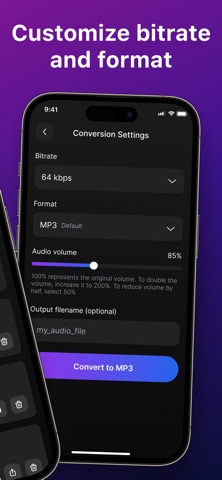


Description by Aleksey Erko Written by the developer, not by AppBrain. Click to read.
No complex editors, no desktop software, no internet uploads — just clean sound extracted from any supported video format in seconds. Whether you want to turn a music video into an MP3 track, isolate speech from a lecture, or reuse audio from a project, the app makes the process simple and efficient for everyone.
Core Functionality Audio Extractor supports popular video formats such as MP4, MOV, M4V and more. After importing a file, you can preview the audio and convert it to MP3 with a single tap.
The conversion engine preserves clarity, volume, and detail, ensuring professional-quality results. Editing Tools Sometimes you don’t need the entire audio track — only a specific part. With the built-in trimming feature, you can cut the file before exporting it, making it perfect for creating ringtones, sound samples, voice notes, and podcast clips. Exporting and Sharing Once your audio is ready, save it to Files, share it via messaging apps, send it to your computer, upload to cloud drives, or use it in other editing apps. Audio Extractor integrates with the native iOS system, so exporting is fast and convenient. Use Cases • Convert videos to MP3 music files • Extract voice from lectures, interviews, or tutorials • Prepare audio clips for creative projects or school assignments • Turn long recordings into clean audio notes • Save soundtracks from movies or clips for offline listening • Generate samples without using a desktop editor Designed for Everyone The interface is clean and intuitive, making the conversion process easy for beginners while still powerful enough for more advanced users. No technical skills required — just select a file, extract, and share. Extract audio from videos in the fastest and most convenient way.
Download Audio Extractor – MP4 to MP3 today and turn your video library into a high-quality audio toolkit!
Privacy Policy - https://doc-hosting.flycricket.io/audio-extractor-mp4-to-mp3-privacy-policy/1aec3549-c14e-4b54-a067-a997e331aaca/privacy
Terms Of Use - https://doc-hosting.flycricket.io/audio-extractor-mp4-to-mp3-terms-of-use/c41a56d4-b4ea-40b7-8152-3ec62e525195/terms