

Audio Function Generator
Audio Function Generator is made and published by Thomas Gruber. AppBrain is an independent app data site and isn't affiliated with Thomas Gruber. The app name, icon, screenshots and description belong to Thomas Gruber and are shown as published on the App Store.
AppBrain's verdict
EstablishedLoved by users- Rating on App Store
- 4.66
- 2,210 ratings
- Last updated
- September 2, 2026
Users love it: 4.7 stars from 2,210 ratings.
Rankings
App Store top chartsApp Store Rankings for Audio Function Generator
Competitors
Similar apps and more from Thomas GruberAlternatives to Audio Function Generator





More from Thomas Gruber





Releases
Updates seen on the App Store- Version
- 9.3.0
- Launched
- December 2013
No changelog data
User feedback
Ratings and reviews on the App StoreComments on Audio Function Generator for iOS
We don't have enough comments to show example comments. Please check back later.
Technology
Found in the app by AppBrain- Price
- Free
- App size
- 13.5 MB
- Content rating
- Everyone
Technologies used by Audio Function Generator
About the app and developer
About Audio Function Generator
Audio Function Generator is an utilities app developed by Thomas Gruber.
User Ratings
Audio Function Generator is rated 4.66 out of 5 stars. The rating is based on 2.2 thousand ratings.
App Information
Audio Function Generator is freely available from the App Store. The app size is 13.51 MB. The latest version available is 9.3.0. The last update was on September 2, 2026.
Technical Requirements
The app has a content rating of Everyone. The app has been available on the App Store since December 2013.
Developer information for Thomas Gruber
Address:
Frequently asked questions about Audio Function Generator
Is Audio Function Generator free?
Yes. Audio Function Generator is free on the App Store.
Is Audio Function Generator still available?
Yes. Audio Function Generator is on the App Store, and the last update we saw was on September 2, 2026.
How large is Audio Function Generator?
Audio Function Generator is 13.51 MB.
Is Audio Function Generator suitable for children?
App Store rates the content of Audio Function Generator as suitable for everyone.
How do people rate Audio Function Generator?
Audio Function Generator scores 4.66 out of 5 stars, from 2,210 ratings on the App Store.
Who made Audio Function Generator?
Audio Function Generator was developed by Thomas Gruber. It is listed in the utilities category on the App Store.
What are the best alternatives to Audio Function Generator?
People looking at Audio Function Generator also look at these utilities apps: Frequency Sound Generator App, Tone Generator EX, Tone generator, Noise Generator: Full Spectrum, Sonic Tools SVM.
Store listing
By Thomas Gruber, from the App Store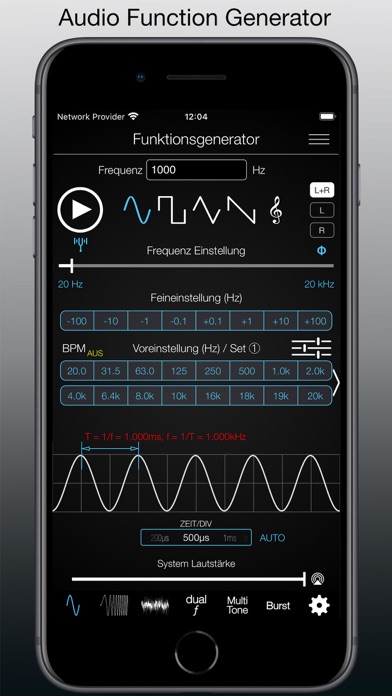
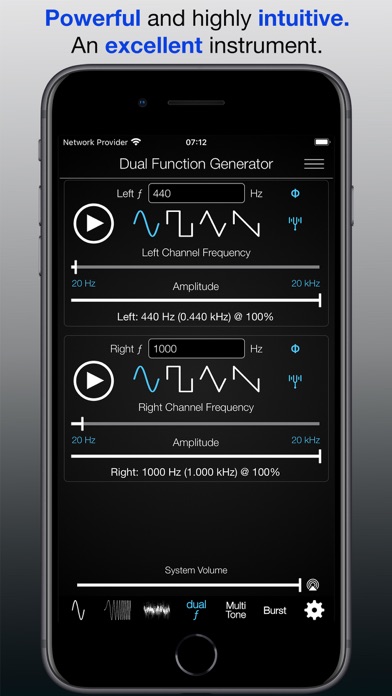
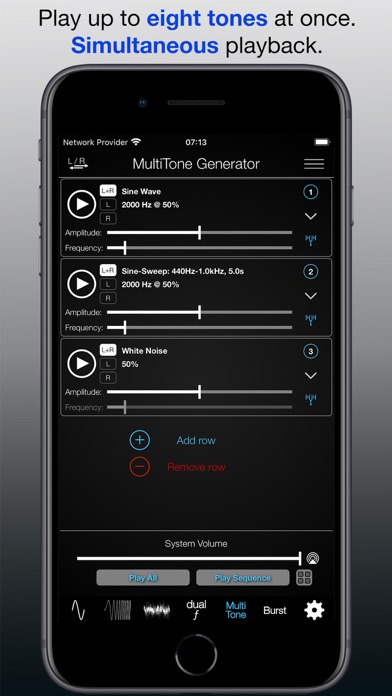
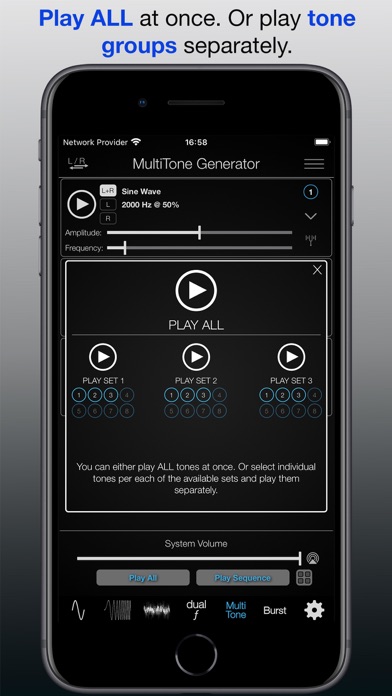
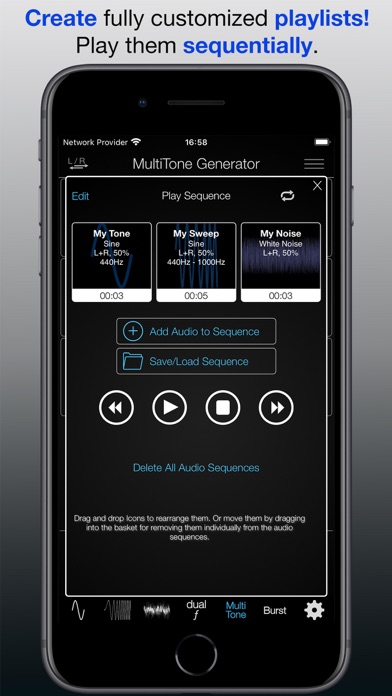
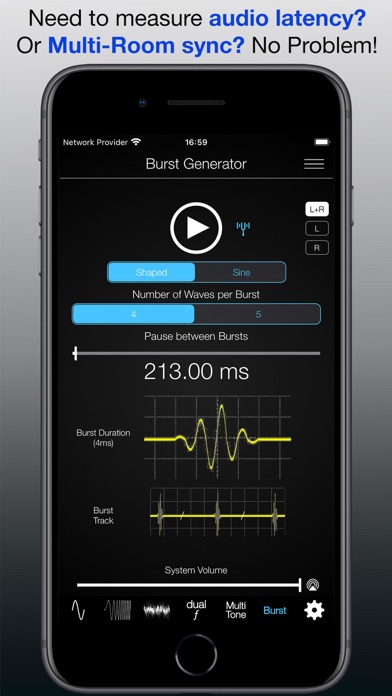
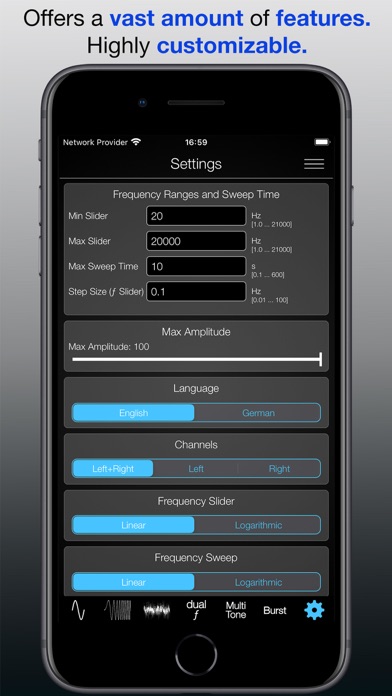
Description by Thomas Gruber Written by the developer, not by AppBrain. Click to read.
Get to know this great App now! It is very well maintained and has received considerable upgrades over the past years.
So, … what can you do with this App?
• PLAY TEST TONES Sine, Rectangular, Triangular and Sawtooth.
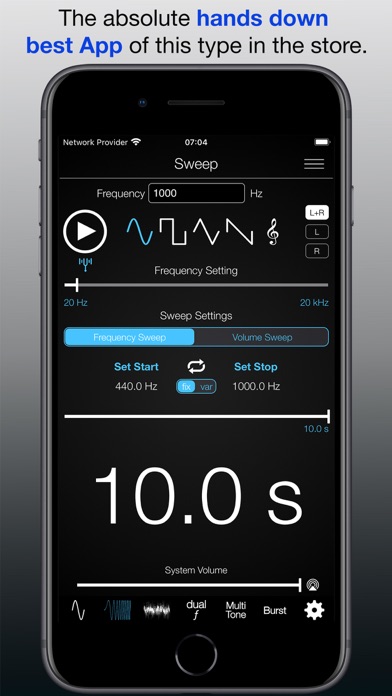
• PLAY FREQUENCY SWEEP TEST TONES in both directions (minimum to maximum frequency and maximum to minimum frequency).
• PLAY VOLUME SWEEPS (from minimum to maximum volume).
• Try the SWEEP REPEAT / WOBBLE function.
• Try the MUSIC TONES PLAYBACK.
• Experiment with the huge FINE TUNE SELECTON, PRESETS SELECTION!
• Or create your own CUSTOM PRESETS!
• And SAVE an endless amount of CONFIGURATIONS (Frequency, Sweep, Noise) for later quick access and direct playback function.
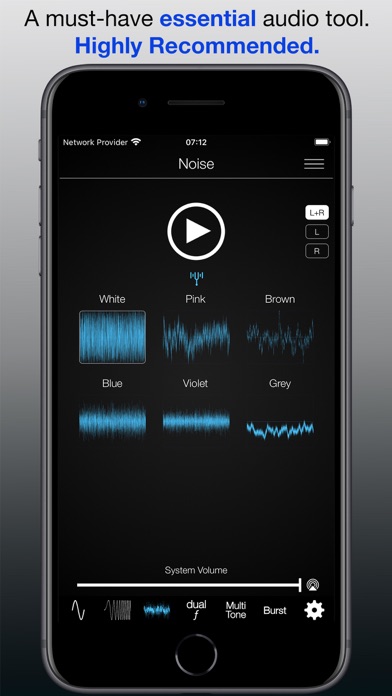
• Even play back different kinds of NOISE – White, Pink, Violet, Grey, Brown, Blue is also supported.
The Function Generator is AMAZINGLY INTUITIVE and SIMPLE to use!
AND THESE ARE THE ADVANCED SETTINGS/FEATURES (upgrade to PRO required):
=> Extending The Frequency Range (1Hz - 21kHz)
=> Extending The Sweep Times (0.1s - 600s)
=> Changing Min/Max Slider Frequency Ranges
=> Changing Max Sweep Time Slider Range
=> Changing Signal Amplitude
=> Enabling Of The Sweep Repeat / Wobble Function
=> Frequency Slider Setting to Linear or Logarithmic
=> Left/Right Channel Individual Selection
=> Permanently Saving Custom Presets
=> Saving Of Endless Number Of Audio Configurations
=> Phase Out Setting (custom phase shift of the generated signal)
=> BPM (Beats per Minute) Feature
=> Dual Function Generator
=> MultiTone Generator (playback of up to eight individual tones)
=> Background Theme Selection (Light/Dark)
Check out the tutorial page: www.ee-toolkit.com/audio-function-generator