

Audio Vocal Remover
Audio Vocal Remover is made and published by Ruchira Ramesh. AppBrain is an independent app data site and isn't affiliated with Ruchira Ramesh. The app name, icon, screenshots and description belong to Ruchira Ramesh and are shown as published on the App Store.
AppBrain's verdict
- Last updated
- January 26, 2024
Rankings
App Store top chartsApp Store Rankings for Audio Vocal Remover
Competitors
Similar apps and more from Ruchira RameshMore from Ruchira Ramesh







Releases
Updates seen on the App Store- Version
- 2.4
- Launched
- January 2019
No changelog data
User feedback
Ratings and reviews on the App StoreComments on Audio Vocal Remover for iOS
We don't have enough comments to show example comments. Please check back later.
Technology
Found in the app by AppBrain- Price
- $3.99
- App size
- 29.7 MB
- Content rating
- Everyone
Technologies used by Audio Vocal Remover
About the app and developer
About Audio Vocal Remover
Audio Vocal Remover is a music app developed by Ruchira Ramesh.
What is the rating of Audio Vocal Remover?
Audio Vocal Remover has no ratings yet.
Is Audio Vocal Remover free?
Audio Vocal Remover costs $3.99. The app size is 29.67 MB. The latest version available is 2.4. The last update was on January 26, 2024.
What are the requirements for Audio Vocal Remover?
The app has a content rating of Everyone. The app has been available on the App Store since January 2019.
Developer information for Ruchira Ramesh
Address:
Frequently asked questions about Audio Vocal Remover
Is Audio Vocal Remover free?
No. Audio Vocal Remover costs $3.99 on the App Store.
Is Audio Vocal Remover still available?
Yes. Audio Vocal Remover is on the App Store, and the last update we saw was on January 26, 2024.
How large is Audio Vocal Remover?
Audio Vocal Remover is 29.67 MB.
Is Audio Vocal Remover suitable for children?
App Store rates the content of Audio Vocal Remover as suitable for everyone.
Who made Audio Vocal Remover?
Audio Vocal Remover was developed by Ruchira Ramesh. It is listed in the music category on the App Store.
Store listing
By Ruchira Ramesh, from the App Store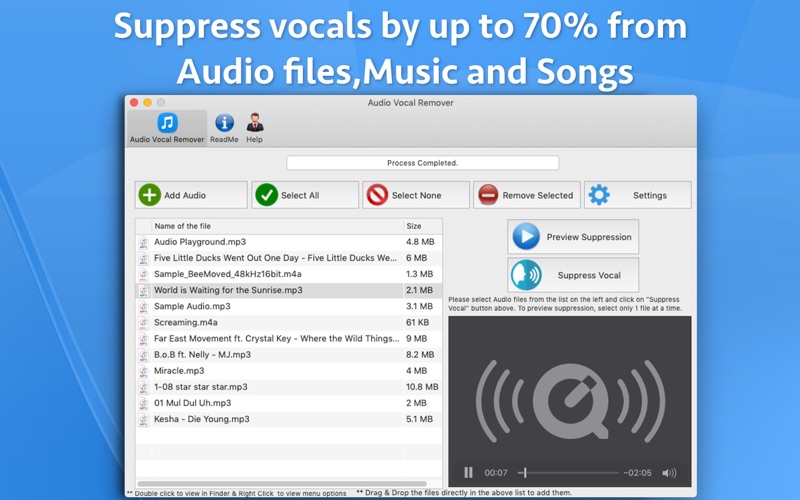
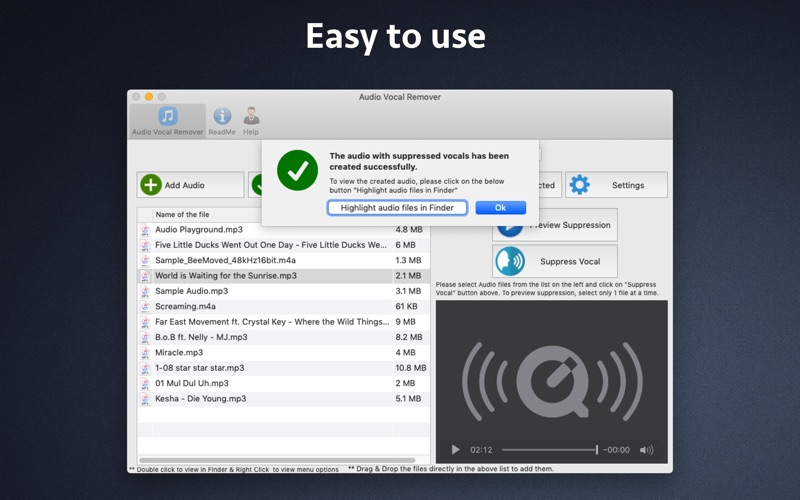
Description by Ruchira Ramesh Written by the developer, not by AppBrain. Click to read.
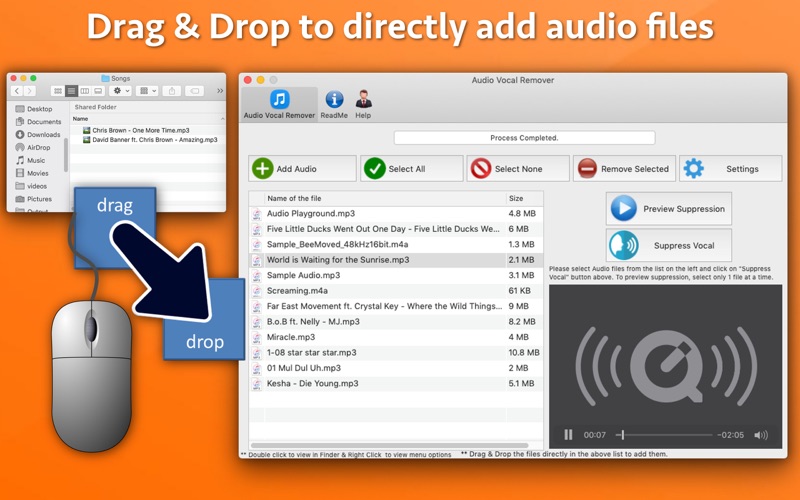
The application supports various file formats like MP3,M4a,WAV and AAC that have stereo channel. The application is very easy to use. Just add the audio files to the application, select them and click on "Suppress Vocal" button. The application will take care of the rest of the complexities and generate a new file with suppressed vocals.
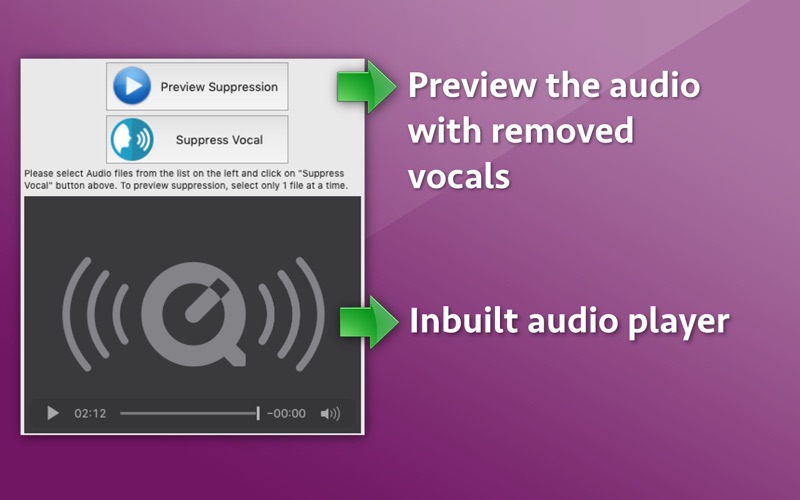
The application also supports the preview functionality. Using this feature, you could check how an audio will actually sound after removing vocals before saving the file.
Note :
a) It is nearly impossible to remove 100% vocals from the audio. The application could suppress the vocals by up to 70%. You might still hear the vocals a little bit.
b) Please be sure to use an audio that is not DRM Protected or Copyrighted. Vocals could not be suppressed from such audios.