

Audiora Notes
Audiora Notes is made and published by Daniel Fu Keung Kwan. AppBrain is an independent app data site and isn't affiliated with Daniel Fu Keung Kwan. The app name, icon, screenshots and description belong to Daniel Fu Keung Kwan and are shown as published on the App Store.
AppBrain's verdict
- Rating on App Store
- 4.75
- 4 ratings
- Last updated
- September 26, 2026
It doesn't have enough ratings yet to judge what users think.
Rankings
App Store top chartsApp Store Rankings for Audiora Notes
Competitors
Similar apps and more from Daniel Fu Keung KwanMore from Daniel Fu Keung Kwan


Releases
Updates seen on the App Store- Version
- 1.0.5
- Launched
- March 2026
No changelog data
User feedback
Ratings and reviews on the App StoreComments on Audiora Notes for iOS
We don't have enough comments to show example comments. Please check back later.
Technology
Found in the app by AppBrain- Price
- Free
- App size
- 1.59 MB
- Content rating
- Everyone
Technologies used by Audiora Notes
About the app and developer
About Audiora Notes
Audiora Notes is an education app developed by Daniel Fu Keung Kwan.
What is the rating of Audiora Notes?
Audiora Notes is rated 4.75 out of 5 stars, based on 4 ratings.
Is Audiora Notes free?
Audiora Notes is free. The app size is 1.59 MB. The latest version available is 1.0.5. The last update was on September 26, 2026.
What are the requirements for Audiora Notes?
The app has a content rating of Everyone. The app has been available on the App Store since March 2026.
Developer information for Daniel Fu Keung Kwan
Address:
Store listing
By Daniel Fu Keung Kwan, from the App Store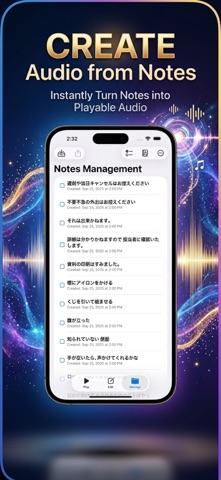


Description by Daniel Fu Keung Kwan Written by the developer, not by AppBrain. Click to read.
- Text-to-Speech Support
Convert notes into natural-sounding audio in English, Japanese, and Cantonese.
- Background Playback
Keep your notes playing even when the app is in the background—ideal for learning on the go.
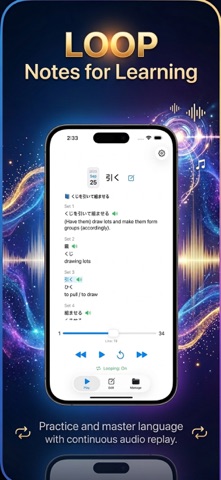
- Loop Playback for Memorization
Reinforce learning by continuously repeating your notes.
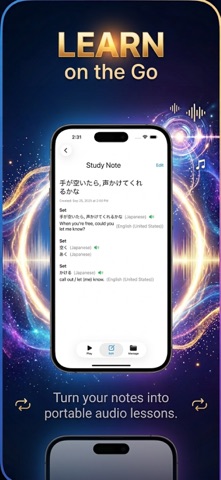
- Sample Study Notes Included
Get started quickly with built-in examples that demonstrate effective usage.
- Import & Export (JSON)
Easily back up, share, or transfer your notes across devices.
- Full Note Management
Create, edit, and delete notes with flexible and intuitive tools.
- Clean & Simple Interface
Designed for ease of use so you can focus on learning, not navigating.