

AudioTweak: Change Music Speed
AudioTweak: Change Music Speed is made and published by Fabio Vinotti. AppBrain is an independent app data site and isn't affiliated with Fabio Vinotti. The app name, icon, screenshots and description belong to Fabio Vinotti and are shown as published on the App Store.
AppBrain's verdict
EstablishedWell rated- Rating on App Store
- 4.46
- 613 ratings
- Last updated
- October 13, 2026
Users rate it well: 4.5 stars from 613 ratings.
Rankings
App Store top chartsApp Store Rankings for AudioTweak: Change Music Speed
Competitors
Similar apps and more from Fabio VinottiAlternatives to AudioTweak: Change Music Speed



More from Fabio Vinotti

Releases
Updates seen on the App Store- Version
- 5.4.3
- Launched
- June 2021
No changelog data
User feedback
Ratings and reviews on the App StoreComments on AudioTweak: Change Music Speed for iOS
We don't have enough comments to show example comments. Please check back later.
Technology
Found in the app by AppBrain- Price
- Free
- App size
- 18.4 MB
- Content rating
- Everyone
Technologies used by AudioTweak: Change Music Speed
About the app and developer
About AudioTweak: Change Music Speed
AudioTweak: Change Music Speed is a music app developed by Fabio Vinotti.
What is the rating of AudioTweak: Change Music Speed?
AudioTweak: Change Music Speed is rated 4.46 out of 5 stars, based on 610 ratings.
Is AudioTweak: Change Music Speed free?
AudioTweak: Change Music Speed is free. The app size is 18.44 MB. The latest version available is 5.4.3. The last update was on October 13, 2026.
What are the requirements for AudioTweak: Change Music Speed?
The app has a content rating of Everyone. The app has been available on the App Store since June 2021.
Developer information for Fabio Vinotti
Address:
Store listing
By Fabio Vinotti, from the App Store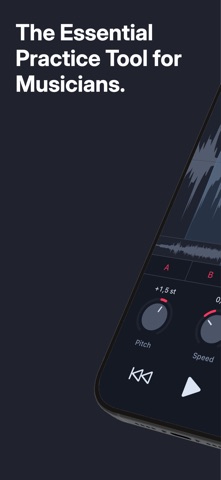


Description by Fabio Vinotti Written by the developer, not by AppBrain. Click to read.
AUDIO SPEED CHANGER
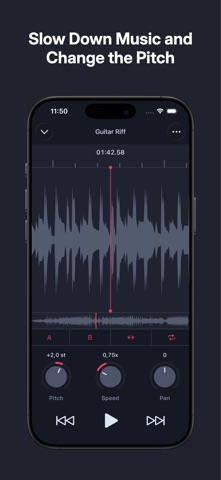
Slow down tricky parts to practice at your own pace, or speed up exercises to build skill—all without affecting sound quality.
PITCH CHANGER
Adjust pitch to play your music in any key, match your instrument, or fit your voice. Explore alternate keys while transcribing or arranging.
AUDIO LOOPER
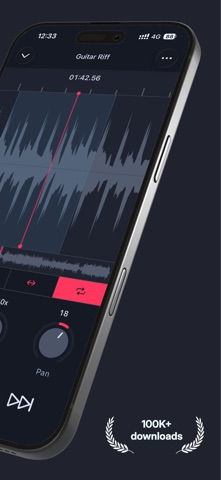
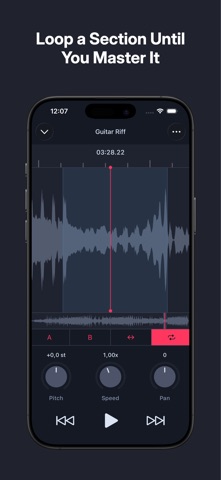
Repeat and focus on specific sections until you master them. Whether it's a tricky solo or a chord change, looping makes it easy to practice the hard parts as many times as you need. Save a loop with a name and jump straight back to it next time you open the song — the verse, the chorus, and that one awkward bar, always a tap away.
COUNT-IN METRONOME
Start every practice session in the pocket. The built-in count-in metronome gives you a rhythmic lead-in before playback begins, so you're always ready to play along from the first beat.
AUDIO ISOLATION
Use the 10-band EQ to cut out what's not important, and the stereo pan to shift focus between left and right channels. Perfect for isolating guitars, vocals, or other parts that sit to one side of the mix.
DETAILED FEATURES
- Slow down or speed up music from 25% to 200% without affecting pitch
- Transpose music up or down by up to 24 semitones
- Loop sections to practice specific parts of a track
- Save your loops with names and return to them any time (one free, unlimited with Pro)
- Count-in metronome to lead you into playback right on the beat (Pro)
- Control stereo pan
- Equalize your tracks with a 10-band graphic equalizer (Pro)
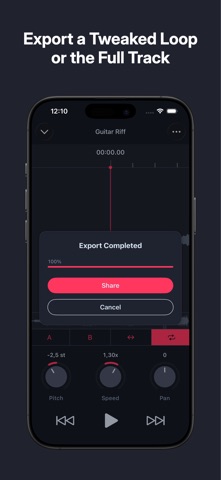
- Export your looped regions or full tracks to an audio file (MP4, CAF, WAV)
- Import songs from your music library, iCloud, other apps, or even extract audio from videos in your Photos app
- Organize projects with custom groups (Pro)
Some features are part of AudioTweak Pro, available via subscription or one-time purchase. The free version lets you create up to 3 projects and save one loop per project. Upgrade to Pro to unlock unlimited projects and loops, more exporting formats (WAV), and other advanced features.
Note: DRM-protected audio files (like Apple Music tracks) are not supported.
Terms of Use: https://www.apple.com/legal/internet-services/itunes/dev/stdeula/