

Audiquo Tuning Fork
Audiquo Tuning Fork is made and published by Michael Brady. AppBrain is an independent app data site and isn't affiliated with Michael Brady. The app name, icon, screenshots and description belong to Michael Brady and are shown as published on the App Store.
AppBrain's verdict
- Last updated
- March 19, 2026
- Size
- 3.34 MB
User feedback
Ratings and reviews on the App StoreComments on Audiquo Tuning Fork for iOS
We don't have enough comments to show example comments. Please check back later.
Store listing
By Michael Brady, from the App Store
Description by Michael Brady Written by the developer, not by AppBrain. Click to read.
Pitches are arranged on the familiar and intuitive Equal-Tempered Chromatic Circle and are based on A4 at 440 Hz -- "Concert Pitch".
To play a pitch in Octave 4, tap it on the Chromatic Circle. To play a pitch in Octave 5, long-press it on the Chromatic Circle. When a pitch is played, it moves to the center of the display and becomes the currently-selected pitch. Once selected, you can use the Play button to replay it. To stop playing, tap where the note came from on the Chromatic Circle. Tap there again to deselect the pitch and return it to its position on the Chromatic Circle.
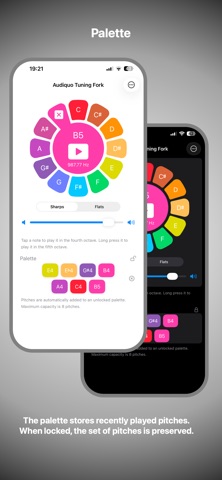
On iPhone, when a pitch is played, it is added to the Recent Pitches panel for quick replay.
All current Apple Watch models – along with Apple Watch Ultra 2 and Apple Watch Series 10 – can play pitches on their built-in speakers. Older models must be connected to an external (e.g. Bluetooth) audio device.
On Apple Watch, tap the center of the display (avoiding the play button, if present) to switch quickly between sharp and flat accidentals.
On supported Apple Watches, the Double Tap gesture replays the currently-selected pitch. Also on Apple Watch, you can add complications to your watch face for quick access, and you can add a Smart Stack widget to replay the currently-selected pitch or to open the app.
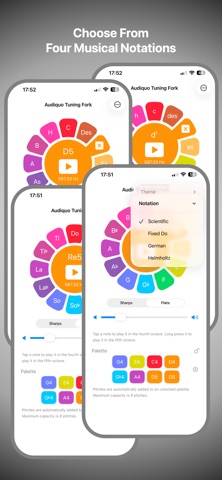
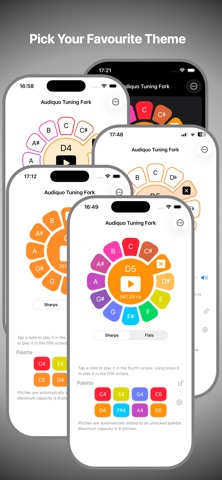
Audiquo Tuning Fork offers four attractive color themes and four music notations: Scientific, Fixed-Do, German and Helmholtz.
On iPhone, theme and notation settings are accessible directly from the app screen. Other settings are accessible via the Settings app. On Apple Watch, long-press the center of the display to access the settings.
Whether you're performing, practicing, rehearsing or listening to music, Audiquo Tuning Fork can provide just the pitch you need, right there on your iPhone and Apple Watch, one tap away, instantly ready.
Safety and technology
Found in the app by AppBrain- Price
- $1.99
- App size
- 3.34 MB
- Content rating
- Everyone
Technologies used by Audiquo Tuning Fork
Releases
Updates seen on the App Store- Version
- 2.4
- Launched
- March 2025
No changelog data
Rankings
App Store top chartsApp Store Rankings for Audiquo Tuning Fork
About the app and developer
About Audiquo Tuning Fork
Audiquo Tuning Fork is a music app developed by Michael Brady.
User Ratings
The app has no ratings yet.
App Information
Audiquo Tuning Fork costs $1.99. The app size is 3.34 MB. The latest version available is 2.4. The last update was on March 19, 2026.
Technical Requirements
The app has a content rating of Everyone. The app has been available on the App Store since March 2025.
Developer information for Michael Brady
Address: