

Aurio is made and published by VestConn Inc. AppBrain is an independent app data site and isn't affiliated with VestConn Inc. The app name, icon, screenshots and description belong to VestConn Inc and are shown as published on the App Store.
AppBrain's verdict
- Last updated
- February 23, 2026
- Size
- 25.3 MB
User feedback
Ratings and reviews on the App StoreComments on Aurio for iOS
We don't have enough comments to show example comments. Please check back later.
Store listing
By VestConn Inc, from the App Store


Description by VestConn Inc Written by the developer, not by AppBrain. Click to read.
How to attach the Aurio
1. The Aurio is equipped with Velcro on its backside. Attach the backside (with Velcro) on the diaper surface. Make sure the baby face is upright.
2. Gently press the Aurio onto the diaper to ensure it is attached properly and firmly. We recommend to attach the top of Aurio first on the diaper, stretch the bottom of Aurio then attach the bottom of Aurio on the diaper.
3. Detach and re-attach the Aurio to a new diaper with every diaper change. Remove the Aurio by gently peeling it off the diaper.
4. Make sure to attach the Aurio to the right place on a diaper by following the instruction and diagram.
Operation
1. To make sure the Aurio has powered on, please firstly charge it for two hours. The charge indicator light will be off when the Aurio is fully charged.
2. Download the free Aurio App from App Store, open the app and follow the on-screen instructions to register your Aurio account and pair with your Aurio through Bluetooth.
3. Attach the Aurio on your baby’s diaper.
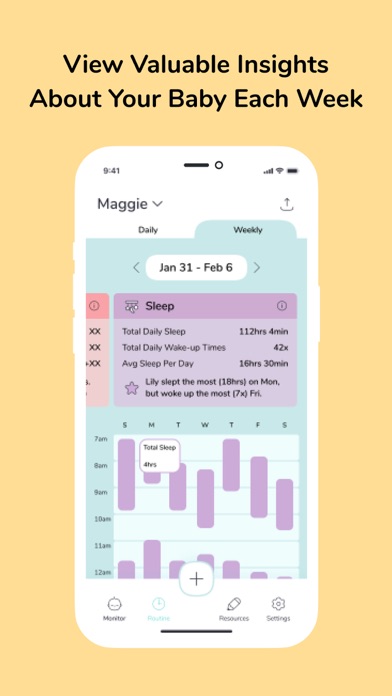
4. Real-time monitoring your baby well-being from your phone.
Need assistance?
Visit us at www.auriocare.com/contact-us or email:support@auriocare.com. You can also contact us through our in-app customer support (Setting->Customer Support).
Safety and technology
Found in the app by AppBrain- Price
- Free
- App size
- 25.3 MB
- Content rating
- Everyone
Technologies used by Aurio
Releases
Updates seen on the App Store- Version
- 1.1.40
- Launched
- April 2023
No changelog data
Alternatives
Similar apps and more from VestConn IncAlternatives to Aurio





Rankings
App Store top chartsApp Store Rankings for Aurio
About the app and developer
About Aurio
Aurio is a lifestyle app developed by VestConn Inc.
What is the rating of Aurio?
Aurio has no ratings yet.
Is Aurio free?
Aurio is free. The app size is 25.34 MB. The latest version available is 1.1.40. The last update was on February 23, 2026.
What are the requirements for Aurio?
The app has a content rating of Everyone. The app has been available on the App Store since April 2023.
Developer information for VestConn Inc
Address:
Frequently asked questions about Aurio
Is Aurio free?
Yes. Aurio is free on the App Store.
Is Aurio still available?
Yes. Aurio is on the App Store, and the last update we saw was on February 23, 2026.
How large is Aurio?
Aurio is 25.34 MB.
Is Aurio suitable for children?
App Store rates the content of Aurio as suitable for everyone.
Who made Aurio?
Aurio was developed by VestConn Inc. It is listed in the lifestyle category on the App Store.
What are the best alternatives to Aurio?
People looking at Aurio also look at these lifestyle apps: Vivaldi Color Analysis, Habits Of Waste, all 4 hue (for Philips Hue), Daily Mood Tracker - Self Care, LARQ.