

Authenticator: MFA & 2FA
Authenticator: MFA & 2FA is made and published by Level Clash Apps S.L. AppBrain is an independent app data site and isn't affiliated with Level Clash Apps S.L. The app name, icon, screenshots and description belong to Level Clash Apps S.L. and are shown as published on the App Store.
AppBrain's verdict
- Rating on App Store
- 3.46
- 190 ratings
- Last updated
- September 3, 2026
- Size
- 52.0 MB
Users are divided: 3.5 stars from 190 ratings.
User feedback
Ratings and reviews on the App StoreComments on Authenticator: MFA & 2FA for iOS
We don't have enough comments to show example comments. Please check back later.
Store listing
By Level Clash Apps S.L., from the App Store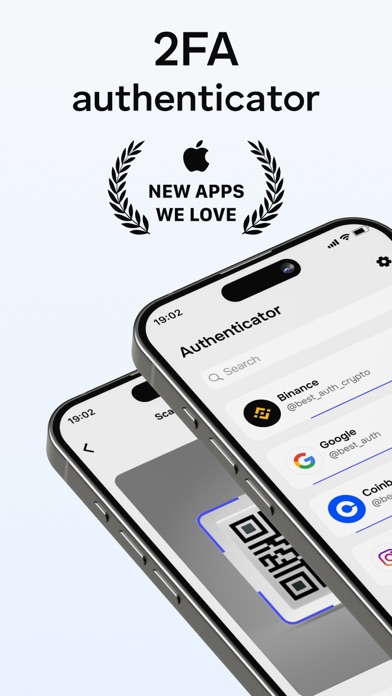


Description by Level Clash Apps S.L. Written by the developer, not by AppBrain. Click to read.
Key Features:
1. Secure and Private. All data within Authenticator is encrypted at all times, even when backed up to iCloud, ensuring that only you have access to your information.
2. Encrypted Backups. Easily create a secure, encrypted backup in Authenticator, safeguarding your data if you lose your device or switch to a new one.
3. Cross-Device Sync. Authenticator automatically syncs your accounts across all Apple devices, including your Apple Watch.
4. Quick Access Widget. Use the Authenticator widget for fast access to your 2FA codes right from your Home Screen.
5. Apple Watch and Touch ID Unlock. Unlock the app instantly using Apple Watch or Touch ID for quicker access.
6. Menu Bar Integration. Keep Authenticator accessible directly from your Menu Bar.
7. Offline Code Generation. Even when offline, Authenticator generates secure codes, allowing you to authenticate safely even in airplane mode.
8. Easy Multi-Account Import. You can seamlessly import accounts from Google Authenticator, Password Managers, or Files.
9. Designed for Apple Devices. Enjoy a fully native experience on all Apple devices with features like Data Sync, Gestures, Widgets, and Dark Mode.
10. Support for Major Services. Authenticator supports major platforms like Facebook, Coinbase, Amazon, Gmail, Instagram, Roblox, and thousands more, including 8-digit tokens.
Subscription Information.
Payment is charged to your iTunes Account upon purchase confirmation.
Subscriptions renew automatically unless auto-renew is turned off at least 24 hours before the end of the current period.
Your account will be charged for renewal within 24 hours before the current period ends.
You can manage your subscriptions and disable auto-renewal through your App Store account settings, up to 24 hours before the next payment is due.
— Terms of Use (EULA) https://www.levelclashapps.com/TermsOfUse.html
— Privacy Policy: https://www.levelclashapps.com/PrivacyPolicy.html
Safety and technology
Found in the app by AppBrain- Price
- Free
- App size
- 52.0 MB
- Content rating
- Everyone
Technologies used by Authenticator: MFA & 2FA
Releases
Updates seen on the App Store- Version
- 1.2.2.
- Launched
- September 2024
No changelog data
Alternatives
Similar apps and more from Level Clash Apps S.L.Alternatives to Authenticator: MFA & 2FA






More from Level Clash Apps S.L.


Rankings
App Store top chartsApp Store Rankings for Authenticator: MFA & 2FA
About the app and developer
About Authenticator: MFA & 2FA
Authenticator: MFA & 2FA is an utilities app developed by Level Clash Apps S.L.
What is the rating of Authenticator: MFA & 2FA?
Authenticator: MFA & 2FA is rated 3.46 out of 5 stars, based on 190 ratings.
Is Authenticator: MFA & 2FA free?
Authenticator: MFA & 2FA is free. The app size is 51.96 MB. The latest version available is 1.2.2. The last update was on September 3, 2026.
What are the requirements for Authenticator: MFA & 2FA?
The app has a content rating of Everyone. The app has been available on the App Store since September 2024.
Developer information for Level Clash Apps S.L.
Address: