

Autism Learning Tools
Autism Learning Tools is made and published by Livio Bestulic. AppBrain is an independent app data site and isn't affiliated with Livio Bestulic. The app name, icon, screenshots and description belong to Livio Bestulic and are shown as published on the App Store.
AppBrain's verdict
Established- Rating on App Store
- 5.00
- 2 ratings
- Last updated
- October 29, 2025
It doesn't have enough ratings yet to judge what users think.
Rankings
App Store top chartsApp Store Rankings for Autism Learning Tools
Competitors
Similar apps and more from Livio BestulicAlternatives to Autism Learning Tools








More from Livio Bestulic


Releases
Updates seen on the App Store- Version
- Build 28 Version 2.8
- Launched
- June 2020
No changelog data
User feedback
Ratings and reviews on the App StoreComments on Autism Learning Tools for iOS
We don't have enough comments to show example comments. Please check back later.
Technology
Found in the app by AppBrain- Price
- Free
- App size
- 362.6 MB
- Content rating
- Everyone
Technologies used by Autism Learning Tools
About the app and developer
About Autism Learning Tools
Autism Learning Tools is an education app developed by Livio Bestulic.
User Ratings
Autism Learning Tools is rated 5.00 out of 5 stars. The rating is based on 2 ratings.
App Information
Autism Learning Tools is freely available from the App Store. The app size is 362.57 MB. The latest version available is Build 28 Version 2.8. The last update was on October 29, 2025.
Technical Requirements
The app has a content rating of Everyone. The app has been available on the App Store since June 2020.
Developer information for Livio Bestulic
Address:
Store listing
By Livio Bestulic, from the App Store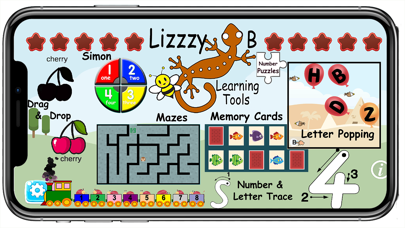
Description by Livio Bestulic Written by the developer, not by AppBrain. Click to read.
This app especially targets skill development for children with autism and developmental delays. Using easy to understand instructions and eye-catching animation children move through tasks commonly practiced in therapy sessions.
Reports are provided for the parent to monitor progress and maintain records. Want to show developmental activities as part of your home school records? No problem! LizzyB Learning Tools records the amount of time spent in each activity and you can export it for your records.
This is a great tool for young children and children with special needs to be able to use independently (or with minimal assistance).
Levels
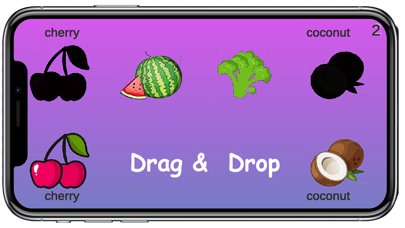
1. Drag & Drop: Start by moving characters into the shape they fit into. As you develop your skills they’ll progress to fruits and vegetables, and eventually letters and numbers with fun characters mixed in! Words are printed alongside the matching shapes to aid in word recognition.
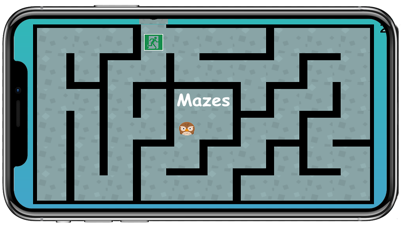
2. Maze: Move our fun characters through mazes that get bigger and more complex as you progress. Develop your hand eye and fine motor coordination as you play.
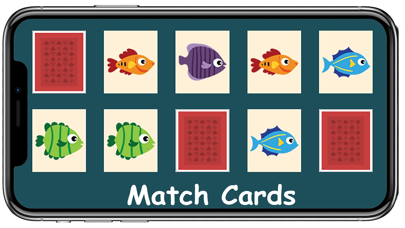
3. Memory Cards: Match numbers, shapes, fun characters, and more! The levels become more challenging as you go! Both memory and visual skills can be strengthened in these levels.
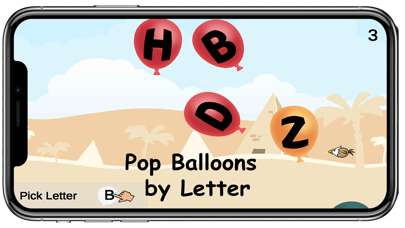
4. Balloons: Follow the instructions and choose only the balloon indicated. We get to practice colors, numbers, and letters while balloons and birds fly in an engaging and exciting popping adventure! This is a great way to practice attention and instruction following in a colorful manor that’s full of movement! Watch out! The birds may pop the balloons if you don’t get to them first!
5-1. Tracing Numbers: Learn your numbers! Trace (with stroke guidance) your numbers, count the animals, and watch them leap into our fun train! This is the foundation of the number and math skills we will strengthen with more fun to come!
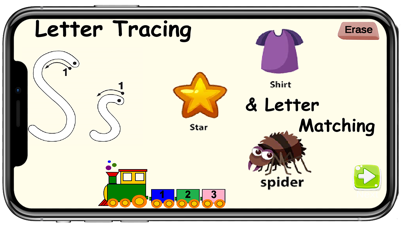
5-2 Tracing Letters: Now it’s time to work on your letters! Just like before, you get to trace! Trace uppercase and lowercase letters and touch the pictures that start with the level and watch them fly over to the train cars. Want to increase the difficulty? Use a stylus and work on your pencil grip!
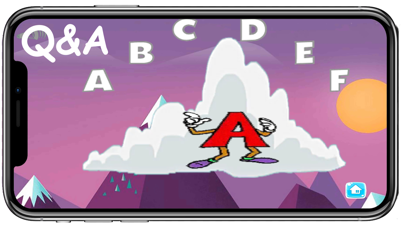
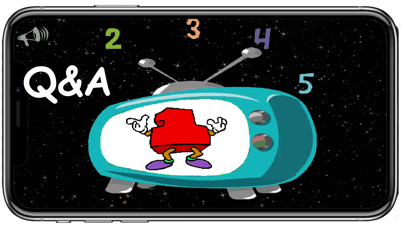
6 Where’s The Questions & Answers: 10 levels with 4 different kinds of question sets. First learn Colors and shapes. Then Numbers 1-10 (or advanced 11-20 option). The remaining two sets are mixed and include learning letters and things (animals, household items and food).
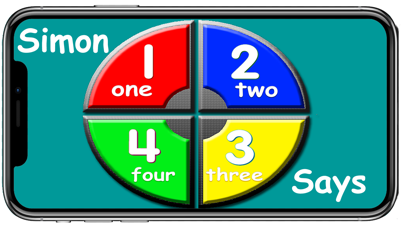
7-1 Simon Colors & Numbers: Six sets of the the classic Simon game but teaching colors and numbers. It also contains advance levels with two Simon games on the screen at once.
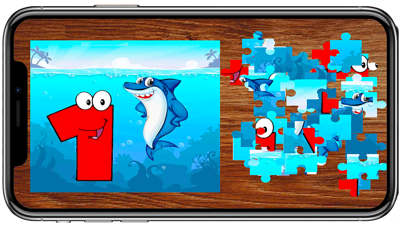
7-2 The final four sets include 20 Rotating Number Puzzles, an Alphabet Puzzle and finally a geography puzzle.
8. Spoken Question & Answers ("Where's the...") levels covering Colors & Shapes, numbers, letters (lower & upper), Animals, Household things, Fruit & Veggies.
A total of 8 lessons x10 levels each.
About Us
While home with the family during these crazy times we searched for something positive and constructive to do with the children. The thought was, “why not turn this into a family project opportunity?” The LizzieB Learning Software family project was born.
This app was designed for her and children like her to provide an educational platform that develops skills, keeps their attention, and is fun too!
During development we also discovered how much her neurotypical siblings and cousins enjoyed the app and benefited from developmentally positive and engaging games.
So feel free to try it out on siblings and toddlers.