Auto Audio is made and published by
方 沈.
AppBrain is an independent app data site and isn't affiliated with 方 沈.
The app name, icon, screenshots and description belong to 方 沈 and are shown as
published on the App Store.
About Auto Audio
Auto Audio is an utilities app developed by 方 沈.
User Ratings
The app has no ratings yet.
App Information
Auto Audio costs $0.99. The app size is 3.54 MB. The latest version available is 6.1.1. The last update was on May 24, 2024.
Technical Requirements
The app has a content rating of Everyone. The app has been available on the App Store since June 2014.
Description by 方 沈(from the App Store)
The app will provide 8 solutions for recording the sound.
1 Record from Apple Watch.
In Watch OS 5, could record the sound when the watch screen is off.
When this App records the sound in the background in Apple Watch, sometime, a red icon of microphone will be displayed at the top middle of Watch Screen. That means, this App is recording the sound in the background status. Just tap this red icon, this App will be displayed again.
After finishing the recording, the record file will be transferred to the iPhone automatically. In iPhone, when we tap the file folder icon on the top left corner in the main tab controller, the file from watch will be displayed. In Watch App, tap the table cell, the detail of the record sound will be displayed. We will see a transfer button. If we need to transfer the record file to iPhone again, please tap this button.
2.Auto: When this App is inactive, just tap this App icon, this App could record the sound automatically.When you need to record the sound as soon as possible, you may like this solution. If you need to get this solution, just make the fast tab page appear before you press the home key.
3 Intelligent: this App could start recording the sound when the pitch level of sound is over the indicted level of starting record. It could stop recording when the pitch level of sound is below the indicted level of stopping record.
If you need to record the sound when it is higher than some pitch level, just make the intelligent tab page appear.
4 Gesture: gesture double tap or pinch could create the different size sound files. The larger size is more qualified. The smaller size could save the disk space and the sound is also qualified. If you need to use this solution, just make the gesture tab page appear.
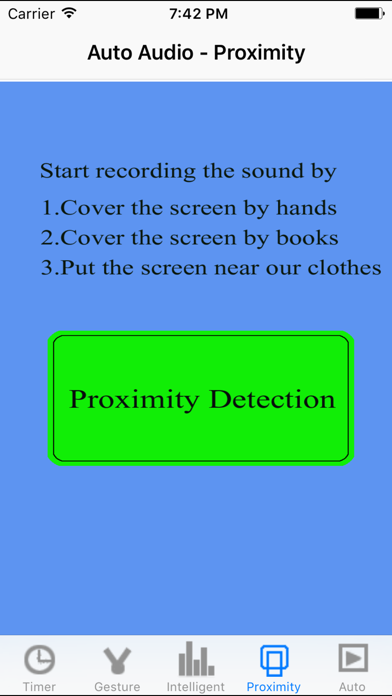
5 Proximity: Cover the top part of the iPhone screen , this App will record the sound. Cover the iPhone screen again, this App will stop recording. In some situation, you do not want to tap the device screen, then this solution is yours. For example, you could use one book to cover the top part of the iPhone screen, or use your hands, your clothes,and even use your face.If you need to use this solution, just make the proximity tab page appear.
6 Delay the action : delay the recording after 0 - 30 seconds. In some situations, you want to record the sound after a little time, then this solution may help you.If you need to use this solution, just make the timer tab page appear.
7 Standard recording the sound, if you just want to record the sound by tapping the button directly, this App is yours. Just make the timer tab page appear, ensure the delay is zero second, and tap the button of Record One Audio Clip.
8 Repeat recording. Some times, you may need to record the sound files after the indicted duration. In the timer tab page, tap the button - record the audio by interval.
In iPhone or iPad, this App could also continue recording the sound in the background.
You could set your preferences. So tap the button at the upper right corner of the main view, you could set your own preferences from the setting view. These preferences includes the max duration of the sound file, the sound pitch level for start record and stopping record. You could also indict whether enable the background record when this App is inactive.
After the file is created, you could send the sound file by email account in your device.By using the iTune File Sharing features, you could export the record sound to the iTune computer such as Mac PC. Tap the To iCloud button, the new view will display the item : iCloud Drive, tap this item to export the file to iCloud.
In the main view, just tap the upper left button, you could view the file folder, the sound file size and sound duration will be displayed. The user could rename the sound file. You could play the sound file according to your needs.
Each subscription will automatically renew 3 days before the expiration date for
the same time period. Subscriptions can be cancelled at any time before the renewal.