

Auto Paste Keyboard・CopyCPY
Auto Paste Keyboard・CopyCPY is made and published by Punamben Shah. AppBrain is an independent app data site and isn't affiliated with Punamben Shah. The app name, icon, screenshots and description belong to Punamben Shah and are shown as published on the App Store.
AppBrain's verdict
- Rating on App Store
- 4.18
- 11 ratings
- Last updated
- November 29, 2025
It doesn't have enough ratings yet to judge what users think.
Rankings
App Store top chartsApp Store Rankings for Auto Paste Keyboard・CopyCPY
Competitors
Similar apps and more from Punamben ShahMore from Punamben Shah






Releases
Updates seen on the App Store- Version
- 1.1
- Launched
- November 2025
No changelog data
User feedback
Ratings and reviews on the App StoreComments on Auto Paste Keyboard・CopyCPY for iOS
We don't have enough comments to show example comments. Please check back later.
Technology
Found in the app by AppBrain- Price
- Free
- App size
- 53.2 MB
- Content rating
- Everyone
Technologies used by Auto Paste Keyboard・CopyCPY
About the app and developer
About Auto Paste Keyboard・CopyCPY
Auto Paste Keyboard・CopyCPY is an utilities app developed by Punamben Shah.
User Ratings
Auto Paste Keyboard・CopyCPY is rated 4.18 out of 5 stars. The rating is based on 11 ratings.
App Information
Auto Paste Keyboard・CopyCPY is freely available from the App Store. The app size is 53.15 MB. The latest version available is 1.1. The last update was on November 29, 2025.
Technical Requirements
The app has a content rating of Everyone. The app has been available on the App Store since November 2025.
Developer information for Punamben Shah
Address:
Frequently asked questions about Auto Paste Keyboard・CopyCPY
Is Auto Paste Keyboard・CopyCPY free?
Yes. Auto Paste Keyboard・CopyCPY is free on the App Store.
Is Auto Paste Keyboard・CopyCPY still available?
Yes. Auto Paste Keyboard・CopyCPY is on the App Store, and the last update we saw was on November 29, 2025.
How large is Auto Paste Keyboard・CopyCPY?
Auto Paste Keyboard・CopyCPY is 53.15 MB.
Is Auto Paste Keyboard・CopyCPY suitable for children?
App Store rates the content of Auto Paste Keyboard・CopyCPY as suitable for everyone.
How do people rate Auto Paste Keyboard・CopyCPY?
Auto Paste Keyboard・CopyCPY scores 4.18 out of 5 stars, from 11 ratings on the App Store.
Who made Auto Paste Keyboard・CopyCPY?
Auto Paste Keyboard・CopyCPY was developed by Punamben Shah. It is listed in the utilities category on the App Store.
Store listing
By Punamben Shah, from the App Store


Description by Punamben Shah Written by the developer, not by AppBrain. Click to read.
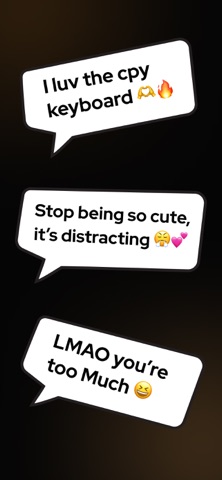
CopyCPY is a powerful paste keyboard and designed to help you send your saved messages instantly in any app. Just save your message, open any app such as TikTok, Snapchat and copy & paste your saved texts in 1 tap.
With one tap, you can paste, send, and reuse your favorite phrases without switching screens, making CopyCPY the most efficient copy keyboard and auto-send keyboard for iPhone. Whether you're replying quickly, sending repeated phrases, or keeping your most-used messages ready to go, CopyCPY turns your keyboard into a smart, personalized messaging tool.
Key Features
◉ One-Tap Copy & Paste
Send any saved message instantly with a single tap — no typing required.
◉ Auto-Send Support
Works seamlessly with apps like TikTok and Snapchat, allowing messages to send automatically without pressing the send button.
◉ Burst Mode
Hold to instantly repeat or fill the text field with your selected message.
◉ Save Unlimited Messages
Keep your favorite lines, quick replies, meme texts, or frequently used messages organized and ready inside the keyboard.
◉ Works Across All Apps
A universal keyboard that functions in TikTok, Snapchat, Instagram, WhatsApp, Messages, and every other app you use.
◉ Clean, Fast & Lightweight
Designed for smooth performance and a streamlined typing experience.
◉ Private & Secure
No data tracking or storage. Your messages stay yours.
CopyCpy gives you a faster, easier way to communicate — with instant access to everything you need, right inside your keyboard. What are you waiting for? Download now!
Privacy Policy: https://sites.google.com/view/cpy-keyboard/privacy-policy
Terms & Conditions: https://sites.google.com/view/cpy-keyboard/terms-conditions
Support: https://sites.google.com/view/cpy-keyboard/support