




AppBrain's verdict
EstablishedWell rated- Rating on App Store
- 4.04
- 912 ratings
- Last updated
- November 9, 2026
- Size
- 43.9 MB
Users rate it well: 4.0 stars from 912 ratings.
User feedback
Ratings and reviews on the App StoreComments on Awesome Calendar Lite for iOS
We don't have enough comments to show example comments. Please check back later.
Store listing
By YunaSoft Inc., from the App StoreDescription by YunaSoft Inc. Written by the developer, not by AppBrain. Click to read.
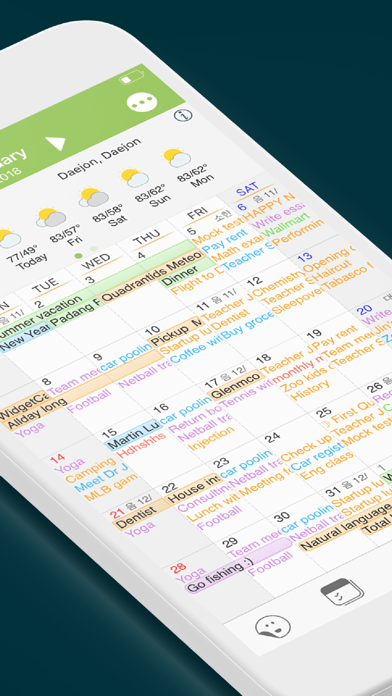
With Awesome Calendar, you’ll have access to a multi-functional task manager app to organize your life. This personal planner app comes with a clean and neat design and the interface is so user-friendly that you’ll get the whole idea after browsing through the menus for a few times. You get to easily add a note, create an event or set a reminder right from calendar’s month view. To switch between different views (Week or Day view) you just need to double tap on the screen and to see available events for a specific day, you just need to tap on that date (a pop-up opens).
So, if you care about being organized and want to never be worried about forgetting a meeting, missing a deadline or forgetting the long lists of your to-dos, then the Awesome Calendar is A Must Have App for you.
Download this calendar and planner app and start adding your agenda, to-do lists and your upcoming events to it. Awesome Calendar will automatically organize everything and will let you know as soon as there is a deadline, a meeting or an event to attend to.
Why Should I Install Awesome Calendar on my iPhone?
While there are so many calendar apps to download and use, including the default iPhone’s calendar app, why should I trust this planner pro app and use it as my organizer app? Well, this is a fair question to ask and here are just a few reasons for installing this wonderful app:
One. It’s extremely easy to use. This awesome app packs all the great features in a very well designed interface and you can easily track your events in different views.
Two. It syncs with all iPhone calendar apps. If you are already using old-fashioned calendar apps, you can easily bring all your data to this awesome app.
Three. It offers ultimate customization options. You get to easily set custom color for event and reminder, and change the font size and style in the notes and different views. There is also the option to add stickers to the month view.
Four. Detailed weather forecast. There is built-in weather app in the Awesome Calendar which helps you track the weather condition before deciding where to go and when to go.
And there are tons of other great features waiting for you…
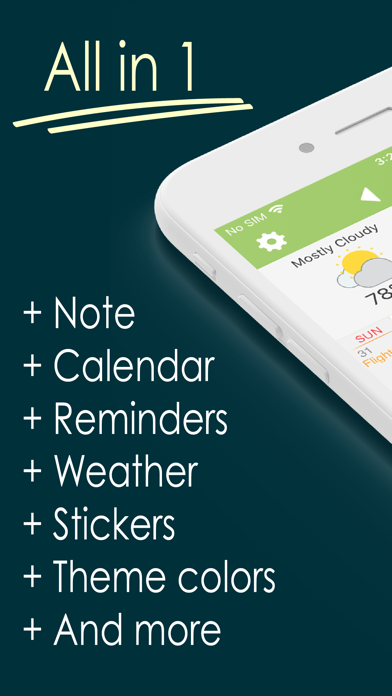
Awesome Calendar & Personal Planner Main Features at a Glance:
+ Natural Language Input
+ Clean and neat design with super user-friendly interface
+ Easy to navigate through different views and adding new tasks, to-dos or events
+ Syncs with all iPhone calendars
+ Ultimate customization options (change Color, Font, Style and more)
+ Holiday listings for 35 different countries
+ Month, week agenda, half-week, day and list views
+ Powerful search tool to look through your events, notes and to-dos
+ Current weather condition + 5-day weather forecast
+ Wide range of emoji stickers to be used in the month view
+ Add photos to your notes
+ Create recurring events (upgrade to full version)
+ Set priority and reminders for your events
+ Check your schedule at a glance in month view
+ No ads (upgrade to full version)
So, Awesome Calendar is here to organize your life and make sure you never miss an important date or a meeting. You just need to add all your tasks, events, and meetings to the app, and leave the rest to this awesome scheduler app. You get to easily create custom alarms and reminders for any event and be notified of your upcoming event. The weather forecast feature, helps you schedule your day easier and more efficient.
Download Awesome Calendar and let us know about any bugs, questions, feature requests or any other suggestions.
Safety and technology
Found in the app by AppBrain- Price
- Free
- App size
- 43.9 MB
- Content rating
- Everyone
Technologies used by Awesome Calendar Lite
Releases
Updates seen on the App Store- Version
- 5.20.6
- Launched
- December 2011
No changelog data
Alternatives
Similar apps and more from YunaSoft Inc.Alternatives to Awesome Calendar Lite


More from YunaSoft Inc.




Rankings
App Store top chartsApp Store Rankings for Awesome Calendar Lite
About the app and developer
About Awesome Calendar Lite
Awesome Calendar Lite is a productivity app developed by YunaSoft Inc.
User Ratings
Awesome Calendar Lite is rated 4.04 out of 5 stars. The rating is based on 910 ratings.
App Information
Awesome Calendar Lite is freely available from the App Store. The app size is 43.93 MB. The latest version available is 5.20.6. The last update was on November 9, 2026.
Technical Requirements
The app has a content rating of Everyone. The app has been available on the App Store since December 2011.
Awesome Calendar Lite is made and published by YunaSoft Inc. AppBrain is an independent app data site and isn't affiliated with YunaSoft Inc. The app name, icon, screenshots and description belong to YunaSoft Inc. and are shown as published on the App Store.
Developer information for YunaSoft Inc.
Address: