

BabyFile: File Manager Pro
BabyFile: File Manager Pro is made and published by 翔 陈. AppBrain is an independent app data site and isn't affiliated with 翔 陈. The app name, icon, screenshots and description belong to 翔 陈 and are shown as published on the App Store.
AppBrain's verdict
Established- Rating on App Store
- 4.00
- 4 ratings
- Last updated
- January 7, 2026
It doesn't have enough ratings yet to judge what users think.
Rankings
App Store top chartsApp Store Rankings for BabyFile: File Manager Pro
Competitors
Similar apps and more from 翔 陈Alternatives to BabyFile: File Manager Pro



 Unzipper: Zip and Unzip files



Releases
Updates seen on the App Store- Version
- 5.8.9
- Launched
- May 2016
No changelog data
User feedback
Ratings and reviews on the App StoreComments on BabyFile: File Manager Pro for iOS
We don't have enough comments to show example comments. Please check back later.
Technology
Found in the app by AppBrain- Price
- Free
- App size
- 75.6 MB
- Content rating
- Everyone
Technologies used by BabyFile: File Manager Pro
About the app and developer
About BabyFile: File Manager Pro
BabyFile: File Manager Pro is a productivity app developed by 翔 陈.
User Ratings
BabyFile: File Manager Pro is rated 4.00 out of 5 stars. The rating is based on 4 ratings.
App Information
BabyFile: File Manager Pro is freely available from the App Store. The app size is 75.55 MB. The latest version available is 5.8.9. The last update was on January 7, 2026.
Technical Requirements
The app has a content rating of Everyone. The app has been available on the App Store since May 2016.
Developer information for 翔 陈
Address:
Store listing
By 翔 陈, from the App Store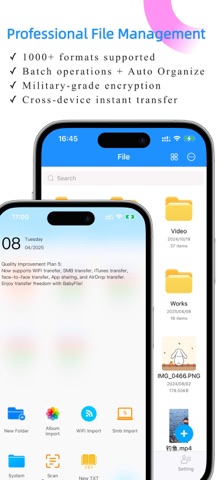
Description by 翔 陈 Written by the developer, not by AppBrain. Click to read.
*Big Tech Quality* *Features | Experience | Security at Its Peak*
Efficiency Enthusiasts | Students | Office Workers | Novel Lovers | Drama Fans – All Love It!
————————————
She looks like a baby, but works like a boss!
● File Management · A Revolutionary Experience
• Instant file transfer between phones, tablets, and computers
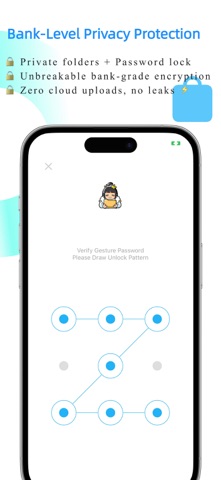
• Private folders + password lock for maximum security
• Remote preview & control of computer files from your phone
• Supports thousands of file formats – one app is all you need!
• Batch operations / Smart categorization / Deep search
• Local storage – say goodbye to cloud storage leaks!
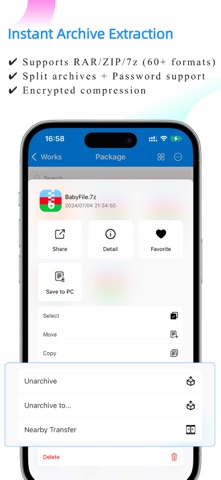
• ZIP/RAR/7z and 60+ archive formats instantly extracted
- (Even supports split archives and Chinese passwords!)
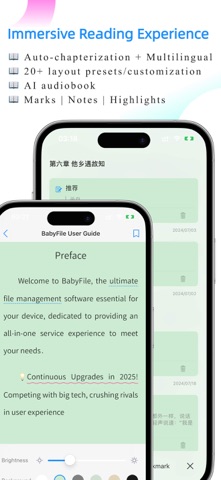
● Novel Reading · The Ultimate Immersion
• AI Audiobook + Voice & Speed Adjustment – Listen with Ease
• Auto-Reading + Adjustable Speed & Mode – Hands-Free Bliss
• Customizable Background | Font | Size | Spacing
• Highlighting | Bookmarks | Notes – Capture Every Moment
• Supports EPUB | TXT with Auto Chaptering for Multilingual
-(Professional-level typesetting, rivaling premium e-readers!)
● Media Playback · Supports All Formats
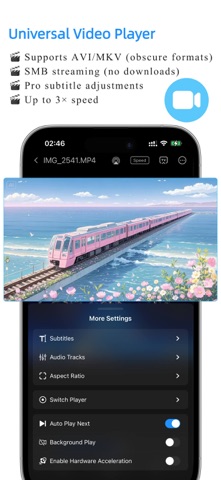
• Plays everything! avi / rmvb / mkv – you name it!
• 3x Speed + Subtitle Switch + Audio Track Switch + Picture-in-Picture
• Stream movies directly from your PC or external drive!
• AirPlay & Casting – Enjoy Big-Screen Viewing!
- (Snapshots and aspect ratio adjustments included!)
● Music Player · Hear What You Want
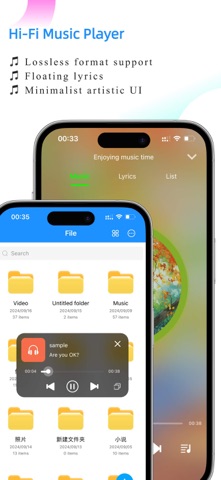
• Hi-Res Audio + Floating Lyrics + Elegant Interface
• Background Playback + Shuffle & Loop Modes
-(Perfect for work + music therapy!)
● Office & Study · Supercharged Productivity
• Scan paper docs into HD PDFs in 1 second
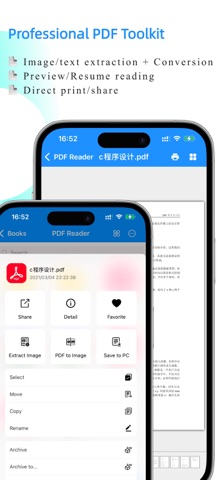
• Easy Word-to-PDF & Image-to-PDF conversion
• One-tap PDF extraction & smooth image conversion
• TXT editing – perfect for quick notes!
-(Scanned ID photos look sharper than print shop results!)
————————————
【These Hidden Features Are Insane!】
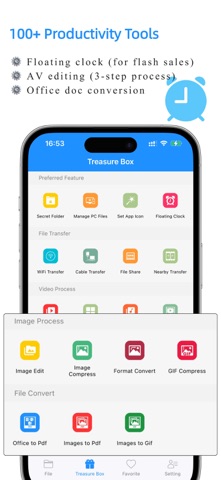
[+] Flash Sale Sniper: Floating Clock [Clock]
[+] One-Tap GIF Maker!
[+] Extreme Image Compression – No Quality Loss!
[+] Easy Grid Video Maker & Video Editing!
[+] Extract BGM from Videos – Just a Tap Away!
-(Too many surprises to list them all!)
————————————
● Continuous Upgrades in 2025!
Competing with big tech, crushing rivals in user experience
Download now and unlock:
→ Cute icons, clean interface
→ Seamless cross-device sync between phone, tablet, and computer
————————————
【Subscription Terms】
• Subscription period: Monthly or annual plans available
• Payment: Charged to iTunes account upon purchase confirmation
• Cancel auto-renewal: To cancel, go to "iTunes Store & App Store" > Click "Apple ID" > Select "View Apple ID" > Navigate to "Subscriptions" and cancel before the current period ends.
• Renewal: iTunes will charge the renewal fee 24 hours before expiration, extending the subscription by one period.
• Privacy Policy: https://www.cnblogs.com/babyfile/p/15369902.html
• Terms of Use: https://www.cnblogs.com/babyfile/p/18718778.html
---- Contact Us ----
Official QQ Group: 714836456
Support Email: babyfile@163.com