

Background Changer - AI Eraser
Background Changer - AI Eraser is made and published by SHELL INFRASTRUCTURE PRIVATE LIMITED. AppBrain is an independent app data site and isn't affiliated with SHELL INFRASTRUCTURE PRIVATE LIMITED. The app name, icon, screenshots and description belong to SHELL INFRASTRUCTURE PRIVATE LIMITED and are shown as published on the App Store.
AppBrain's verdict
- Rating on App Store
- 4.40
- 43 ratings
- Last updated
- May 4, 2022
It doesn't have enough ratings yet to judge what users think.
Rankings
App Store top chartsApp Store Rankings for Background Changer - AI Eraser
Competitors
Similar apps and more from SHELL INFRASTRUCTURE PRIVATE LIMITEDAlternatives to Background Changer - AI Eraser





![AI: Wallpapers [Art Generator] icon](https://is1-ssl.mzstatic.com/image/thumb/Purple113/v4/54/81/ac/5481acd2-a987-bbfd-64d1-978c23b28d1b/AppIcon-1x_U007emarketing-0-7-0-85-220.png/100x100bb.jpg)
More from SHELL INFRASTRUCTURE PRIVATE LIMITED







Releases
Updates seen on the App Store- Version
- 1.0
- Launched
- May 2022
No changelog data
User feedback
Ratings and reviews on the App StoreComments on Background Changer - AI Eraser for iOS
We don't have enough comments to show example comments. Please check back later.
Technology
Found in the app by AppBrain- Price
- Free
- App size
- 83.9 MB
- Content rating
- Everyone
Technologies used by Background Changer - AI Eraser
About the app and developer
About Background Changer - AI Eraser
Background Changer - AI Eraser is a graphics & design app developed by SHELL INFRASTRUCTURE PRIVATE LIMITED.
What is the rating of Background Changer - AI Eraser?
Background Changer - AI Eraser is rated 4.40 out of 5 stars, based on 43 ratings.
Is Background Changer - AI Eraser free?
Background Changer - AI Eraser is free. The app size is 83.89 MB. The latest version available is 1.0. The last update was on May 4, 2022.
What are the requirements for Background Changer - AI Eraser?
The app has a content rating of Everyone. The app has been available on the App Store since May 2022.
Developer information for SHELL INFRASTRUCTURE PRIVATE LIMITED
SHELL INFRASTRUCTURE PRIVATE LIMITED
Address:
Frequently asked questions about Background Changer - AI Eraser
Is Background Changer - AI Eraser free?
Yes. Background Changer - AI Eraser is free on the App Store.
Is Background Changer - AI Eraser still available?
Yes. Background Changer - AI Eraser is on the App Store, and the last update we saw was on May 4, 2022.
How large is Background Changer - AI Eraser?
Background Changer - AI Eraser is 83.89 MB.
Is Background Changer - AI Eraser suitable for children?
App Store rates the content of Background Changer - AI Eraser as suitable for everyone.
How do people rate Background Changer - AI Eraser?
Background Changer - AI Eraser scores 4.40 out of 5 stars, from 43 ratings on the App Store.
Who made Background Changer - AI Eraser?
Background Changer - AI Eraser was developed by SHELL INFRASTRUCTURE PRIVATE LIMITED. It is listed in the graphics & design category on the App Store.
What are the best alternatives to Background Changer - AI Eraser?
People looking at Background Changer - AI Eraser also look at these graphics & design apps: Picscut-Background Changer, Auto Blur Backgrounds, PIX: Pixel-Art Filters Maker, AI Cut - Photo Generate & Edit, Gradient Generator Backgrounds.
Store listing
By SHELL INFRASTRUCTURE PRIVATE LIMITED, from the App Store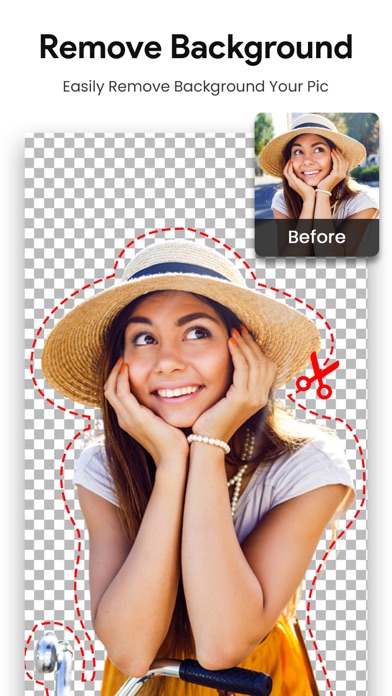

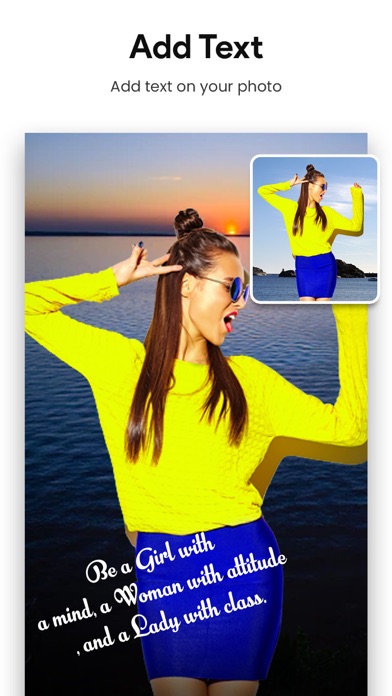
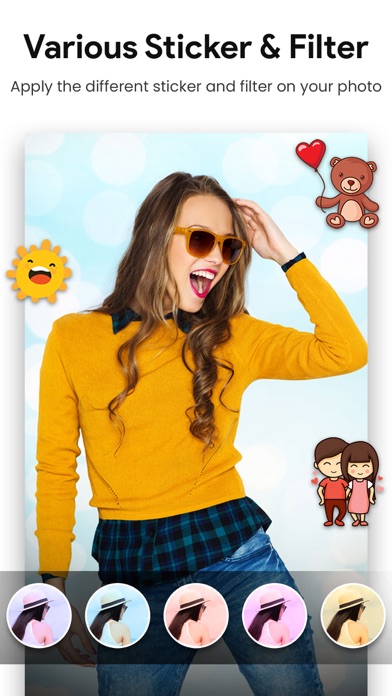
Description by SHELL INFRASTRUCTURE PRIVATE LIMITED Written by the developer, not by AppBrain. Click to read.
With Blur Photo, you can quickly blur your pictures with just few taps!
Blur unwanted object, face or anything that you don’t want others to see when sharing on social media!
This Photo Editor application is the best of it's type. Like many other Photo Background Change Application. WE DO NOT GIVE YOU TIPS ON HOW TO USE ADOBE PHOTOSHOP. This is a Real Photo Background Changer, where you can cut your photo and replace it with any background from gallery or from in-built images.
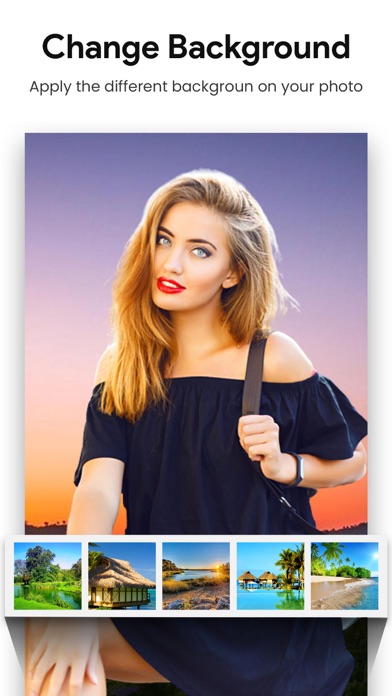
Once background you can select one of the backgrounds that we assembled together with various categories for you to replace your background. Our Blend algorithm blends your photo into new background to make it look more realistic.
Features
Select photo from gallery or take a picture.
Cut the main photo out using the numerous Photoshop like tools.
Select the background for the main photo from the in-built images or from the gallery.
Pinch Zoom and rotate to re-size and adjust the photo to the background.
Add retro effect to the created Image.
Adjust Opacity, Contrast and Brightness to the created Image.
Choose from Multiple effects to make your photo look realistic.
Save and share the pic to Facebook, twitter, Instagram and other social media app.
The Photo Background Changer or The Photo Editor Application is designed to be very user friendly and extremely functional application
== Background ==
Replace the backgrounds of your photos with just a click.
Choose from our 200+ high-quality 2D and 3D backgrounds that go best with your photos.
Replace the background with any photo of your liking from Google and Unsplash.
== Filters ==
Change the vibe of your picture by adding our variety of amazing filters.
Select from a range of categories including B&W, vintage, after light, slide, etc.
Smoothly make adjustments to the intensity of your filters.
== Adjustments ==
Want to edit like a professional photo editor? We give you a complete range of editing tools.
Unlock your potential and adjust the vibrance, light, exposure, vignette, temperature, and more to make your photos amazing.
== Blur ==
Blur the backgrounds of your pictures and bring emphasis to your amazing portraits.
Hope you enjoy the application and your feedback will be appreciated.
Thank you