

Backup Contacts Cleaner
Backup Contacts Cleaner is made and published by Duong Bac. AppBrain is an independent app data site and isn't affiliated with Duong Bac. The app name, icon, screenshots and description belong to Duong Bac and are shown as published on the App Store.
AppBrain's verdict
EstablishedLoved by users- Rating on App Store
- 4.58
- 518 ratings
- Last updated
- September 18, 2026
Users love it: 4.6 stars from 518 ratings.
Rankings
App Store top chartsApp Store Rankings for Backup Contacts Cleaner
Competitors
Similar apps and more from Duong BacAlternatives to Backup Contacts Cleaner




 My Contacts Backup


More from Duong Bac


Releases
Updates seen on the App Store- Version
- 1.7.3
- Launched
- November 2018
No changelog data
User feedback
Ratings and reviews on the App StoreComments on Backup Contacts Cleaner for iOS
We don't have enough comments to show example comments. Please check back later.
Technology
Found in the app by AppBrain- Price
- Free
- App size
- 47.7 MB
- Content rating
- Medium
Technologies used by Backup Contacts Cleaner
About the app and developer
About Backup Contacts Cleaner
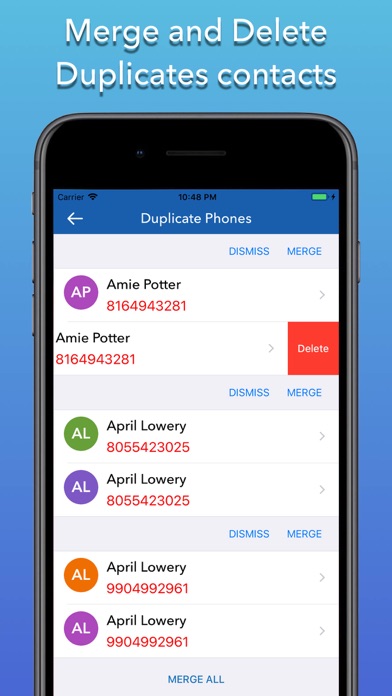
Backup Contacts Cleaner is a productivity app developed by Duong Bac.
What is the rating of Backup Contacts Cleaner?
Backup Contacts Cleaner is rated 4.58 out of 5 stars, based on 520 ratings.
Is Backup Contacts Cleaner free?
Backup Contacts Cleaner is free. The app size is 47.66 MB. The latest version available is 1.7.3. The last update was on September 18, 2026.
What are the requirements for Backup Contacts Cleaner?
The app has a content rating of Medium Maturity. The app has been available on the App Store since November 2018.
Developer information for Duong Bac
Address:
Store listing
By Duong Bac, from the App Store


Description by Duong Bac Written by the developer, not by AppBrain. Click to read.
The easiest and the contact saving app that supports your iPhone!
-> Your contacts are saved! even if you lose or break your phone!
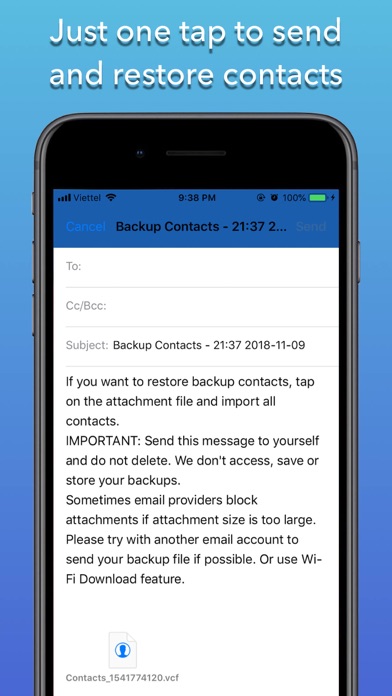
-> The easiest way to Secure your contacts - Just One Tap.
-> Completely safe, secure, and fast.
***** Features *****
-> Safe & secure contact backup.
-> You can manually sync with the Backup button.
-> Small in-app size (~15Mb).
-> Simple and to-the-point app and it does as it says.
***** This is how it works: *****
--> How to back up the contact list:
1. Download the Contacts Backup App on your iPhone
2. Go to Backup Screen
3. Press the "Backup" button in the app
4. Press "Email" after completed backup
5. Your contacts are now safely stored!
Customer Care:
We love to hear from you – so feel free to contact us at:
FB: https://www.facebook.com/Cheepapps-684007881726733/
Email: cheepapps@gmail.com