

Backup Disk
Backup Disk is made and published by Muharrem Ozkan. AppBrain is an independent app data site and isn't affiliated with Muharrem Ozkan. The app name, icon, screenshots and description belong to Muharrem Ozkan and are shown as published on the App Store.
AppBrain's verdict
- Last updated
- October 12, 2026
Rankings
App Store top chartsApp Store Rankings for Backup Disk
Competitors
Similar apps and more from Muharrem OzkanAlternatives to Backup Disk







More from Muharrem Ozkan





Releases
Updates seen on the App Store- Version
- 2.0
- Launched
- December 2022
No changelog data
User feedback
Ratings and reviews on the App StoreComments on Backup Disk for iOS
We don't have enough comments to show example comments. Please check back later.
Technology
Found in the app by AppBrain- Price
- Free
- App size
- 3.52 MB
- Content rating
- Everyone
Technologies used by Backup Disk
About the app and developer
About Backup Disk
Backup Disk is an utilities app developed by Muharrem Ozkan.
User Ratings
The app has no ratings yet.
App Information
Backup Disk is freely available from the App Store. The app size is 3.52 MB. The latest version available is 2.0. The last update was on October 12, 2026.
Technical Requirements
The app has a content rating of Everyone. The app has been available on the App Store since December 2022.
Developer information for Muharrem Ozkan
Address:
Store listing
By Muharrem Ozkan, from the App Store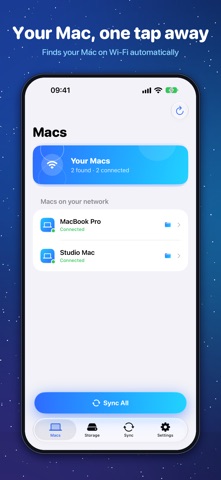
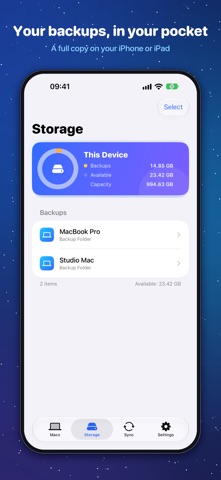
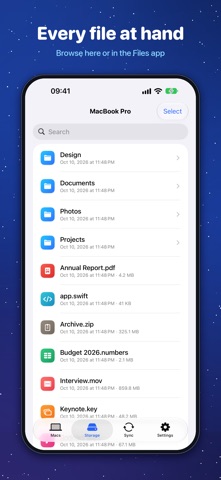

Description by Muharrem Ozkan Written by the developer, not by AppBrain. Click to read.
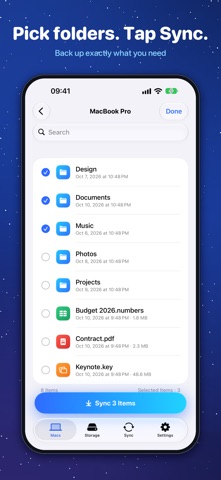
Choose the folders you want to protect on your Mac, open Backup Disk on your iPhone or iPad, and sync them over Wi‑Fi with a single tap. Your files go straight from your Mac to your device — no accounts, no cloud, no tracking.
WHY BACKUP DISK
• Wireless: your Mac appears automatically on the same Wi‑Fi network, or connect with a cable.
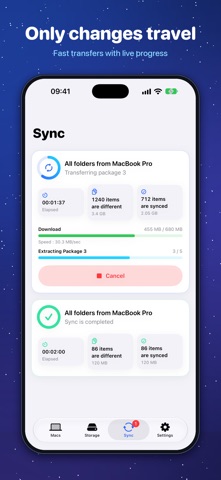
• Fast: only changed files are copied, and small files travel in large packages to make the most of your network.
• Private: pair with the sync key shown on your Mac. Your files never pass through a server.
• Always with you: browse your backups in the app or in the Files app, even offline.
• Both ways: download any backed-up folder or file from your iPhone or iPad back to your Mac.
• Picks up where it left off: if a sync is interrupted, the next one copies only what's left.
HOW IT WORKS
1. Install Backup Disk on your Mac and on your iPhone or iPad.
2. On your Mac, add the folders you want to back up.
3. On your iPhone or iPad, choose your Mac, enter the sync key and tap Sync.
BACKUP DISK PRO
The free version stores up to 5 GB of backups per device and connects one device at a time. PRO removes the storage limit and lets you connect several iPhones and iPads to your Mac at once. One purchase unlocks PRO on iPhone, iPad and Mac with the same Apple Account.
PRO is available as a monthly or yearly subscription, or as a one-time purchase. Payment is charged to your Apple Account at confirmation of purchase. Subscriptions renew automatically unless cancelled at least 24 hours before the end of the current period. You can manage or cancel your subscription in your Apple Account settings.
Terms of Use: https://backupdisk.mozkan.com/terms.html
Privacy Policy: https://backupdisk.mozkan.com/privacy.html