It doesn't have enough ratings yet to judge what users think.
ballplayr is made and published by
SEO Austin, LLC.
AppBrain is an independent app data site and isn't affiliated with SEO Austin, LLC.
The app name, icon, screenshots and description belong to SEO Austin, LLC and are shown as
published on the App Store.
About ballplayr
ballplayr is a photo & video app developed by SEO Austin, LLC.
User Ratings
ballplayr is rated 5.00 out of 5 stars. The rating is based on one rating ratings.
App Information
ballplayr is freely available from the App Store. The app size is 87.79 MB. The latest version available is 1.0.2. The last update was on September 19, 2022.
Technical Requirements
The app has a content rating of Everyone. The app has been available on the App Store since July 2022.
Description by SEO Austin, LLC(from the App Store)
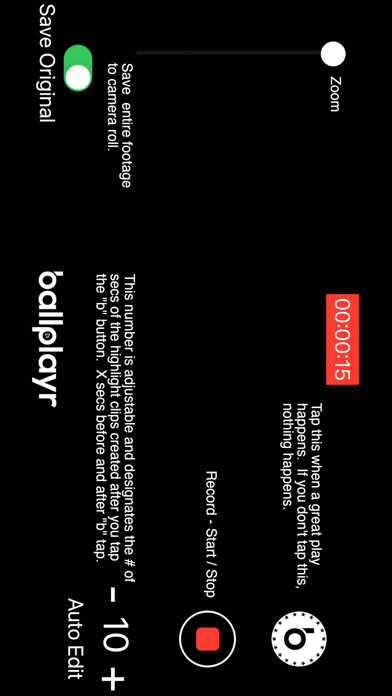
Ballplayr is built by sports parents for sports parents. It allows you to continuously record the game, play, or all 8 pitches of the at-bat and with one tap condense that 3 minute clip down to a 6-20 second highlight clip. No more having your camera roll filled with 50 clips of foul balls, missed shots, or broken plays.
You simply hit the red record button and then when a great play happens, you tap the white “b” button - which will auto edit and create a clip from 10 seconds (default setting) before you tapped the “b” and 10 seconds after you tapped it. You can adjust the “audit edit” window seconds up and down as you desire. All clips are then chronologically saved into your media list, time-stamped, and allow for you to tag them for reference.
You can then view, share, save to camera roll, or delete these clips as desired.
In order to simplify the highlight capture process, we also added the ability to quickly double, triple, quadruple, or mega tap the “b” button which will then multiply the “audit edit” settings during the capture process. For instance, if your son all of a sudden hits a homerun and you have the settings set to -10+ which would create a clip from 10 seconds before you tapped it and 10 seconds after, but you then tap the “b” 5 times, it will multiply that 10 seconds to 50 seconds before and after the tap.That way you capture everything you want. It’s a fail safe feature.
Features: - Record games and plays as if you are using your standard phone video camera - Video capture runs continuously but will remember and store video clips in the background until you push the red button and stop recording - Increase or decrease the “auto edit” seconds window to your liking - Ability to save all original and source footage to camera roll if desired - All created clips are saved in chronological order - All clips can be tagged to identify what happens in the clip - Clips can be quickly shared via text, email, or on social networks with a few clicks - Upload videos from your camera roll to your media list in order to organize your child’s entire sports life on your phone.
Each subscription will automatically renew 3 days before the expiration date for
the same time period. Subscriptions can be cancelled at any time before the renewal.