

Bank Statement PDF Converter
Bank Statement PDF Converter is made and published by Cleverson. AppBrain is an independent app data site and isn't affiliated with Cleverson. The app name, icon, screenshots and description belong to Cleverson and are shown as published on the App Store.
AppBrain's verdict
- Last updated
- October 12, 2026
Rankings
App Store top chartsApp Store Rankings for Bank Statement PDF Converter
Competitors
Similar apps and more from CleversonMore from Cleverson


Releases
Updates seen on the App Store- Version
- 1.2.0
- Launched
- July 2025
No changelog data
User feedback
Ratings and reviews on the App StoreComments on Bank Statement PDF Converter for iOS
We don't have enough comments to show example comments. Please check back later.
Technology
Found in the app by AppBrain- Price
- Free
- App size
- 13.0 MB
- Content rating
- Everyone
Technologies used by Bank Statement PDF Converter
About the app and developer
About Bank Statement PDF Converter
Bank Statement PDF Converter is a finance app developed by Cleverson.
User Ratings
The app has no ratings yet.
App Information
Bank Statement PDF Converter is freely available from the App Store. The app size is 12.98 MB. The latest version available is 1.2.0. The last update was on October 12, 2026.
Technical Requirements
The app has a content rating of Everyone. The app has been available on the App Store since July 2025.
Developer information for Cleverson
Address:
Store listing
By Cleverson, from the App Store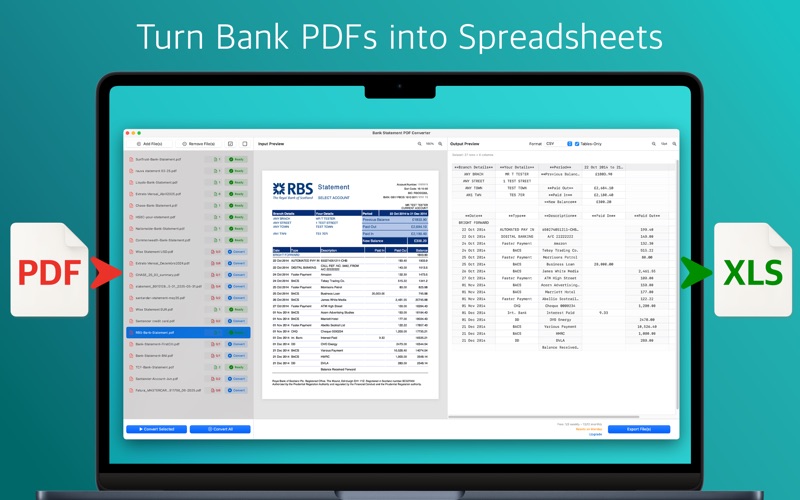


Description by Cleverson Written by the developer, not by AppBrain. Click to read.
Bank Statement PDF Converter extracts every transaction from your PDF statements and delivers perfectly‑formatted Excel, CSV, QuickBooks (QBO), Quicken (QFX), OFX, QIF, Xero and YNAB files, ready for your accounting software and tax prep. A built-in balance check confirms every transaction adds up.
• Why you’ll love it
‣ Lightning‑fast workflow – Drag‑and‑drop PDFs, hit *Convert*, export.
‣ Balance check – Opening balance + transactions = closing balance, verified on every statement, so nothing is missed or misread.
‣ Accounting-ready exports – One click to QuickBooks (.qbo), Quicken (.qfx), OFX, QIF, Xero CSV, YNAB CSV or a clean transactions sheet.
‣ Catch-up mode – Combine months of statements into one file per account, with overlapping transactions removed.
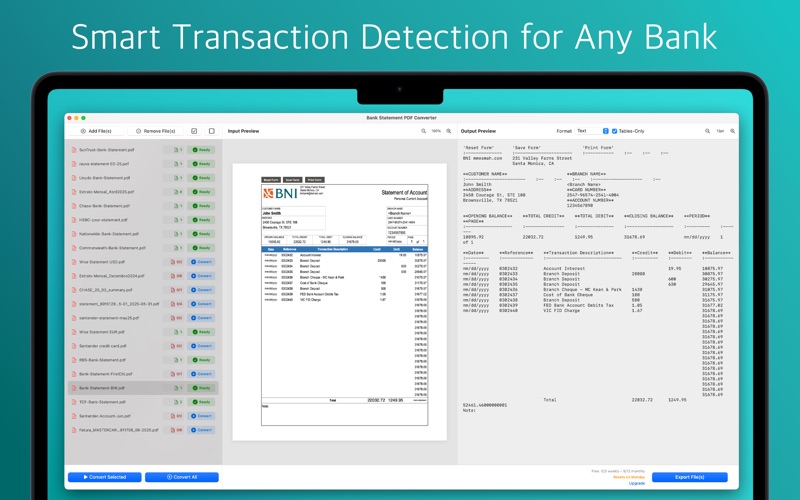
‣ Any bank, any language – Our advanced pattern‑recognition engine handles global formats with unrivalled accuracy.
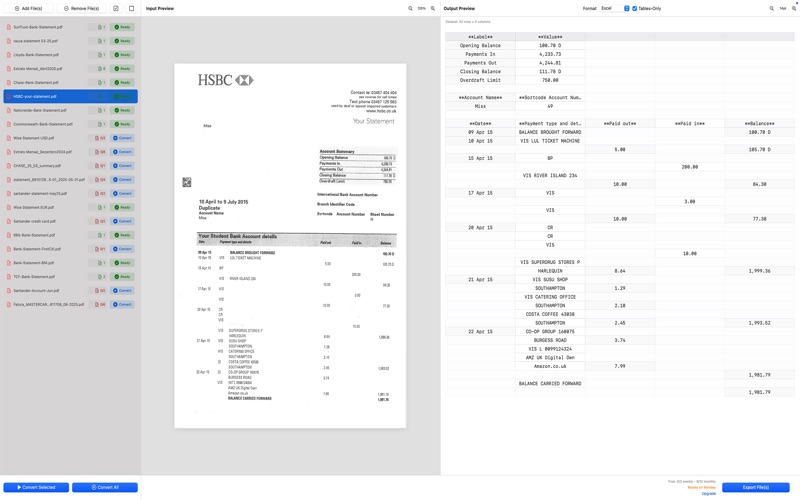
‣ Tables‑Only mode – Strip away headers, ads and footers for a pure transaction list.
‣ Privacy first – Your original PDFs never leave your Mac. Only transient, encrypted text is formatted in our secure cloud and auto‑deleted immediately after.
‣ Unlimited re‑exports – Change output formats without using extra quota.
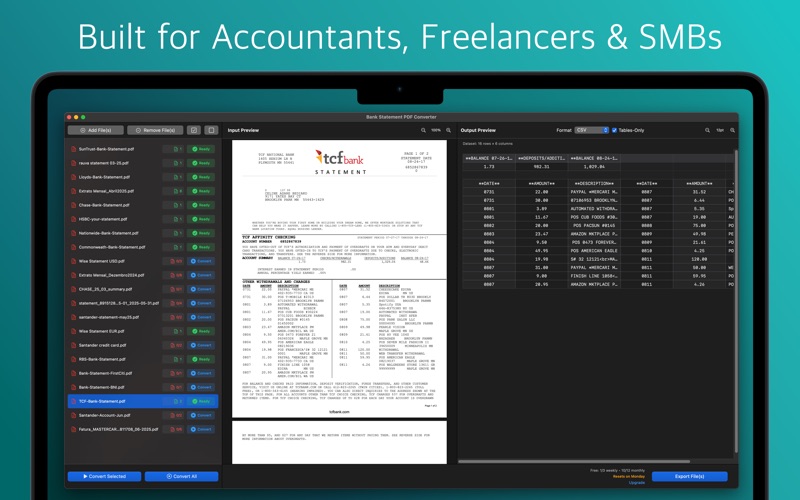
‣ Built for finance pros – Ideal for accountants, bookkeepers, freelancers, consultants and business owners who need rock‑solid data fast.
• How it works
1. On‑device OCR converts PDFs to raw text locally.
2. Encrypted text is briefly sent to our isolated cloud formatter.
3. Structured output returns to your Mac and is cached locally.
4. Source PDFs remain private—always.
• Plans
‣ Free – 12 pages/month.
‣ Personal – 80 pages/month.
‣ Pro – 200 pages/month.
‣ Business – 600 pages/month.
‣ Scale – 1400 pages/month.
• Subscription details
Payment is charged to your Apple ID at confirmation. Subscription renews automatically unless cancelled at least 24 hours before the end of the period. Manage or cancel anytime in your App Store account settings. Unused quota does not roll over.
• Support
Need help? Found a tricky statement? Email contact@greatapps.store—we’d love to improve support for your bank.
‣ Terms of Use: https://www.apple.com/legal/internet-services/itunes/dev/stdeula/
‣ Privacy Policy: https://www.greatapps.store/privacy-policy-bank-statement-pdf-converter/