

Bank Statement to Excel
Bank Statement to Excel is made and published by Saurav Shekhar. AppBrain is an independent app data site and isn't affiliated with Saurav Shekhar. The app name, icon, screenshots and description belong to Saurav Shekhar and are shown as published on the App Store.
AppBrain's verdict
- Last updated
- September 24, 2026
- Size
- 8.27 MB
User feedback
Ratings and reviews on the App StoreComments on Bank Statement to Excel for iOS
We don't have enough comments to show example comments. Please check back later.
Store listing
By Saurav Shekhar, from the App Store
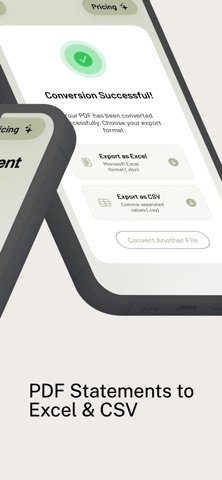
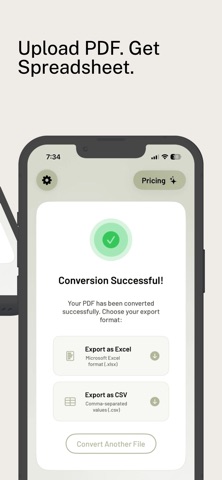

Description by Saurav Shekhar Written by the developer, not by AppBrain. Click to read.
Stop manually typing data from your bank statements. BankStatement uses high-speed extraction to turn complex PDF documents into clean, organized spreadsheets (XLSX and CSV) in seconds. Perfect for accounting, tax preparation, and personal expense tracking.
How it Works:
Upload: Select any PDF bank statement or invoice from your device.
Convert: Our AI-powered engine identifies tables and transaction rows.
Export: Download your structured data directly into Microsoft Excel or as a CSV file.
Key Features:
• High-Speed AI Extraction: Accurately identifies dates, descriptions, and amounts.
• Excel & CSV Support: Export in the format that works best for your workflow.
• Bank-Level Security: Your privacy is our priority. Documents are processed securely.
• Clean Formatting: Data ready for pivot tables, formulas, and accounting software.
Subscription & Credits:
BankStatement offers a hybrid model to suit your needs:
• Free Users: Start with 5 complimentary credits to convert your first few pages for free.
• Premium Subscription: Unlock Unlimited Conversions and priority processing with a Weekly, Monthly, or Yearly Premium Plan.
SUBSCRIPTION INFORMATION:
• Title: PDF Statement Conversion Plans
• Service Provided: Unlimited conversion of bank statement PDFs into professional Excel (.xlsx) and CSV formats using high-speed AI extraction.
• Weekly Plan: 1-week duration.
• Monthly Plan: 1-month duration.
• Yearly Plan: 1-year duration.
• Payment: Charged to your iTunes Account at confirmation of purchase.
• Auto-Renewal: Subscription automatically renews unless auto-renew is turned off at least 24 hours before the end of the current period.
• Management: Manage or turn off auto-renew in your Apple ID Account Settings any time after purchase.
Terms of Use (EULA): https://www.apple.com/legal/internet-services/itunes/dev/stdeula/
Privacy Policy: https://jobspotcanada.com/privacy-policy.html
Safety and technology
Found in the app by AppBrain- Price
- Free
- App size
- 8.27 MB
- Content rating
- Everyone
Technologies used by Bank Statement to Excel
Releases
Updates seen on the App Store- Version
- 1.1
- Launched
- May 2026
No changelog data
Alternatives
Similar apps and more from Saurav ShekharAlternatives to Bank Statement to Excel


Rankings
App Store top chartsApp Store Rankings for Bank Statement to Excel
About the app and developer
About Bank Statement to Excel
Bank Statement to Excel is a finance app developed by Saurav Shekhar.
What is the rating of Bank Statement to Excel?
Bank Statement to Excel has no ratings yet.
Is Bank Statement to Excel free?
Bank Statement to Excel is free. The app size is 8.27 MB. The latest version available is 1.1. The last update was on September 24, 2026.
What are the requirements for Bank Statement to Excel?
The app has a content rating of Everyone. The app has been available on the App Store since May 2026.
Developer information for Saurav Shekhar
Address:
Frequently asked questions about Bank Statement to Excel
Is Bank Statement to Excel free?
Yes. Bank Statement to Excel is free on the App Store.
Is Bank Statement to Excel still available?
Yes. Bank Statement to Excel is on the App Store, and the last update we saw was on September 24, 2026.
How large is Bank Statement to Excel?
Bank Statement to Excel is 8.27 MB.
Is Bank Statement to Excel suitable for children?
App Store rates the content of Bank Statement to Excel as suitable for everyone.
Who made Bank Statement to Excel?
Bank Statement to Excel was developed by Saurav Shekhar. It is listed in the finance category on the App Store.
What are the best alternatives to Bank Statement to Excel?
People looking at Bank Statement to Excel also look at these finance apps: PDFtoXL:Bank Statement toExcel, KanooX, My Bank Statements Converter, PDF Bank Statement Converter, PDF to CSV Converter.