

BankTree Personal Finance
BankTree Personal Finance is made and published by BankTree. AppBrain is an independent app data site and isn't affiliated with BankTree. The app name, icon, screenshots and description belong to BankTree and are shown as published on the App Store.
AppBrain's verdict
Established- Rating on App Store
- 2.00
- 1 ratings
- Last updated
- April 8, 2024
It doesn't have enough ratings yet to judge what users think.
Rankings
App Store top chartsApp Store Rankings for BankTree Personal Finance
Competitors
Similar apps and more from BankTreeAlternatives to BankTree Personal Finance




Also available on Google Play

Releases
Updates seen on the App Store- Version
- 2.0.27
- Launched
- April 2014
No changelog data
User feedback
Ratings and reviews on the App StoreComments on BankTree Personal Finance for iOS
We don't have enough comments to show example comments. Please check back later.
Technology
Found in the app by AppBrain- Price
- Free
- App size
- 13.9 MB
- Content rating
- Everyone
Technologies used by BankTree Personal Finance
About the app and developer
About BankTree Personal Finance
BankTree Personal Finance is a finance app developed by BankTree.
User Ratings
BankTree Personal Finance is rated 2.00 out of 5 stars. The rating is based on one rating ratings.
App Information
BankTree Personal Finance is freely available from the App Store. The app size is 13.94 MB. The latest version available is 2.0.27. The last update was on April 8, 2024.
Technical Requirements
The app has a content rating of Everyone. The app has been available on the App Store since April 2014.
Developer information for BankTree
Address:
Store listing
By BankTree, from the App Store
Description by BankTree Written by the developer, not by AppBrain. Click to read.
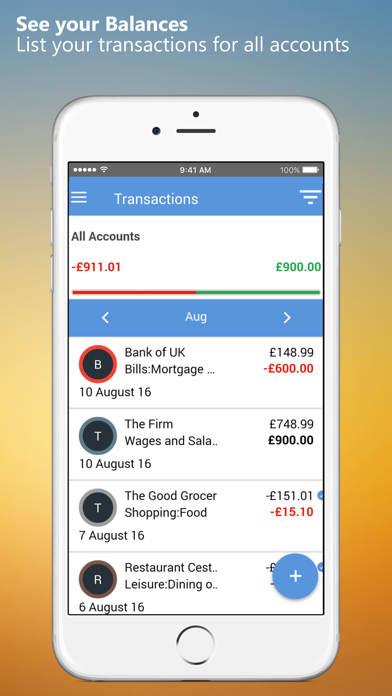
With this handy application, you can start to keep track of your spending, plan your budget to save your money. Money management is now intuitive, fun and stress free.
KEY FEATURES
1. Expense tracker & Money manager
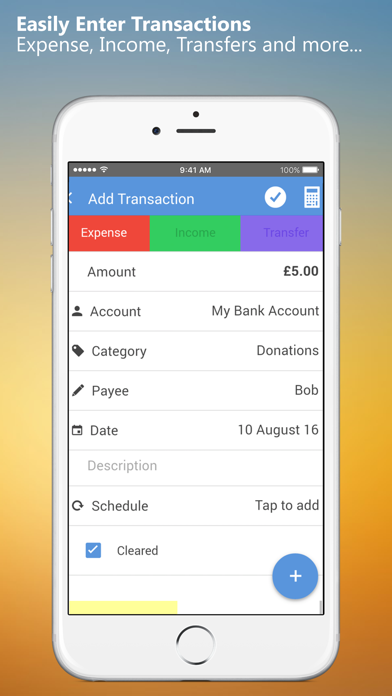
Keep track of all spending on a daily basis in just a few minutes. You only need to key in a few details and choose a category, it's that simple.
2. Budget planner
Easy to manage budgets for all expenses or specific category for a week, month or even year. See when you reach a limit on a budget.
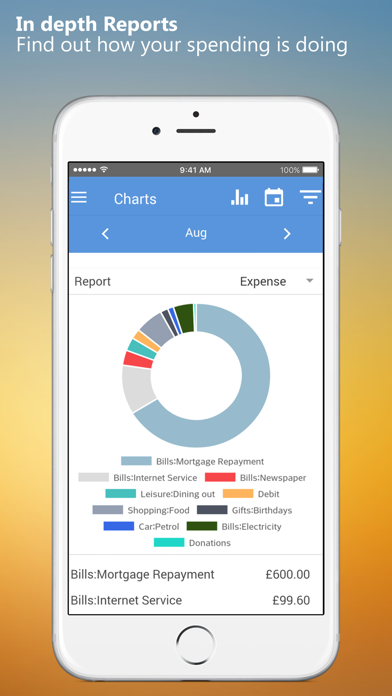
3. In-depth reports
We provides bar and pie charts, which give you an accurate picture of your total expense, income or balance for the month, week and more. Stay on top of your money.
4. Bill reminder
Never miss a bill because you can schedule for upcoming bills such as rental, Internet or monthly subscription, in just a few steps. See when the bill is due each month, and when to spend less and save more money.
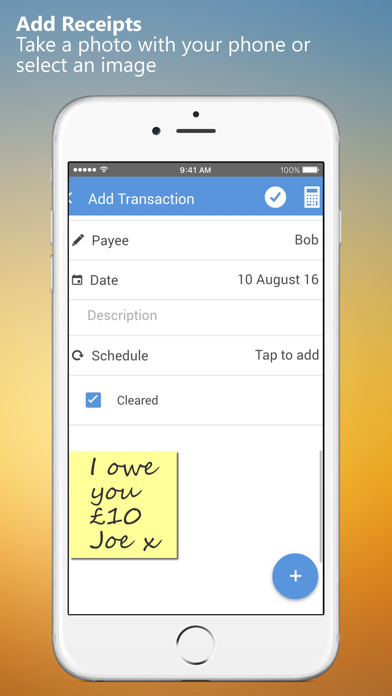
5. Receipt capture
Do you want to see your receipt on your computer? Take a picture of your receipt and attach to your transaction. Synchronize the mobile app with the desktop application and see your receipt added to your transaction on your computer.
6. Cloud Syncing with top-notch security level
If you have more than one device or are using both iPhone or iPad, you can rely on our app to record all of the transactions and manage your expenditure. It works seamlessly across devices and platforms. From iPhone, iPad to PC & laptop, securely access your data from anywhere and any devices so you can fully control your money, budgets, and finances. Link with the BankTree personal finance desktop application or the BankTree Online web application.
OTHER FEATURES
- Currency converter tool
- Multiple currencies, account transfers
- Schedule for future and recurring transactions
- Split transactions for multiple category transactions
- Backup and restore, link to Dropbox or Google Drive
- Export to CSV or QIF file
- Built in pass code protection
- Help & Support
Upgrade to PREMIUM for the following features:
- Link with Google Drive, Smart Sync across all devices
- Add schedule transactions and forecast bills
- Add budget planner for your spending and saving goals
- Add backup and restore and export to CSV and QIF
For further help and support please contact us http://www.banktree.co.uk/support
Clarification for Access Permissions:
-Photos / Media / Files
Attach your receipts and photos to each transaction.
-Storage
Save your images, transactions, backup and restore data files.
-Network / WiFi
Update files to cloud, and obtain currency exchange rates.
Note: To setup the Windows Desktop / Cloud synchronization follow the instructions provided after selecting 'Sync with BankTree desktop'.