It doesn't have enough ratings yet to judge what users think.
Basketball Schedule Planner is made and published by
NAOYA ONO.
AppBrain is an independent app data site and isn't affiliated with NAOYA ONO.
The app name, icon, screenshots and description belong to NAOYA ONO and are shown as
published on the App Store.
About Basketball Schedule Planner
Basketball Schedule Planner is a sports app developed by NAOYA ONO.
What is the rating of Basketball Schedule Planner?
Basketball Schedule Planner is rated 2.50 out of 5 stars, based on 2 ratings.
Is Basketball Schedule Planner free?
Basketball Schedule Planner is free. The app size is 50.12 MB. The latest version available is 1.5.1. The last update was on December 5, 2023.
What are the requirements for Basketball Schedule Planner?
The app has a content rating of High Maturity. The app has been available on the App Store since January 2022.
Description by NAOYA ONO(from the App Store)
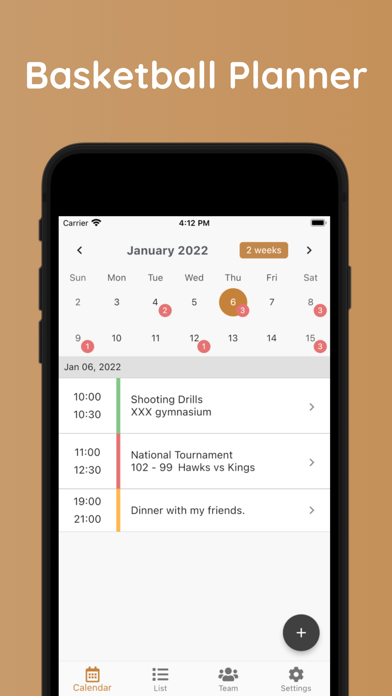
A schedule planner app specialized for basketball. You can manage training details, match results, players, and small notes by date.
If you are having trouble keeping track of your daily club activities or managing your schedule, this is the app for you.
● Basic features 1. Register schedule You can register the time and name of appointments.
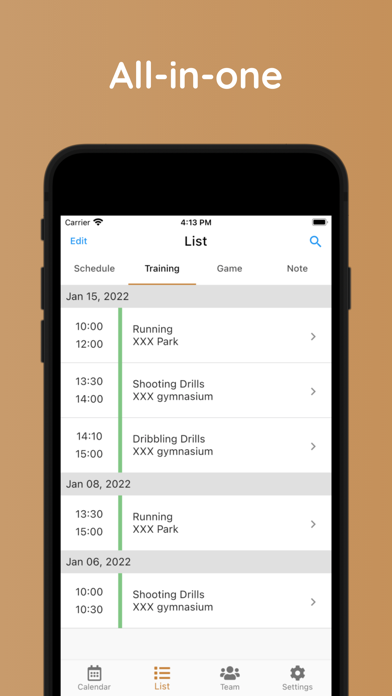
2. Register training details You can register your training regimen, date, time, location, and goals. A photo can also be registered.
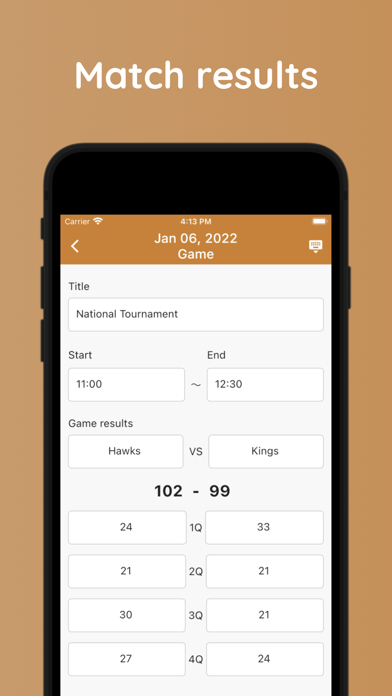
3. Register match records You can register your opponent, the time of the match, and the result. There is also a note section, so you can write down anything you notice during the match and use it for the next match. A photo can also be registered.
4. Quick notes You can write things you want to take a note of.
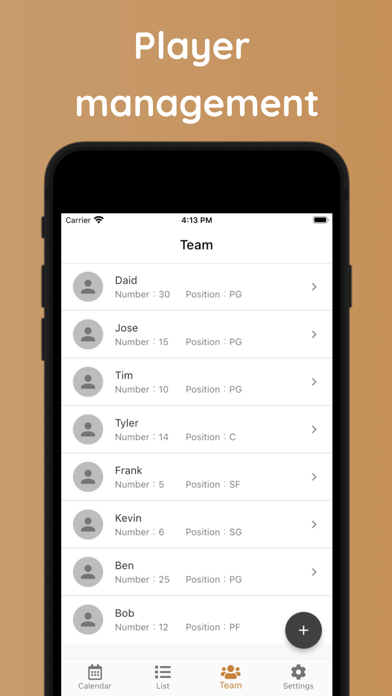
5. Registering player data You can register player names, positions, uniform numbers, and notes.
● About signing into the app All functions of this app can be used without signing in. If you don’t want to use your Apple/Google account, please tap "Start as a guest user" when using the app.
Signing in with your Apple/Google account has the following advantages.
・You can share data on multiple devices. ・If you accidentally delete the app, you can recover the data. ・You can transfer your data when you change your phone model.
Even if you start as a guest user first, you can still link your account to your Apple/Google account. In this case, please tap “Link your account" in the settings screen.
Each subscription will automatically renew 3 days before the expiration date for
the same time period. Subscriptions can be cancelled at any time before the renewal.