BatchPhoto is an overall app developed by Bits&Coffee.
Download Statistics
User Ratings
The app has no ratings yet.
App Information
BatchPhoto costs $49.99 to download. The APK download size is 65.90 MB. The latest version available is 5.1.1. The last update was on December 19, 2025.
Technical Requirements
The app has a content rating of Everyone. The app has been available on Google Play January 2013.
Description
"If you need time/date stamps, image type conversion, size changes, basic touch-up, or watermarks applied to your photographs, BatchPhoto will allow you to do this simply." — Steve's Digicams
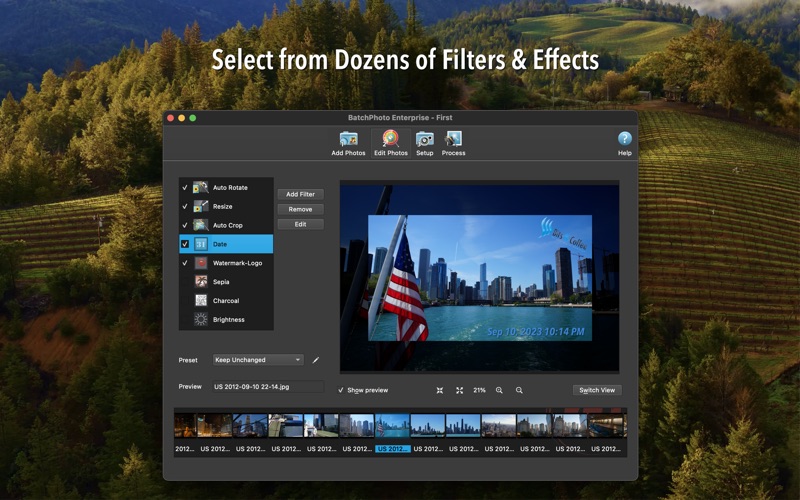
"Filters and effects are really what make BatchPhoto special. Features in editing your batch are very, very extensive. Every filter you can imagine is available in BatchPhoto" — MakeUseOf Review
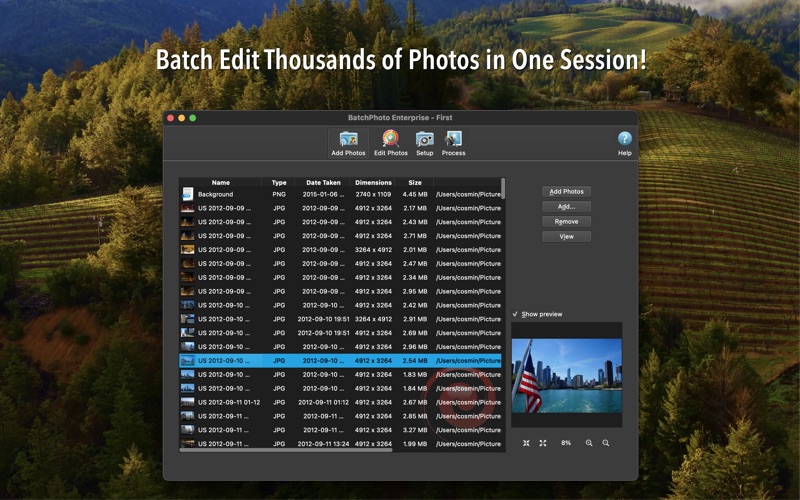
Do you have hundreds of photos on your Mac waiting to be sorted out and edited? With BatchPhoto it doesn't matter if you have just a few or thousands of them, it will be just as easy & fast to edit them!
Instead of enhancing and adjusting pictures individually, BatchPhoto lets you select a group of images, define a series of edits, and apply them in a single operation. Here is what you can do:
Transform & Adjust • Resize hundreds of photos in one step for easy sharing or to save space; • Auto Crop photos to aspect ratios like 16:9, 4:3, 1:1 and so on. • Auto Rotate dozens of photos to portrait or landscape based on the embedded metadata; • Easily adjust the DPI and the document size in inches; • Replace any color in the image, with another color or with the alpha channel
Convert & Rename • Convert to and from 200+ image formats, including JPEG, PDF, HEIF, WEBP, AVIF, TIFF, GIF, PNG and more; • Create PDF albums from multiple photos for easy sharing; • Support for RAW image formats (digital negatives) from DSLR digital cameras; • Change the cryptic names generated by digital cameras to meaningful names
Annotate & Decorate • Automatically stamp the original Date/Time (as recorded by the digital camera) on photos; • Protect photos with text and logo Watermarks; • Add single or multi-line Text Comments to pictures in bulk; • Add metadata fields from EXIF like GPS coordinates, and camera details; • Decorate photos with beautifully designed graphical frames like Grunge, Vintage, Picture or Shape
Special Effects & Touch-Ups • Apply special effects like: Sepia, Black & White, Oil Paint, Charcoal Sketch and more; • Touch-up photos by adjusting the Brightness, Sharpness, Contrast, and more; • Use the Auto Contrast filter to simply adjust the contrast for multiple pictures
Additional Functionality • Take advantage of multi-core CPUs to edit and convert thousands of images in one session; • Upload images to SFTP/FTP or send via email in the same session; • Use predefined or custom defined profiles to improve productivity; • Use scripts to automate tasks and run the app from the command-line
Each subscription will automatically renew 3 days before the expiration date for
the same time period. Subscriptions can be cancelled at any time before the renewal.