

Bay Alarm Vision
Bay Alarm Vision is made and published by Bay Alarm Company. AppBrain is an independent app data site and isn't affiliated with Bay Alarm Company. The app name, icon, screenshots and description belong to Bay Alarm Company and are shown as published on the App Store.
AppBrain's verdict
Established- Rating on App Store
- 2.43
- 7 ratings
- Last updated
- July 21, 2026
It doesn't have enough ratings yet to judge what users think.
Rankings
App Store top chartsApp Store Rankings for Bay Alarm Vision
Competitors
Similar apps and more from Bay Alarm Company





Releases
Updates seen on the App Store- Version
- 3.3.0
- Launched
- February 2020
No changelog data
User feedback
Ratings and reviews on the App StoreComments on Bay Alarm Vision for iOS
We don't have enough comments to show example comments. Please check back later.
Technology
Found in the app by AppBrain- Price
- Free
- App size
- 26.3 MB
- Content rating
- Everyone
Technologies used by Bay Alarm Vision
About the app and developer
About Bay Alarm Vision
Bay Alarm Vision is a lifestyle app developed by Bay Alarm Company.
What is the rating of Bay Alarm Vision?
Bay Alarm Vision is rated 2.43 out of 5 stars, based on 7 ratings.
Is Bay Alarm Vision free?
Bay Alarm Vision is free. The app size is 26.26 MB. The latest version available is 3.3.0. The last update was on July 21, 2026.
What are the requirements for Bay Alarm Vision?
The app has a content rating of Everyone. The app has been available on the App Store since February 2020.
Developer information for Bay Alarm Company
Address:
Store listing
By Bay Alarm Company, from the App Store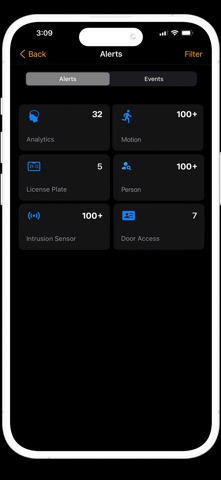


Description by Bay Alarm Company Written by the developer, not by AppBrain. Click to read.
FEATURES:
• Single sign-on to loads all recorder connection settings automatically
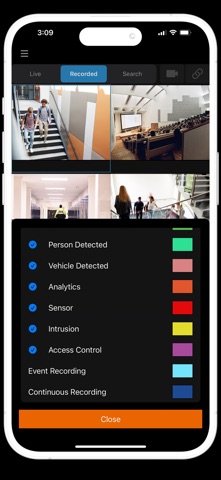
• Display video from multiple camera views
• Switch between cameras by swiping a finger
• Search video by time and date
• Digital Zoom for Live and Search
• PTZ control for supported cameras
• Two-way Audio
• Event Search
• Push Notifications
• 2-Step verification
• Export video clips to the cloud and share them with other users
• Remotely activate relays
• 360° view in live and recorded video with interactive PTZ control and zoom
It is strongly recommended this app be used on a secure Wi-Fi network. Streaming high definition video over cellular networks can consume large amounts of data and deplete battery life.