

Beads Buddy: Bead Patterns
Beads Buddy: Bead Patterns is made and published by Pocket factory AB. AppBrain is an independent app data site and isn't affiliated with Pocket factory AB. The app name, icon, screenshots and description belong to Pocket factory AB and are shown as published on the App Store.
AppBrain's verdict
- Last updated
- September 22, 2026
Rankings
App Store top chartsApp Store Rankings for Beads Buddy: Bead Patterns
Competitors
Similar apps and more from Pocket factory ABAlternatives to Beads Buddy: Bead Patterns


 PixelBead - Perler & Pixel Art


More from Pocket factory AB


Releases
Updates seen on the App Store- Version
- 1.0.28
- Launched
- January 2026
No changelog data
User feedback
Ratings and reviews on the App StoreComments on Beads Buddy: Bead Patterns for iOS
We don't have enough comments to show example comments. Please check back later.
Technology
Found in the app by AppBrain- Price
- Free
- App size
- 63.9 MB
- Content rating
- Everyone
Technologies used by Beads Buddy: Bead Patterns
About the app and developer
About Beads Buddy: Bead Patterns
Beads Buddy: Bead Patterns is a graphics & design app developed by Pocket factory AB.
User Ratings
The app has no ratings yet.
App Information
Beads Buddy: Bead Patterns is freely available from the App Store. The app size is 63.92 MB. The latest version available is 1.0.28. The last update was on September 22, 2026.
Technical Requirements
The app has a content rating of Everyone. The app has been available on the App Store since January 2026.
Developer information for Pocket factory AB
Address:
Store listing
By Pocket factory AB, from the App Store
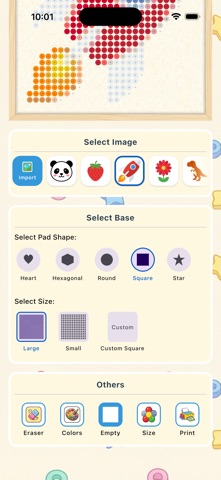
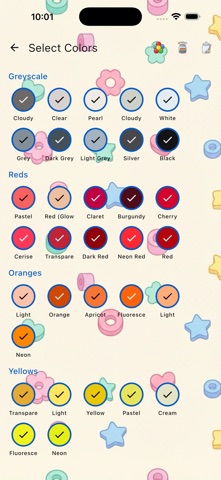
Description by Pocket factory AB Written by the developer, not by AppBrain. Click to read.
Beads Buddy makes bead art easy. Pick a photo, choose the bead brand you already own, and get a clean, printable pattern ready to bead. No design skills needed.
Features
- Photo to pattern in seconds. Import any image and every color is matched to a fitting bead in your palette.
- Works with the beads you have. Supports Perler, Hama, Artkal and Nabbi, with Midi and Mini sizes.
- Full control. Adjust grid size, color count and contrast until the pattern looks exactly right.
- PDF export. Print a perfectly sized guide and place it under a transparent pegboard.
- Every pegboard shape. Squares, circles, hearts, hexagons and stars.
- Free to use. Unlimited patterns and PDF export at no cost.
How to make a pattern
1. Pick a clear photo.
2. Open it in Beads Buddy.
3. Choose your grid and bead brand.
4. Adjust until it looks right.
5. Export the PDF guide, bead it, and fuse.
Whether you are a beginner or a pro, making a perler, hama or artkal pattern from a photo has never been simpler.